Repeaters, looped
Repeater, Flexible, Gallery, and other multi-value fields become loops, even a loop in a loop.

Mosaic is a visual WordPress builder that reads your ACPT custom fields directly, so even repeaters and relationships are ready to place in any design you build.
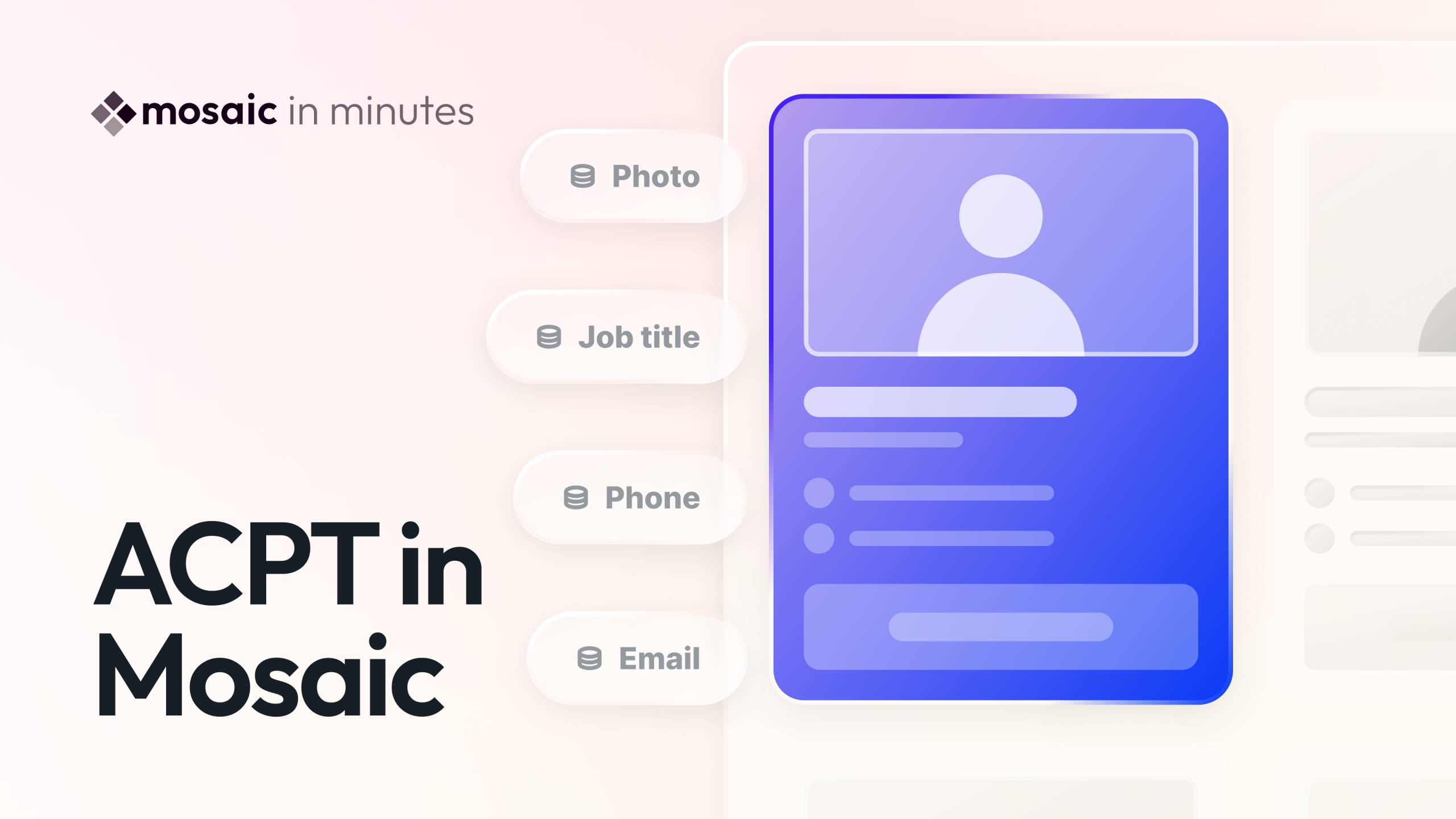
A static dentist team grid turns dynamic, with each role, language, office day and specialty read from ACPT fields, plus a new patients badge that shows only when it applies.
The spots where ACPT data can need a patch, a shortcode, or a companion plugin in another builder, and what Mosaic does at each of those spots instead.
Repeater, Flexible, Gallery, and other multi-value fields become loops, even a loop in a loop.
Pick an ACPT field from the dynamic data panel and drop it into a heading, an image or a link.
A Phone field gives you the number, its dial code, and a ready phone link that calls in one tap.
Templates preview with your real posts while you design, so you see actual content, not dummy text.
One build from the tutorial, start to finish: a dentist team grid that runs on ACPT, so a new hire or a schedule change happens in a post, not in the design.
Every ACPT post type and taxonomy becomes a source in Mosaic, so you can loop it, filter it and sort it.
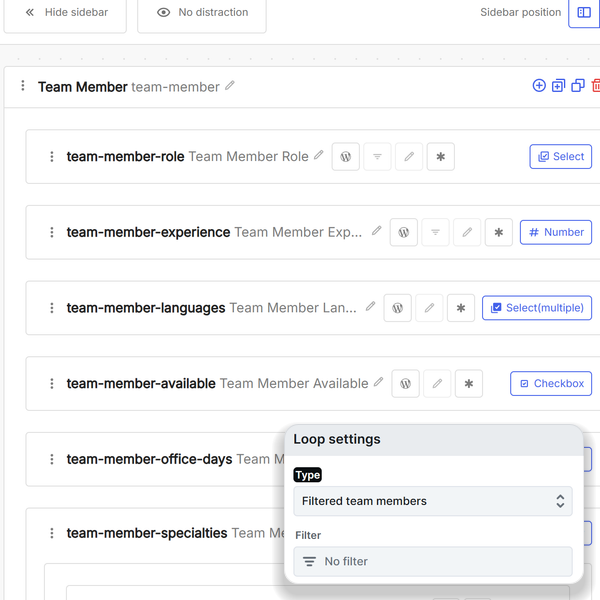
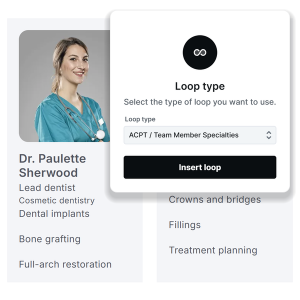
Drop in a Loop element on Team Member, paste in your card design, and the loop repeats it for each dentist.
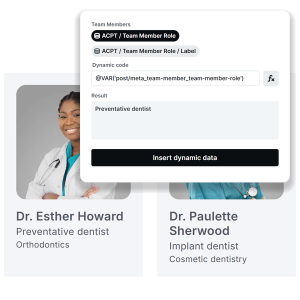
Select the role and choose ACPT / Team Member Role in the dynamic data panel, the same way as post fields.
A number like years of experience slots into a sentence, and a languages field lists every language each dentist speaks.
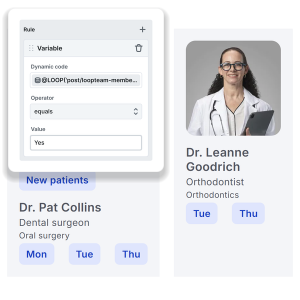
A visibility rule checks the Available field, so the new patients badge shows only on dentists who accept them.
Office day buttons follow each dentist's schedule. Rules run on the live page, so you check them in a preview.
Specialties is an ACPT repeater, so a Loop item element inside the card lists its rows for each dentist.
Each dentist shows their own list, however many rows they have, and a new specialty in ACPT shows up there.
ACPT keeps post types, option pages, and tables in one plugin, and Mosaic reads each of them, so headers, footers, and listings can all show the content you already keep in ACPT.
Turn on an archive in ACPT, and its list of entries can get an archive template of its own in Mosaic.
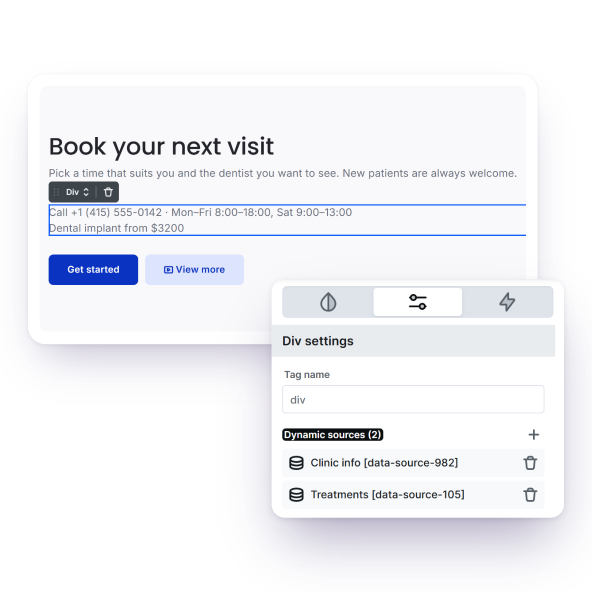
ACPT option pages and their child pages are sources for a Div in a header, a footer or any section.
Columns show up on the post they belong to, and each table is a loop source of its own as well.
Make a relationship two-way in ACPT, and each side can list the other one as a loop of its own.
Developers, designers, and WordPress reviewers on building with Mosaic’s dynamic data, from custom archives and repeaters to the formulas that tidy up values.
Dynamic content is one of the features that really stands out to me. Once you start using it, building data-driven pages becomes surprisingly simple and efficient.

When I first visited the Mosaic website, I couldn’t believe it was still in beta because of how polished the animations were. After trying it myself, I was impressed by how smooth the editor felt (especially switching between master and template), how capable the dynamic data already was, and having animations built in natively. That was the moment I knew I wanted to build my own site with Mosaic.

The dynamic data and conditional display options are very extensive for a version one and easy to use. In fact, they outdo what's available in many pro builders that have been around for years. Support for ACF is excellent. And the output code is clean, with no extra divs.

I picked up Mosaic a while ago and didn’t expect it to win me over. I’m pleasantly surprised at how much I enjoy it, and I’m even thinking about switching some of my main sites to it. Once you get the hang of it, building and designing becomes quick and smooth.

With Mosaic and their dynamic data abilities, I am able to create custom archives for each section and category. This combined with ACF Custom Fields and Custom Taxonomies, I can create a Custom experience for each visitor.

The interactions are really well made, you can do some very cool things with them, and the preview is instant and super smooth. The dynamic content is powerful too, with formulas for shortening text and more, and it's all surprisingly simple to do.

Install Mosaic next to ACPT and open a template. Your ACPT fields, option pages, and tables are already in the dynamic data panel, ready for the first design.
If Mosaic doesn't fit the way you build, ask within 14 days of your first payment and you get a full refund, with no questions asked.
Write to the team that designs and builds Mosaic for one-to-one email support, with most requests answered within one business day.
Personal and Creator come with a year of updates and support that renews each year, and the Agency lifetime license never expires.
Your site keeps working if you cancel, and the front end stays exactly as visitors know it. Only updates, the design library and support stop.
Straight answers on ACPT versions, field types, and limits, for anyone running a site on ACPT who wants to know what changes once Mosaic shows the data.
Yes. Mosaic doesn't create post types or fields, ACPT does. Your field groups, entries, and settings stay exactly as they are in ACPT, and Mosaic reads them and shows them in your designs.
We use cookies to improve your experience, analyze traffic, and personalize content. By clicking "Accept all" you agree to storing them on your device. Read our privacy policy.