
One design system for your WordPress site

Save your brand colors, fonts, and spacing once, then apply them with classes, so your pages, templates, and blog posts stay on brand.

Get Mosaic
One edit, everywhere it's used

Change a variable or a class, and every place that uses it updates.

Readable CSS underneath

Your variables and classes come out as CSS your own code can use.

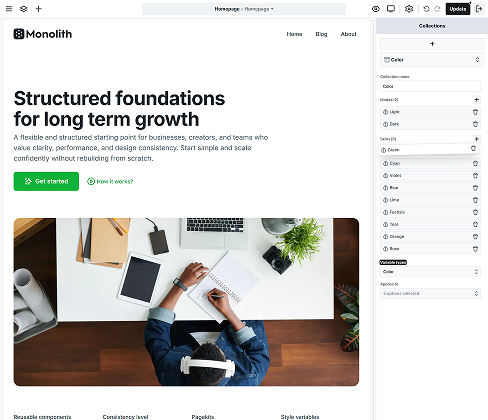
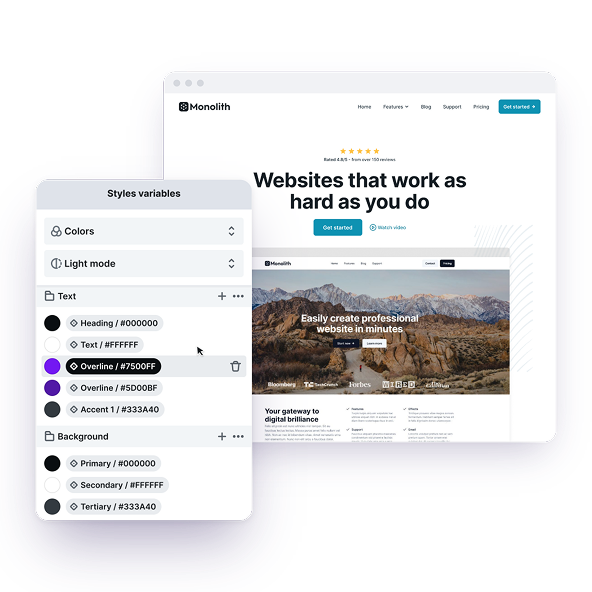
WordPress design system in Mosaic Builder: the Style variables panel open on the Color collection, with the Brand color and the Background and Text color groups listed beside the homepage they style

What the design system holds

A design system is the set of colors, fonts, and spacing a site is built from. In Mosaic, variables hold those values, classes apply them, and Gutenberg styles bring them into posts.

Style variables

Your colors, fonts, type sizes, spacing, radius, and shadows are saved once and offered in every field that takes them.

In practice
  • Grouped, like background, text and border colors
  • Readable CSS names, like --color--background--primary
  • Pin a CSS name so renaming the label won't break your code
  • Font size and line height as variables too
Classes

Every paragraph, heading level, and button starts with a built-in class you can restyle at once, and your own classes work on any element.

In practice
  • Restyle every Heading 2 at once from its class
  • Your own classes render exactly as you name them
  • Hover and other states on any class
  • Copy a style and paste it onto a class

Gutenberg styles

Posts written in the block editor or the Classic Editor take the type, spacing, and colors you set in your Gutenberg styles.

In practice
  • Headings, lists, quotes and images
  • Buttons, code and separators
  • Styled in the same Style tab as your classes
  • Custom HTML styled with your own CSS

Set up for you

Gibraltar and Monolith arrive filled in. As you install one, pick a color palette or your brand color, then a font pairing.

In practice
  • A ready color palette or your own hex code
  • A font pairing to start from
  • Pages, blocks and parts built on it
  • Every choice can be changed later

Follow one edit through the site

Here is what happens when you change one brand color, followed from the panel where you change it to every single part of your site that uses it.

Step 1
Your edit
Change a color in one place

Your brand colors live in the Color collection, the set of style variables that holds your colors. Say you change the primary color there from blue to green. That is the only edit you make.

You don't open a page, rename a class or save a template again. Every button, link and section that uses the primary color now shows the new green.

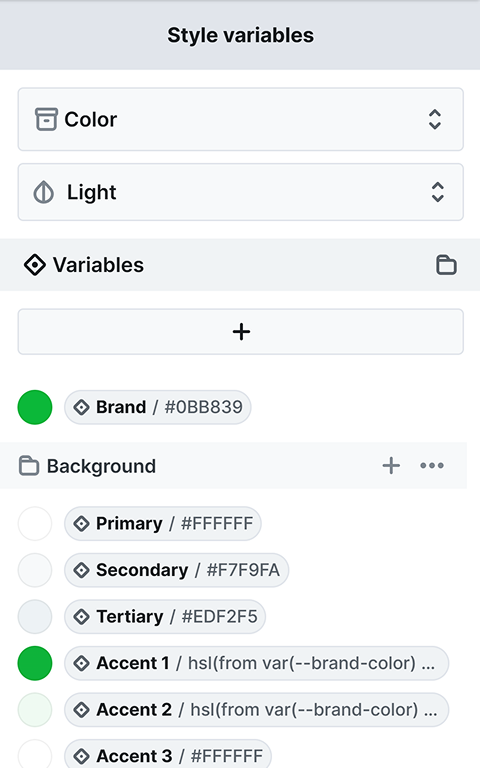
The Style variables panel in Mosaic Builder with the Color collection open in Light mode, the Brand color variable now set to green, #0BB839
Step 2
Your pages
Pages on that master follow

The header and footer sit in a master, the shared layout that wraps your pages. Any button, link, or current menu highlight there that uses the primary color turns green.

Every page built on that master changes with it, and so does every section on those pages whose classes use the primary color. Nothing is updated page by page.

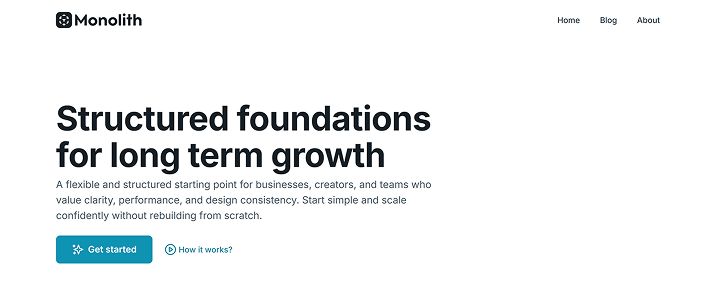
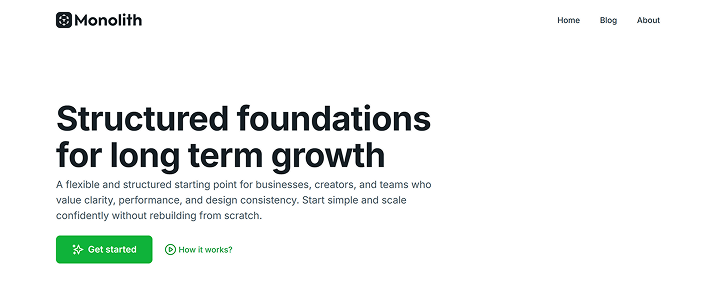
Two copies of the same Monolith page built with Mosaic Builder, the one behind with a blue button and the one in front with the button turned green after a single change to the primary colorTwo copies of the same Monolith page built with Mosaic Builder, the one behind with a blue button and the one in front with the button turned green after a single change to the primary color
Step 3
Your posts
Your blog posts follow too

Post and archive templates are built from the same variables and classes as your pages, so post listings and article layouts pick up the green wherever they use it.

The writing inside your posts follows as well. Where your Gutenberg styles use the primary color, links, quotes and buttons turn green, older posts included.

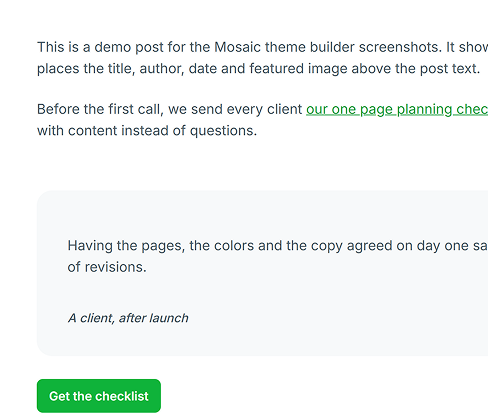
A blog post built with Mosaic Builder, with a green link in the text, a quote block and a green Get the checklist button, all styled by its Gutenberg styles
Step 4
Your code
Your own CSS follows too

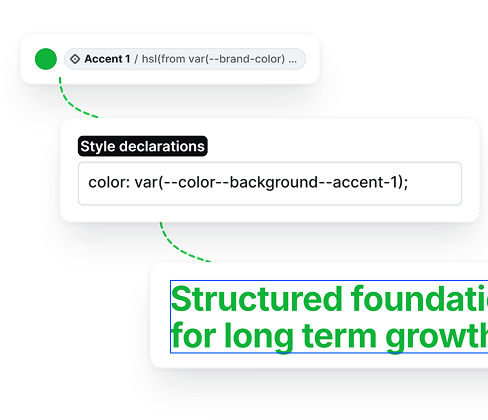
Every style variable is also a real CSS custom property with a readable name, like --color--background--primary for the primary background color in your Color collection.

Any custom CSS that references that name reads the same value, so the code you or a developer wrote turns green with the rest, with no find and replace.

A Mosaic Builder Style declarations field with the custom CSS rule color: var(--color--background--accent-1), and the heading it styles shown in green on the page

New looks without new pages

Show a client a second brand look, or turn one section dark, without copying a page or a class. Skins and modes switch the values while your layouts stay exactly as they are.

The Monolith theme open in the Mosaic Builder editor, with the Color collection's list of skins beside it and the Green skin being dragged to the top

Skins

A skin is an alternate set of values, such as a new palette or a font pairing. Keep the current brand and a new direction side by side, and switch between them without touching a page.

Top of the list wins

The top skin in the list is the one in use. Drag another up, and everything using its values follows.

Palettes and fonts

In the setup wizard, Gibraltar and Monolith let you pick a color skin and a font skin separately.

Modes

A mode gives a variable a second value, such as a darker version of each color. Switch any section to that mode, and everything inside it follows without a duplicate class.

Set on any element

Pick the mode on a section, a card, or a whole page, and every element inside it inherits the choice.

Works with interactions

Interactions, such as click, scroll, or page load effects, can switch an element's mode for visitors.

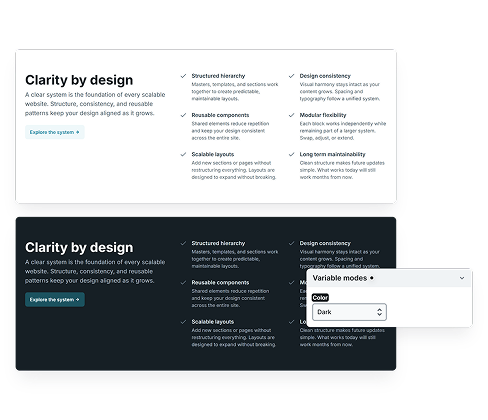
The same page section in light and dark mode in Mosaic Builder, with the Variable modes setting open and the Color mode set to Dark

See where every value comes from

When a style will not budge, the Style tab shows you which class or which screen size set it.

Value highlights

Click a highlighted field to see if this class set it or another one did.

A fixed order

Classes stack top to bottom, then left to right; the later one wins.

Local styles

Change one element on its own and leave its shared class alone.

Screen size marks

Tablet and mobile edits are marked; smaller screens inherit.

Real takes from real creators

Designers, developers, and site owners on using Mosaic’s design system to keep every page consistent without restyling it from scratch, from the first layout to the hundredth page.

The "Export/import Theme" feature is great, and with the ability to configure different skins, it makes it extremely easy for a user to import a theme, chose the templates they want to create for their site, as well as different fonts / colors sets.

Laura Kim

Web agency owner

Mosaic helped me to have control over my classes, over my design system. The pre-built templates came with full classes and variables ready for use. Of course, I like to build my own, but the way the builder came speeds up the process a lot.

Felipe Felix

UI/UX and WordPress designer

Mosaic brings the experience of a modern design system into WordPress. By using global variables and reusable classes, it creates a much cleaner and more structured workflow. After working this way, most traditional page builders start to feel disorganized and harder to manage.

Rajesh Arya

Founder, Lexjuris Legal Consultants

What I appreciate most is that Mosaic teaches good practices without forcing them. After using it for a while, my workflow became much more structured and consistent.

Lukas Schneider

Design Student

For larger projects, Mosaic makes a big difference. The structured approach to styling, variables, and reusable elements makes maintaining websites much easier over time. I also really like the lifetime one-time payment option. It feels like a solid investment for a builder I plan to use on many future projects.

Oliver Bennett

Creative Director

First of all, congratulations on the release of Mosaic Builder. The structure of your design system and class system is outstanding, and the intuitive components and overall UX are truly impressive.

Dennis

Web designer and developer

Get the whole design system from day one

Pick the plan for the sites you build: Personal covers one site, Creator ten, and Agency gives you unlimited.

Get Mosaic
Everything built in

Classes, variables, every theme and the design library, no add-on plugins.

Updates and support

A year of updates and support on yearly plans, and for life on Agency.

Staging sites are free

Development and staging domains don't count toward your site limit.

14 day refund

Every paid purchase comes with a 14 day refund, no questions asked.

Your site keeps working

Cancel a yearly plan and your site keeps working on the front end.

Common questions, clear answers

What Mosaic covers today, what you set up yourself, and what is still on the roadmap, so you know exactly where you stand before you build your first site with it.

What is a design system in a WordPress builder?

It is the shared set of values a site is built from, such as brand colors, a type scale, and spacing steps, plus the classes that apply them. In Mosaic, it lives in the theme, so new pages start from it.

Your cookie preferences

We use cookies to improve your experience, analyze traffic, and personalize content. By clicking "Accept all" you agree to storing them on your device. Read our privacy policy.