Dynamic content is one of the features that really stands out to me. Once you start using it, building data-driven pages becomes surprisingly simple and efficient.

Marco Rinaldi
WordPress developer

Your classes keep the names you give them, and your variables ship as CSS custom properties. This page is built with Mosaic, so check it in DevTools.
This page’s Get Mosaic button in DevTools: the Button variant, its primary variant sub class with a nested size, and padding from Spacing style variables.
Define each style, value, and layout once, and every page reuses it, and the names you choose become the classes and custom properties in your code.
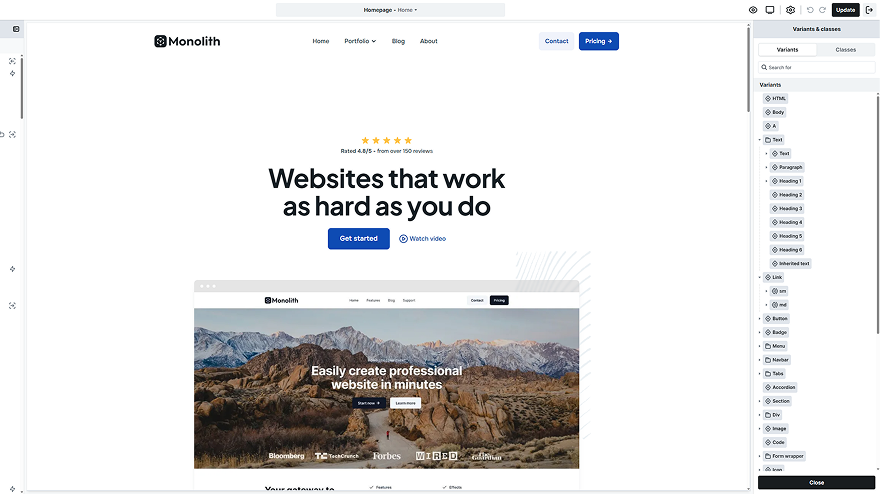
Styles stack from variant to variant subclass, class, sub class, then local styles, and the later layer wins. The style tab marks which layer set each value, so you know where to fix it.
Rename a class and the HTML follows
Target it from your own CSS or GTM
Click a gray value to find its source
Copy and paste styles between classes
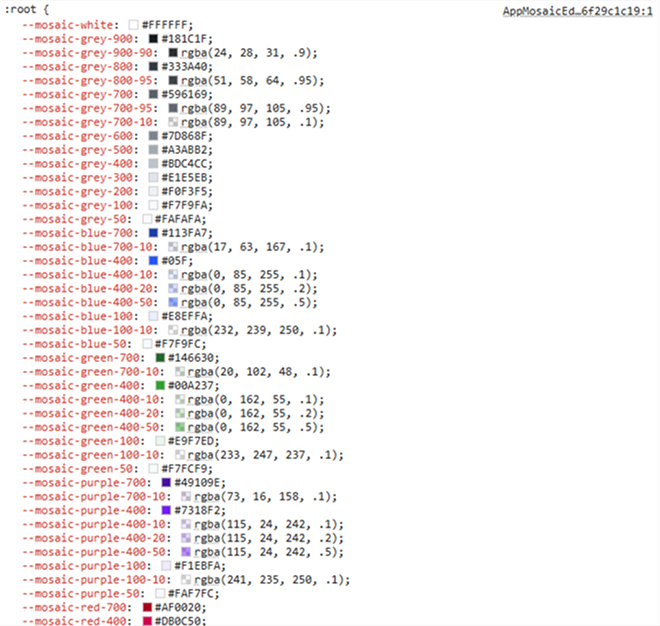
Color, spacing, type and shadows live in grouped, typed style variables you set once. Each one renders as a CSS custom property, so you can use it in your own CSS too.
Change a value once and every use follows
Nine collections, from color to shadow
Light and dark modes on every color
Font size and line height as variables
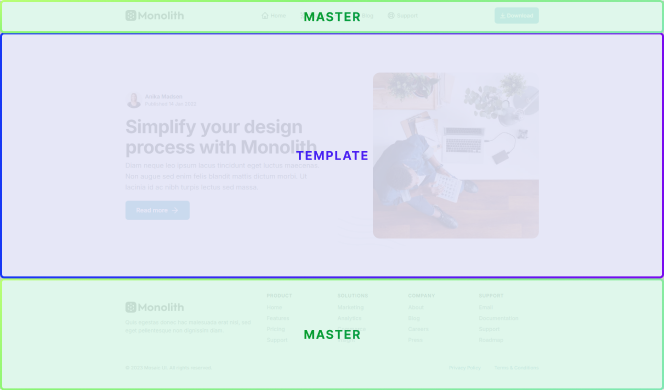
Edit the header once in a master and every template inside it follows along. Components let you reuse a part anywhere, with per-instance overrides and no extra wrapper div.
Templates for singles, archives, search and 404
Conditions by login state, query parameter or category
Reset an instance back to its component
Gutenberg styles for the blocks in your posts
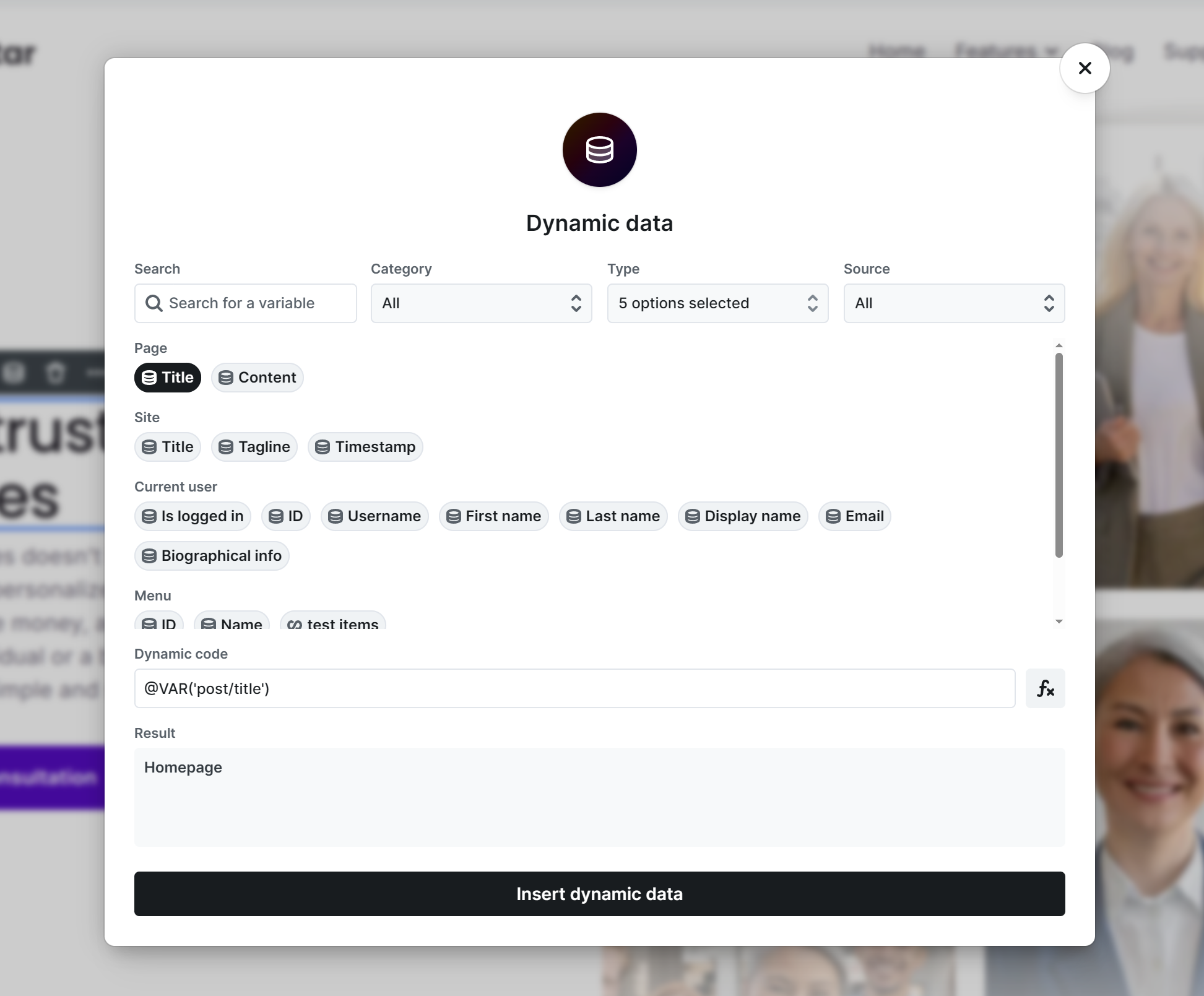
Fields from ACF, SCF and Meta Box drop in anywhere the editor accepts a variable, including text, images and links, all without writing a single line of PHP.
Order and filter loops by your fields
Escape output with @ESC_HTML or @ESC_ATTR
Repeaters with ACF PRO or free SCF
Meta Box add-ons for groups and tables
Anything the panel can’t express, you can still write yourself, and it lives with the element it belongs to, not in a snippets plugin or a child theme.
Write HTML, CSS and JavaScript in a CodeMirror 6 editor, then place your code right in the page, in the head or in the body, wherever you need it.
Type CSS declarations straight onto an element whenever reaching for a visual control would only slow you down, and keep working at your own pace.
Add any attribute to any element, from a simple ID to an ARIA role or a custom data attribute, so your markup says exactly what you mean.
Add your own breakpoints beyond the defaults, or type a full media query like (orientation: landscape) when you need to target more specific cases.
What developers and site builders noticed about the markup, the class names, the data from their own fields, and what is left if they ever stop paying.
Dynamic content is one of the features that really stands out to me. Once you start using it, building data-driven pages becomes surprisingly simple and efficient.
Look at the HTML and CSS it delivers before you look at the editor — that is what your visitors get. And know that everything you see in the editor is plain, documented data underneath, which means it can be built, verified, and migrated by tools, not only by hand.

I took over a site someone else had built. The class on the card in DevTools was the same name I could see in the editor, so I found the rule straight away, changed it once in the editor, and every card across the whole site followed.
Mosaic helped me to have control over my classes, over my design system. The pre-built templates came with full classes and variables ready for use. Of course, I like to build my own, but the way the builder came speeds up the process a lot.
After I started with Mosaic Builder, I was very happy with the very clean UI and then blown away by the UX. It feels totally different from page builders like Elementor or Divi and sits outside of the bloated code ecosystem. Mosaic is super fast, super clean, and will be the builder for my next projects.

The interaction system is one of my favorite parts. Being able to visually control animations with a timeline makes it very intuitive to create complex effects.

Your builder should last through every side project to come, so it matters who makes it. Mosaic comes from the team behind Smart Slider 3, and updates keep coming.
Nextend, who make Mosaic, have built plugins for more than a decade.
Our slider plugin powers more than 800,000 websites around the world.
Mosaic 1.0 came out in March 2026, and nine updates have followed.
Email questions are typically answered within one business day.
Short walkthroughs from the team that makes Mosaic, plus an independent review in which David McCan builds a site and opens the code it outputs.

Variants, sub classes, classes and local styles, and which one wins when they set the same property.
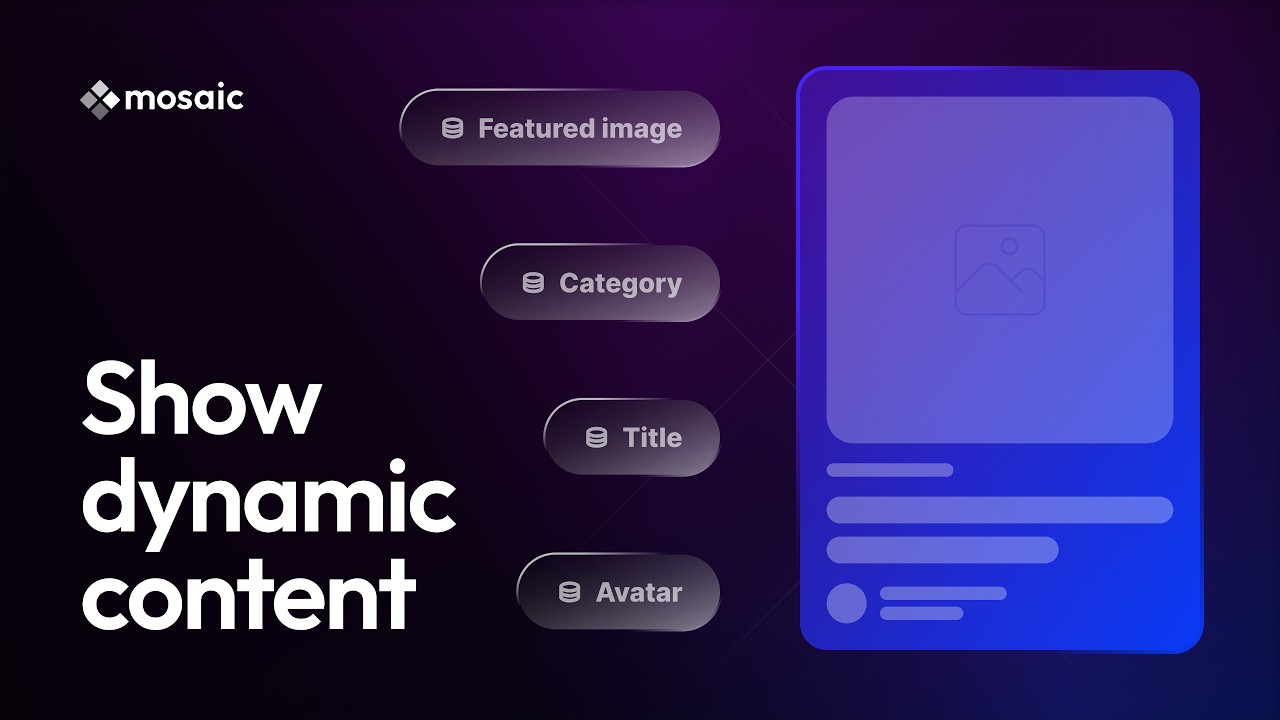
How WordPress data gets into a layout you design once, without writing PHP.
David McCan builds archive and single templates, then opens the code output and runs Lighthouse.
Straightforward answers to what developers ask first: the HTML output, custom CSS, variables, naming, custom fields, local and staging sites, hooks, clients, and licensing.
The markup follows the element tree in the Navigator. Generated class names appear only where an element has local styles or is an interaction target, components add no wrapper div, and Mosaic adds no generator tag of its own.
We use cookies to improve your experience, analyze traffic, and personalize content. By clicking "Accept all" you agree to storing them on your device. Read our privacy policy.