
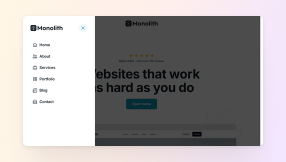
On a click or tap
A button or a link can open or close the panel, so it works with a tap on a phone and with the keyboard on a laptop.

A WordPress off-canvas menu is a panel that slides in from the side of the screen. Pick a finished design and spend your time on the links and content inside.
Drop a ready-made menu into your master template, connect it to the hamburger icon, then make the width, overlay and animation your own.
Blank, Monolith, and Gibraltar each have an Off-canvas category under Parts in their library, with menus and more. Here are twelve of them, mixed across the three themes.
Open each one to see how an off-canvas panel built in Mosaic feels on a real page. They are demos only, so the forms and links inside don't send or go anywhere.
Icons beside every link and your logo at the top, in a slim panel that leaves the page in view.
Large links that are easy to tap, with your address and email at the foot of the panel.
A search field and popular links that cover the whole screen until the visitor closes them.
A short form for name, email, details, and budget, filled in without leaving the page.
Your address, the week's hours, and a directions button, opened from any button you add.
An accordion of the answers people look for before they write to you, beside the page.
Every design is built from elements you already use in Mosaic, so you change its links, its text, and its look the same way you change anything else on your site.
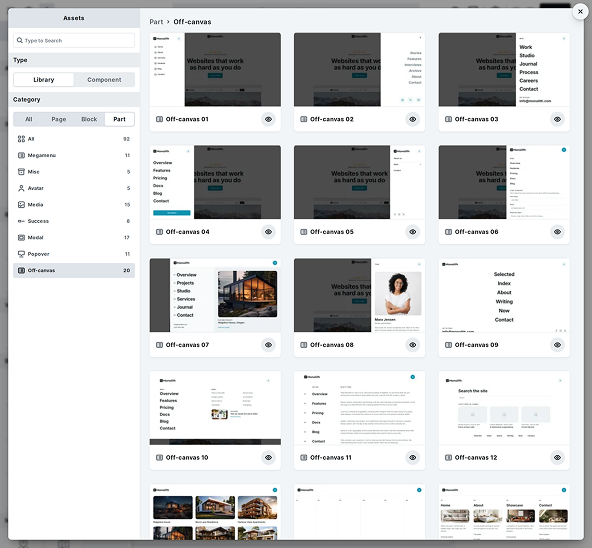
Open the Off-canvas category in your theme's library, look through the designs, and add the one closest to your site.
Search the library right from the Add panel
Preview a design before you add it
Left, right and full screen layouts to choose from
Swap the sample links for your own, or use a Menu element to show a menu you already keep in WordPress.
Your own links, or a menu from WordPress
Icons beside the links, where a design has them
Dropdown and Dropdown wide elements for longer menus
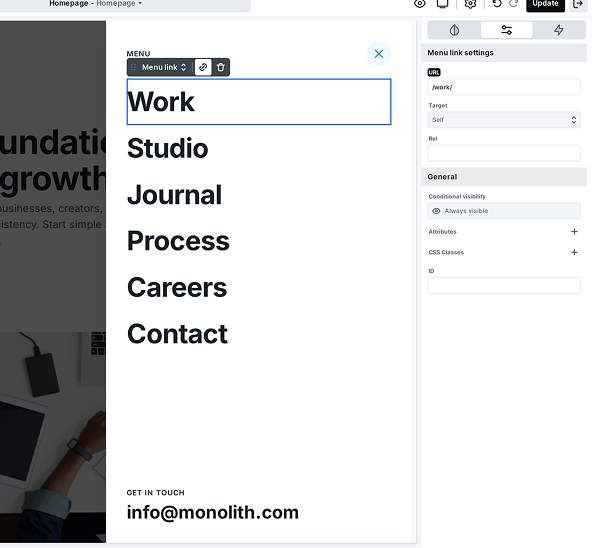
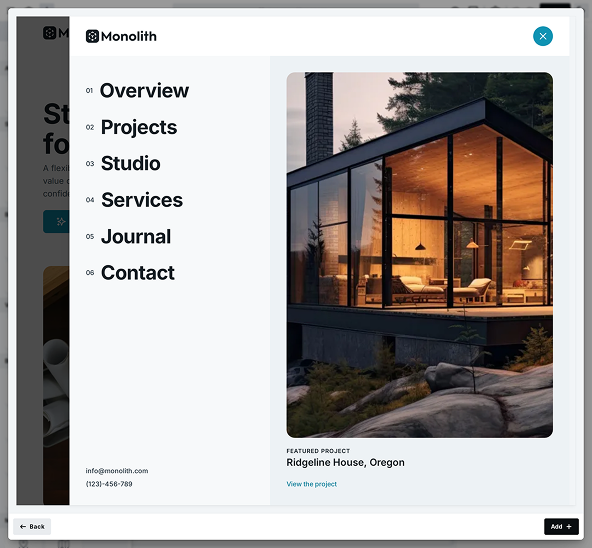
Colors, type, and spacing take your classes and style variables, so the panel looks like the pages it opens over.
The classes you already use across the site
A class change that reaches every panel using it
Your own logo in place of the sample one
Save the whole panel or just a part of it as a component for any template, and every copy follows one change.
Edit one copy without touching the others
Reset overrides to match the original again
Detach a copy to keep it as its own design
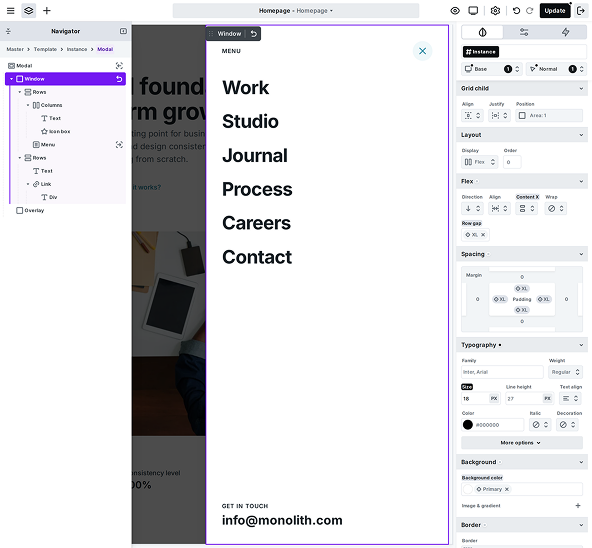
Open a panel from any button, after a delay, at a scroll point, or as the visitor leaves, then decide how it moves in and out on the interactions timeline.
A button or a link can open or close the panel, so it works with a tap on a phone and with the keyboard on a laptop.
Let the panel open by itself as the page loads, a few seconds in, once the visitor has had a moment to settle in.
Show your contact panel once a reader has scrolled far enough down a long service page to be ready to get in touch.
Open one last panel as the pointer heads off the page, a good moment for a short offer, on desktop browsers.
Give an automatic opening a run rule, like once per visitor, so it doesn't keep coming back on every visit after.
Animate the way it opens and the way it closes on the interactions timeline, step by step, then run more once it's gone.
Builders talk about starting from finished designs in the library, building interactions right in the editor, and the plugins they no longer need to install.
The Mosaic interface is organized and logical. In many page builders you constantly switch between tabs searching for CSS properties and settings, but in Mosaic the parameters are exactly where I expect them to be. Its library of blocks and pages, well designed class system, components, and interaction engine allow me to build complex and beautiful pages in hours instead of days.

The interaction system is one of my favorite parts. Being able to visually control animations with a timeline makes it very intuitive to create complex effects.

I can build interactive, polished websites much faster than before. Mosaic’s smooth and flexible editor lets me create layouts, interactions, and animations directly in the builder with very little custom CSS. Instead of relying on third-party plugins or workarounds, I can focus on refining the design.

Mosaic helped me to have control over my classes, over my design system. The pre-built templates came with full classes and variables ready for use. Of course, I like to build my own, but the way the builder came speeds up the process a lot.
The design library saves a huge amount of time when starting a project. Instead of building everything from scratch, I can start with well-designed sections and adapt them to my needs.

After I started with Mosaic Builder, I was very happy with the very clean UI and then blown away by the UX. It feels totally different from page builders like Elementor or Divi and sits outside of the bloated code ecosystem. Mosaic is super fast, super clean, and will be the builder for my next projects.

Straight answers to the questions builders ask before adding their first off-canvas design to a site, including the honest ones about where the designs stop.
No. Off-canvas is a category of ready-made Parts in your theme's library, so the Add panel gets no new element. The designs use the Menu, Form, Accordion, and Icon elements you know, and you edit them like any other part of the page.
We use cookies to improve your experience, analyze traffic, and personalize content. By clicking "Accept all" you agree to storing them on your device. Read our privacy policy.