


Why this comparison matters
Have you ever wondered how to give your website a nice look with organized and easy-to-handle code? You’re definitely not the only one. If you’re a developer, chances are you’ve encountered the phrases ‘semantic CSS’ and ‘utility CSS’. These are two widely used techniques for designing websites, and each has its own distinct approach.
Traditionally, developers have always used semantic CSS, but lately, there’s been a new player called utility CSS (also known as atomic CSS). It’s gaining popularity as a compelling alternative. So, how do these two approaches differ? And which one should you use?
In this guide, we’ll break down what a semantic class and a utility class are, explore their pros and cons, and help you decide which one fits your project best.
What is a semantic class?
Semantic classes are a way of naming CSS classes with meaning and purpose, rather than just appearance. They help create cleaner, more maintainable code and make your design system easier to understand.
What is semantic CSS?
Semantics in HTML can be a pretty interesting topic for developers. Some people are totally into it, while others have their doubts. Do you remember when you first learned about the concept of “separation of concerns”? It’s about making sure that your HTML is all about the content and letting CSS handle the styling decisions.
Now, imagine you’ve got a class called ‘color.primary’. It’s not really semantic since it’s mostly about appearance rather than function. A more semantic class, like ‘main.heading’, would be better because it tells you what the element actually does on the page.
So basically, you want to make sure your HTML is well-organized with the content, and let your CSS handle how everything looks on your website. By keeping them separate, you make your code cleaner and easier to maintain. So you can update styles without messing with your HTML structure.
Semantic naming example
Let me explain why this method can have a significant impact. Picture this: you write a long piece of text and choose to make a portion of it blue. Later on, you change your mind and switch it to green.
The issue arises when you forget to update the CSS class name to match the new color. Even though the text is now green, your class name still says it’s blue. This inconsistency can be confusing for someone new to the project, making it hard to grasp what’s going on right away.
Sure, you could change all the class names to match the new green color, but that can cause confusion later on. It might not be a huge issue in smaller projects, but think about how tricky it could get in bigger code bases where these mismatches are more difficult to spot and fix.
So my suggestion would be that instead of naming your classes based on their style, it would be smarter to name them according to their purpose. For example, instead of using names like ‘blue.text’ or ‘green.text’, you could choose something that describes the content or function of the text itself.
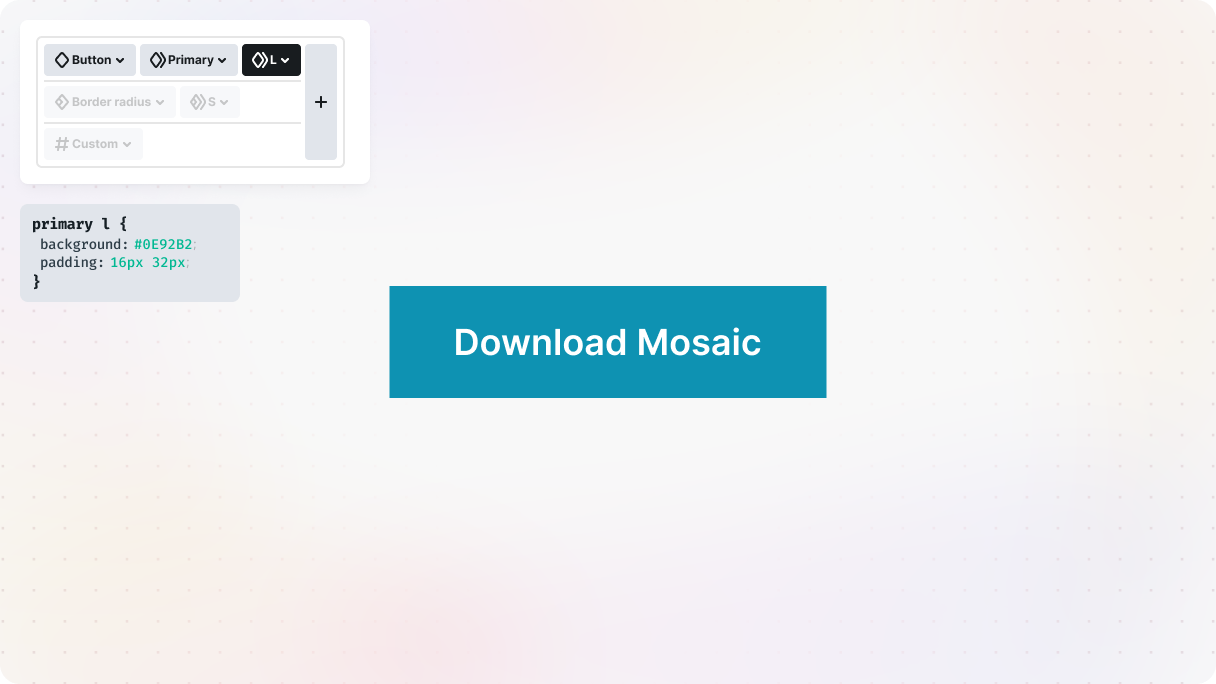
This way, you’re making sure that your code stays organized and easy to understand, even when your projects become bigger and more intricate. It’s a small change that can prevent a ton of future headaches.
Benefits of semantic naming
- Improved readability: Semantic classes are a game-changer when it comes to making your HTML more readable and easily understandable. Now, you don’t have to struggle with understanding vague class names because each class name clearly indicates its purpose.
- Reduced file size: You can greatly reduce the size of your HTML file by using semantic classes.
- Simple Maintenance: Instead of spending a lot of time searching for elements in your HTML code, you can use semantic classes. With just one search, you’ll get exactly what you’re looking for. This not only saves you time but also makes debugging and maintenance a breeze.
- Seamless integration: Semantic naming really helps create a smooth development environment by seamlessly integrating HTML and CSS.
- Relevance and consistency: Semantic classes play a crucial role in accurately representing the content and purpose of styled elements. This not only helps in organizing code better but also makes it easier to make changes in the future.
- Improved documentation: Documenting your code is made easier with semantic naming. It helps new team members or collaborators understand how HTML elements are styled without needing long explanations or guessing.
What is a utility class? (Atomic CSS)
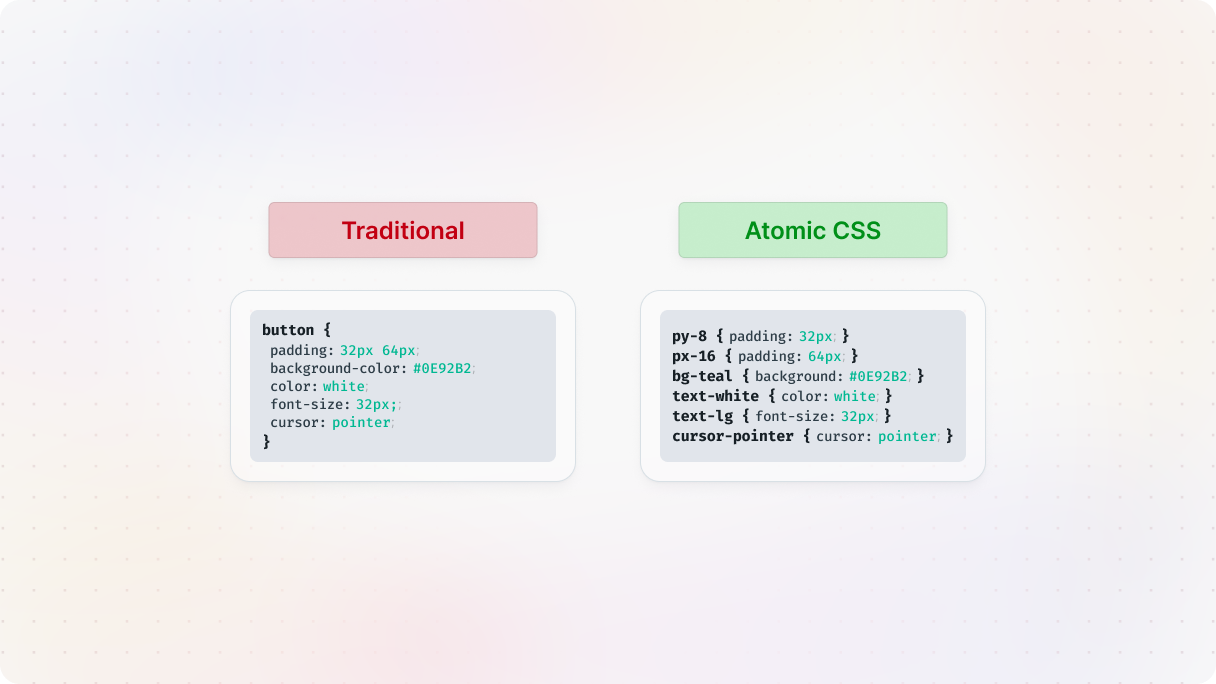
Utility classes are small, single-purpose CSS classes that apply specific styles like margins. Instead of focusing on meaning, they focus on function, making it easy to style elements quickly and consistently across a project.
How utility CSS evolved (Atomic CSS)
Did you know that CSS was created in 1994 by Hakon Wium Lie and Robert Cailliau? Their main goal was to make it easier to style documents globally, and they definitely succeeded with the innovative cascading feature that set CSS apart from other tools at the time.
CSS became super popular because of how effective it is. By 1996, it had become the industry standard, which was a huge deal. This basically made CSS the top choice for styling web documents all around the world.
Can you believe that a simple idea from thirty years ago still has such an impact on the web we use today?
Atomic CSS
Back in the day, CSS was all about adding a touch of style to your websites. It wasn’t anything too fancy, just enough to make things look decent. However, as web development progressed, people realized the need for better organization in their CSS. And that’s when CSS frameworks came into play.
These frameworks introduced the concept of using classes to organize styles more efficiently. They emphasized semantic classes, which made it very easy to manage styles across an entire website.
But as with any creative field, some developers craved new ways to approach CSS. Enter Atomic CSS, a game-changer in the world of styling. Instead of the traditional way of using CSS, Atomic CSS promotes the use of single-purpose utility classes.
These classes are super helpful because they describe exactly what they do, whether it’s setting margins, adjusting colors, or anything else you need. And the best part is that no matter where you use them on your website, these classes always behave consistently.
This approach isn’t only focused on being new and different, it’s all about being more efficient and clear. Instead of getting lost in a bunch of CSS rules, you can easily add specific styles exactly where you want them, which helps speed up the development process and keeps your code organized and manageable.
Naming utility classes
So, Atomic CSS focuses on small styling tasks, rather than defining styles based on their content like the semantic class approach.
Each CSS class has a specific purpose. So, if you need some padding, there’s a class specifically for that. And if you want to center something, there’s a class for that, too.
It’s all about combining these classes to style an element without heavily relying on your HTML. You can mix and match them to create exactly what you need. And these utility classes are actually included in a framework, so they’re automatically generated for you.
This approach brings HTML and design together. Your classes are named after what they actually do, which means you can easily figure out how your layout will look without getting lost in your CSS files.
What are CSS frameworks?
Back in 2013, the Atomic CSS movement really took off because of Thierry Koblentz‘s post called “Challenging CSS Best Practices“. It got a lot of people excited about a more efficient way to style websites. Then Koblentz brought ACSS to Yahoo, which used a JavaScript-like syntax for super minimal styles.
But then, Tachyons emerged as the new leader in Atomic CSS frameworks, leaving ACSS in the dust. With thousands of weekly downloads, it’s become a must-have in web development. Tachyons makes writing CSS a breeze and provides developers with a powerful set of tools that are loved by many.
It’s still growing and adapting to this day. The fact that it’s so popular highlights the continuous need for effective, flexible CSS solutions that help developers create websites effortlessly.
Tailwind
Then came Tailwind, and it quickly became the biggest leader in the atomic CSS space, as it makes it very easy to rapidly build custom websites. It might take a little time to get used to all its utility class names, but most of them are actually pretty intuitive once you get the hang of it. These classes are like your building blocks for styling, and they’re designed to do one thing really well each.
So, let’s say you have a class called ‘text-red-500’. When you use this class, it will automatically give your text a beautiful shade of red (#ef4444 to be precise). The best part is that it’s super efficient because you don’t have to deal with the usual CSS cascading. You can just apply the styles directly.
However, it’s worth noting that using lots of utility classes can sometimes lead to longer HTML selectors. This is because you’re essentially embedding styling instructions right into your markup.
Despite this, Tailwind has rapidly gained popularity in record time. Its efficiency and speed in building and styling elements are the main reasons behind its success. Once you get the hang of it, it can be a truly powerful tool.
Benefits of utility classes
- Performance Benefits: It reduces the amount of CSS you have to include in your projects. Although the performance improvement may not be immediately noticeable, every small improvement counts. By updating your CSS less frequently, you’ll have a stylesheet that is more cache-friendly, resulting in faster load times for repeat visitors.
- Speed Up Development: Once you get the hang of the syntax, you’ll be able to create and design new pages in no time, which makes the whole development process a lot faster.
- Consistent Class Naming: Tailwind makes it easy to keep your class names consistent, so you can concentrate on creating your project instead of stressing about naming CSS classes.
- Reduced Need for Custom CSS: Tailwind allows you to reduce the amount of custom CSS you need to write. Instead of writing extensive CSS code, you can easily style elements by using the utility classes.
- Localized Changes: Unlike traditional semantic CSS, utility classes minimize the risk of breaking other parts of your website when you make updates.
What type of classes should I use?
Semantic class
- Definition: Describes the role or purpose of the element
- HTML readability: More readable and meaningful
- Maintainability: Easier to manage in large or long-term projects
- Development speed: ⚠️ Slower, requires creating new classes
- CSS file size: ⚠️ May become bulky if many custom classes are added
- Reusability: Good for components with a shared purpose
- Best use case: Design systems, large apps, teams prioritizing clarity
- Drawbacks: ⚠️ More upfront planning, harder to scale without utility support
Utility class
- Definition: Applies a single, specific style directly
- HTML readability: ⚠️ Can be harder to understand at a glance
- Maintainability: ⚠️ Can become verbose and harder to update in bulk
- Development speed: Faster, style directly in the markup
- CSS file size: Smaller, reuses atomic classes across elements
- Reusability: Excellent, can apply the same styles to any element
- Best use case: Prototyping, small teams, quick iterations
- Drawbacks: ⚠️ Less semantic HTML, may clutter markup
When to use semantic classes
Semantic CSS is all about using class names that actually describe the content they style. This makes your HTML much more readable and easier to understand at first glance. Semantic CSS is super handy, especially when you’re dealing with big projects where maintainability and readability are key.
Making changes to the design might mean updating several styles, but the good news is that the HTML code will still make sense and be easier to handle in the future. You can even reuse styles for elements that serve similar purposes, which helps maintain a neat and organized structure.
However, there’s a downside to this approach, too. It might mean having to create new classes for new elements, which could result in a CSS file that’s a bit too bulky.
When to use utility classes
Utility CSS is a cool approach that uses single-purpose classes to apply specific styles directly in the HTML. The great thing about these classes is that they are short and straightforward. This method is awesome because it can really speed up development and help keep your CSS files nice and lean.
Updating utility classes can bring about quick changes, but it could also result in a less clear HTML structure, which might make it a bit more challenging to understand right away.
Though reusing utility classes across various elements, regardless of their role, helps maintain a consistent design. Using utility CSS promotes the reuse of smaller classes, which could ultimately reduce the overall amount of CSS needed and create a more organized stylesheet.
You know, neither of these approaches is completely good or completely bad. It’s interesting to see how they can actually be mixed together. We’ll talk about that in more detail in the next section. But it’s important to be cautious when mixing them. Clear naming and solid utility classes are key, and it’s crucial not to overwrite one approach with another.
Semantic vs utility: can you use both?
You probably found yourself caught in the middle of the semantic CSS versus utility-first CSS debate. It can be quite tricky, like walking on a tightrope, don’t you think?
But here’s the interesting part: many designers and developers are discovering a perfect balance that combines the strengths of both approaches. Let’s explore this topic using a simple example: a button.
Combining semantic and utility classes
Alright, picture this: your designer has a particular vision for how your button and image elements should look. They want some margin and a sleek, rounded border.
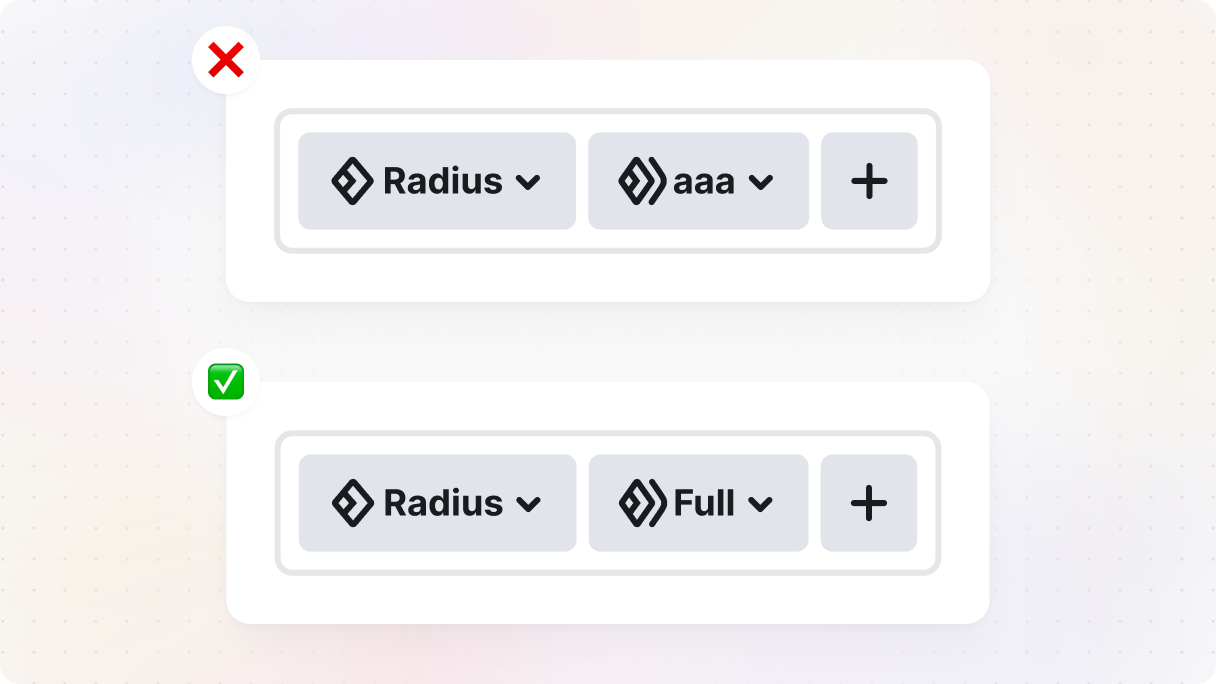
Lucky for you, you’re already using semantic classes, which is awesome. But here’s where utility CSS comes to the rescue. With utility classes, you can easily apply the same styles to various elements without making your CSS messy.
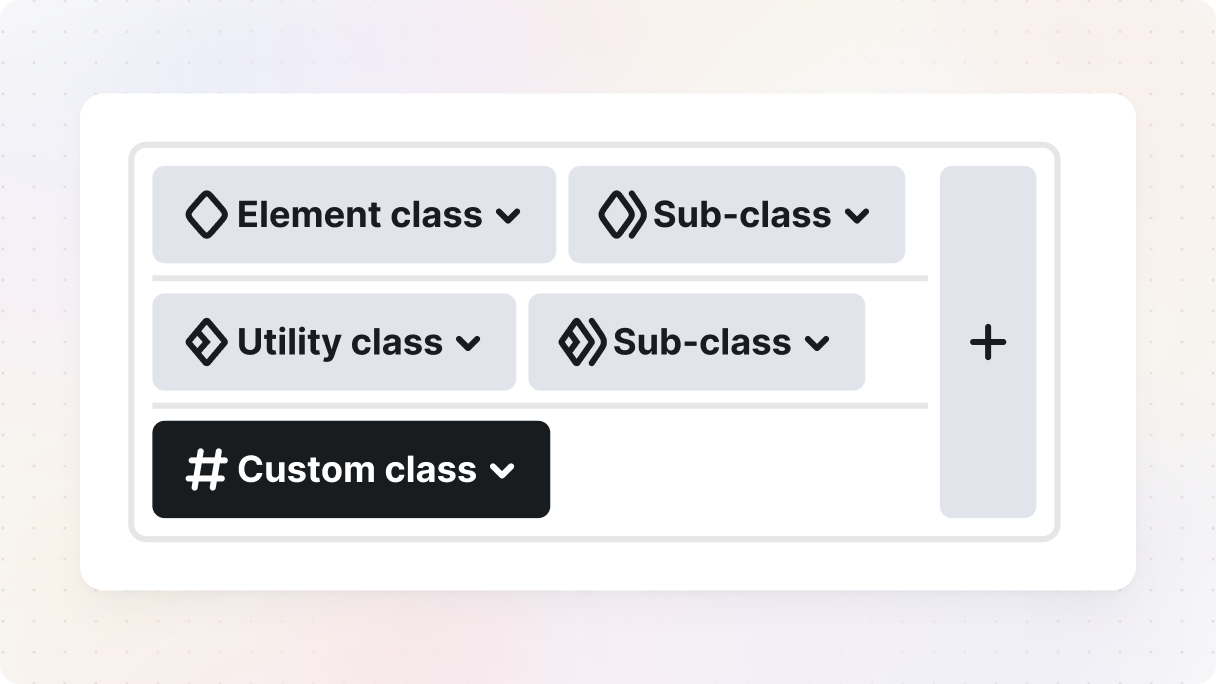
For example, your button’s main structure could be established using semantic classes, and then you can incorporate utility classes for managing margin and border-radius. By doing this, you can keep your code organized and avoid repeating the same styles multiple times.
Just remember, it’s important to avoid mixing these classes too much. If they overlap too much, it can lead to confusion. The key is to stay organized and disciplined in how and where you apply each class. This way, everything will be neat, understandable, and easy to maintain.
The takeaway
Ultimately, blending semantic and utility classes can provide you with a flexible and powerful set of tools. So don’t hesitate to combine the strengths of both and witness your projects thrive.
Want to see semantic and utility classes in action? Explore Mosaic’s possibilities.


