

Introduction
Getting started with WordPress can feel pretty overwhelming, especially when you come across terms like WordPress theme, template, theme builder, and page builder. It can be confusing at first, but don’t worry, we’re here to help you make sense of it all.
We’ll break down each one, point out their differences, and help you find the perfect fit for building your own unique website.
WordPress is widely known as the most popular content management system (CMS) globally, praised for its flexibility and user-friendly interface. For a long time, traditional WordPress themes were the go-to for website development.
However, with the introduction of the block editor, full site editing, and page builders, a whole new world of opportunities has emerged. These innovative tools are quickly transforming the way we design websites on WordPress.
History of WordPress themes
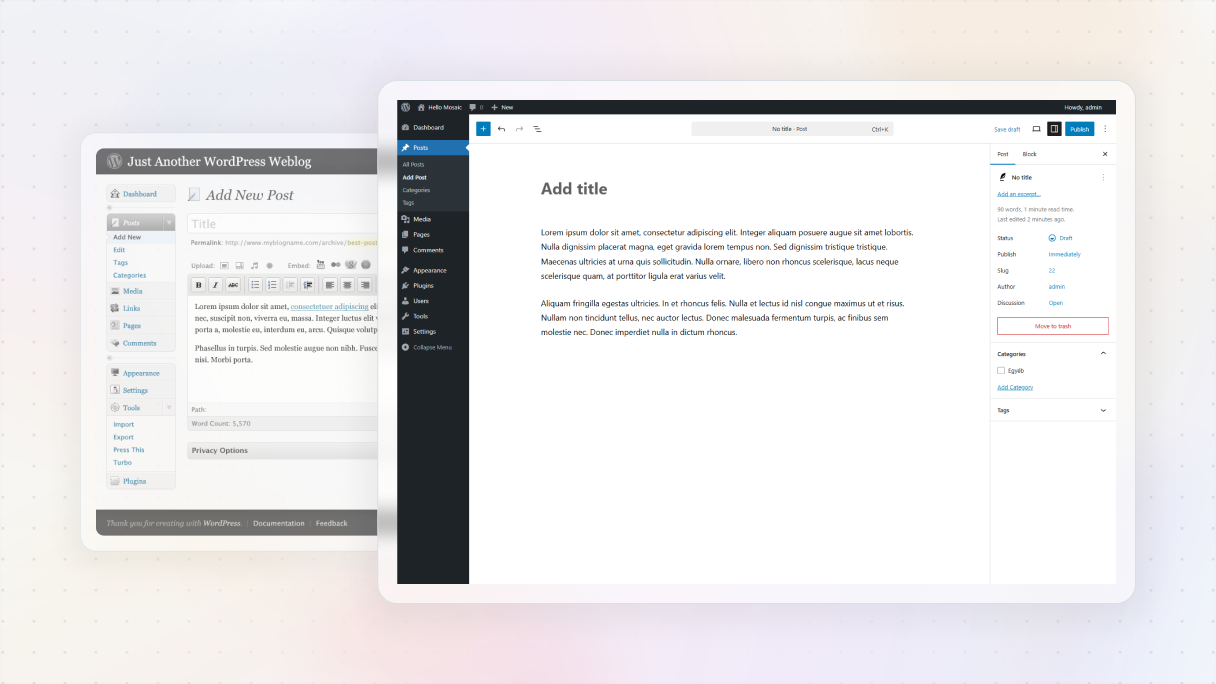
Here’s a fun fact: Did you know that WordPress is behind more than 43% of all websites on the internet? It’s pretty amazing how it started as a simple blogging tool in 2003 and has now grown into a powerful platform for creating all sorts of websites. This is largely due to the ongoing development of themes and page builders. And in just 20 years, WordPress has become the top choice for website creation.
Early WordPress themes
During its initial stages, WordPress themes were pretty simple, their main focus was on changing the look of websites with minimal customization choices. While you could adjust colors, fonts, and layouts, major changes could only be made with a solid understanding of CSS and HTML.
Later, when the official WordPress Theme Directory was introduced in 2008, the process of discovering and installing themes became much easier for users. This was a huge advancement in the world of CMS.
Theme frameworks
Another significant step was taken with the introduction of theme frameworks. These were parent themes that were created to provide more customization options and functionality to their child themes.
Theme frameworks made it easier for developers to build themes with a common code base and shared code library, making design customization for its users much simpler.
Page builders
Around 2011, the game completely shifted when page builders were introduced. These useful tools made it possible for users to design their own page layouts using a simple drag-and-drop interface, which completely got rid of the need for coding skills. This huge breakthrough provided more flexibility for WordPress users.
Gutenberg & full site editing
Though the progress didn’t end there. WordPress introduced Gutenberg in 2018, a block-based editor that transformed content creation. It lets users create content layouts with blocks, making the process of designing unique pages and posts easier. With the addition of full site editing, Gutenberg took a giant step forward with WordPress as a CMS.
What is a WordPress theme?
If you use WordPress, you get a wide range of themes to choose from, so you can set up a full site in no time. You can just pick a theme, import some demo content, and you have a fully functional website. And depending on the theme you choose, you can have limited customization options or a bunch of settings to play around with.
Limitations
But it should be noted that for the most part, you’re working within the boundaries of what the theme developer offers unless you’re familiar with adding your own CSS or PHP. And just remember that each theme has its own data structure, so if you change themes later on, there’s a chance that your customizations won’t transfer over.
Active theme
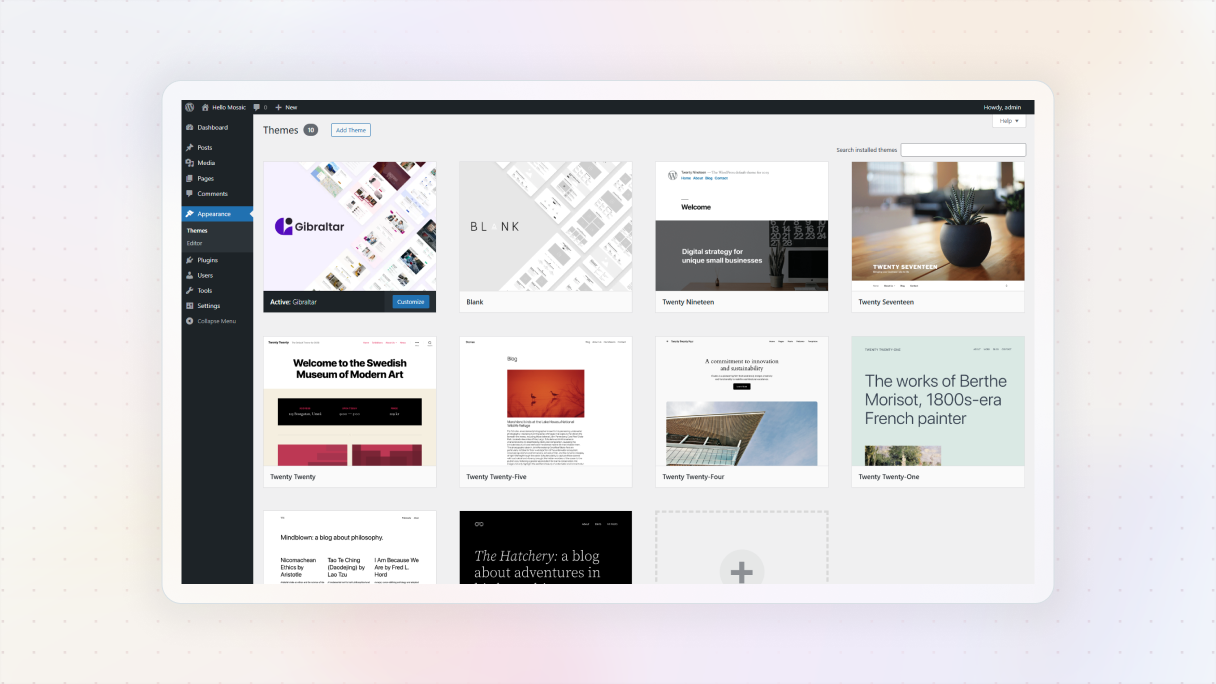
Even though every WordPress site needs a theme to be installed and activated, it doesn’t mean you’re stuck with the theme’s design. Though you can only have one theme activated at a time.
It’s a set of files that work together to control your site’s design and functionality, they keep everything consistent across your pages.
Free & premium
You may have already noticed that there are so many free and premium themes to choose from. You can find the free themes in the WordPress Theme Directory, which has over 12,000 options.
There are themes for specific niches as well as versatile designs that work for any type of website. And if you’re looking for more features and customization options, you can check out the premium themes available on different marketplaces.
Consistency
Themes are great for applying a consistent design across all your pages without having to change each one manually. This can be super useful for blog posts, archives, custom pages, and more.
Plus, you can even use themes to set up specific elements like banners or important sections on your site. Though let’s not forget that if you’re looking to customize your design even more, you might have to do some coding, which can seem a bit scary.
WordPress theme vs. template
Using WordPress can get a bit tricky when it comes to understanding the difference between themes and templates. Basically, a WordPress theme is like the base of your website. It controls how it appears, including things like colors, fonts, page layouts, and spacing. It also decides where content like headers, footers, and sidebars will go.
We mentioned earlier that themes are like a bundle of files that you can add to your website all at once. What we haven’t talked about yet is that these bundles usually come with various templates from which you can choose.
Like, you might have two blog post templates, one full-width and one narrower. So, you can really match your design to your own preferences.
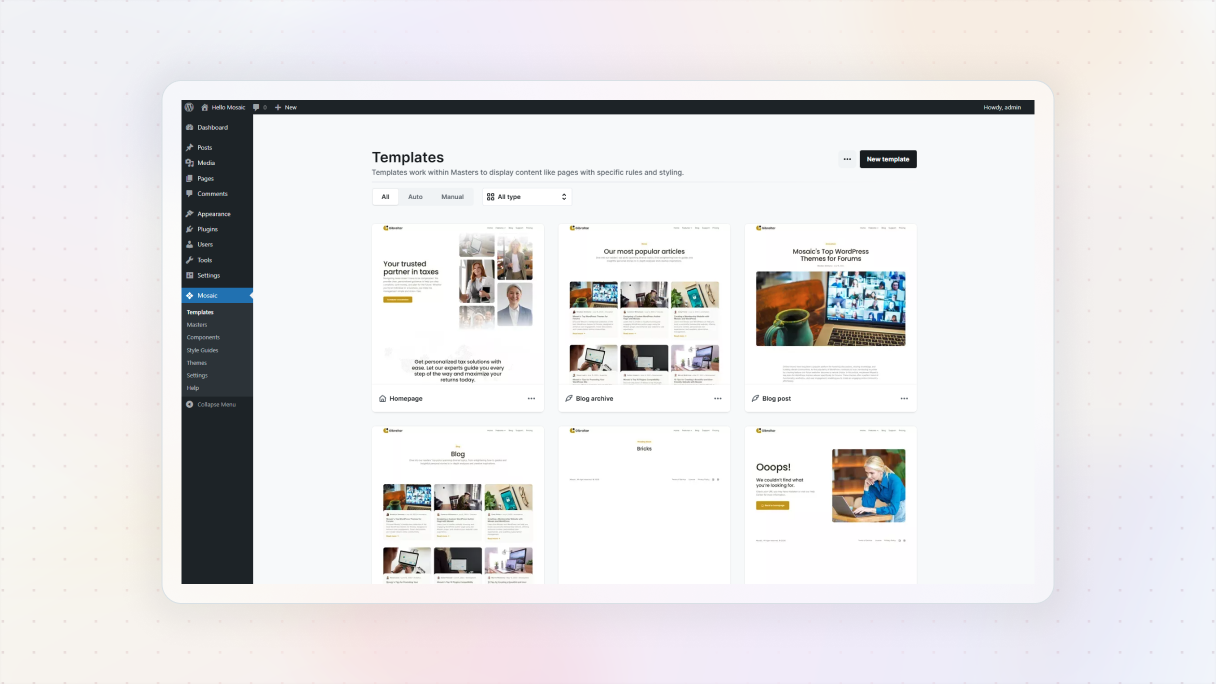
So, in WordPress terms, a template is basically a layout for specific pages or posts, not the whole design of your site. Themes, on the other hand, control the overall look and features of your entire site. Templates are useful for adding special elements to your site that your theme doesn’t include.
You can also make templates using different plugins or the WordPress editor. To get a consistent design, you’ll usually use a collection of templates called template kits.
For example, a contact page template kit could have a header, footer, and pop-up forms. Some developers even provide full template kits for creating whole websites.
WordPress theme
- What it is: The overall design system for your entire site
- Scope: Controls global appearance: fonts, colors, layout, spacing
- Includes: A bundle of files that define header, footer, sidebar, and page structure
- Customizability: Limited unless you add custom CSS or use a theme builder
- Flexibility: One active theme per site
- Examples: Twenty Twenty-Three, Astra, OceanWP
- Can be grouped as: A full theme (global design system)
- Created using: Installed through WordPress or marketplace
WordPress template
- What it is: A layout for a specific page or post
- Scope: Applies to individual pages or content types (e.g., blog post, contact page)
- Includes: Part of a theme or builder; defines the layout of one part of the site
- Customizability: Often customizable with plugins or the block editor
- Flexibility: Multiple templates can be used across the site
- Examples: Blog post (full-width), contact page with form, custom landing page
- Can be grouped as: Template kits (sets of layouts for consistent design)
- Created using: Made with block editor, page builder, or plugins
What is a WordPress theme builder?
Theme builders are a pretty new concept in WordPress. But they quickly became popular as they can really improve your website design game.
Instead of sticking to pre-made themes, theme builders give you the freedom to use your own unique designs. You can build everything from headers to footers, blog archive pages, and even WooCommerce product pages for your website.
The best part is, you don’t need to be a tech expert to do this. Unlike traditional themes that require CSS and PHP skills for customization, theme builders offer a user-friendly, drag-and-drop interface for creating your designs from scratch.
Though the biggest benefit of theme builders is that they offer a lot of flexibility, you can customize every part of your website’s design right from the front end.
The main idea behind theme builders is to reuse designs again and again to make your website run better and avoid messy and repetitive code. For example, it can use a class system, which makes the design process faster and also helps you give your website a consistent look.
What is the difference between a page builder and a theme builder?
I bet you’re wondering about the difference between a WordPress theme builder and a page builder. Even though they are both drag-and-drop tools for visual design, they actually have very different functions.
Page builders are great for making custom designs for specific types of content, such as blog posts or special pages like landing pages, sales pages, or product pages. You can add elements like sliders and blocks to these pages within a theme, but keep in mind that they won’t change the main templates, headers, or other basic design elements of your website.
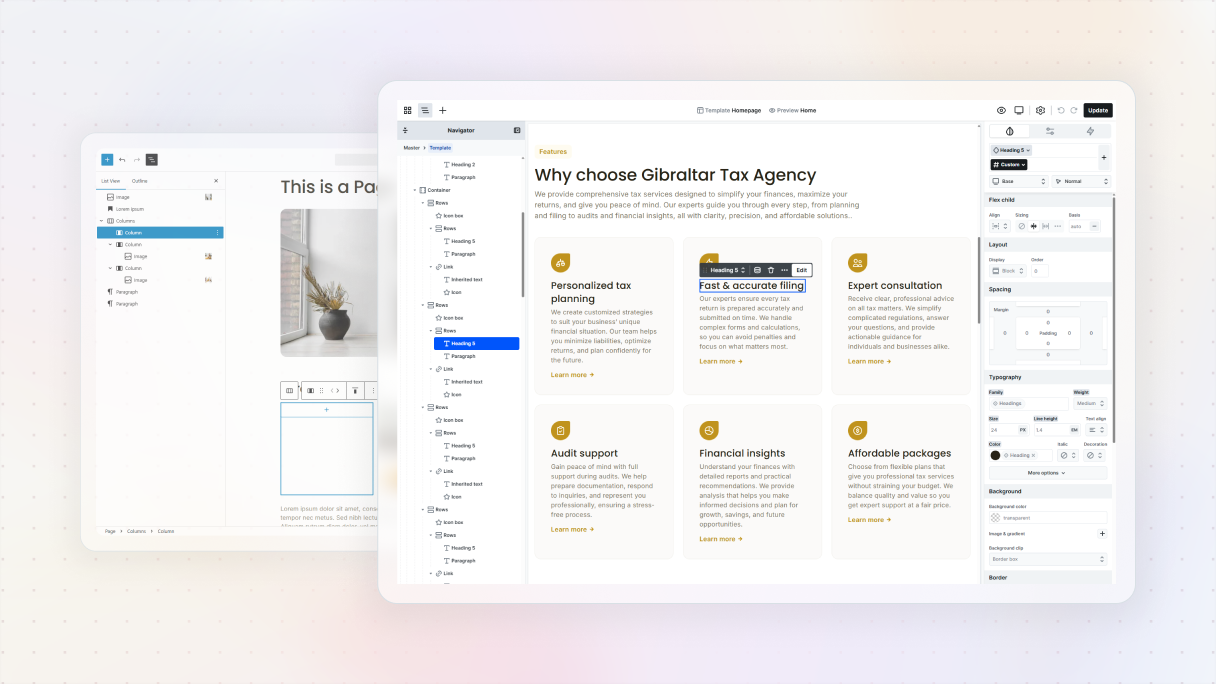
On the other hand, a theme builder lets you take customization to the next level. You can create templates that will automatically apply to your content. For example, you can set up a template for your blog posts, and whenever you publish a new post, it will automatically use the design you’ve created. So, you don’t need to start from scratch every time.
So basically, page builders are great for customizing individual pieces of content, while theme builders have the power to completely change the look and layout of your whole website, from headers and footers to other important elements in between. Theme builders include all the design capabilities of page builders and then some.
Page builder
- Purpose: Customize specific content (e.g.: pages, posts)
- Scope: Affects only individual pages or sections
- Use case: Landing pages, blog posts, product pages
- Template control: ⚠️ Limited to content areas within existing templates
- Header/Footer control: ⚠️ Not included
- Visual editing: Drag-and-drop editing
- Efficiency: Great for quick content-focused customization
- Best for: One-off campaigns
Theme builder
- Purpose: Customize the entire website (headers, footers, templates, etc.)
- Scope: Affects global site structure and design
- Use case: Full layout control across the site
- Template control: Full control to create and apply custom templates site-wide
- Header/Footer control: Fully customizable
- Visual editing: Drag-and-drop and full-site editing
- Efficiency: Ideal for consistent design and global changes
- Best for: Site builders, designers, developers who need site-wide control
Why use a theme builder instead of a theme or page builder in WordPress?
I understand that not everyone feels at ease exploring style sheets or adjusting HTML templates. This is one of the reasons why a theme builder can be a lifesaver, especially for those who aren’t too techie.
Not to mention that using a theme builder for your WordPress site can help you save both time and money. You won’t have to struggle with code or template files to change the appearance of certain elements, and you won’t need to hire a designer or developer to fix any errors.
With a WordPress theme builder, you can personalize your site without needing to know any technical stuff. In the past, you needed to understand PHP and CSS to make changes beyond what the theme offered. But now, with a theme builder, you can easily design different parts of your site with a simple drag-and-drop interface.
Why page builders aren’t enough
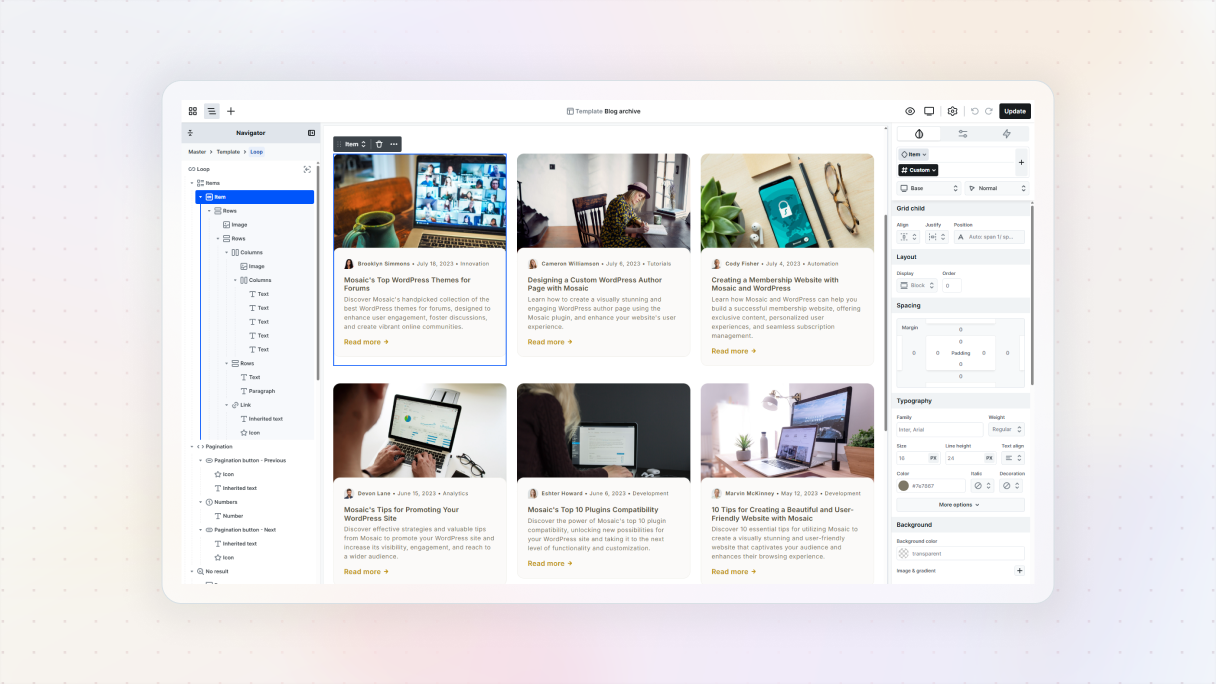
If you’ve ever tried page builders, you’ll notice that they work similarly. Page builders are like separate editors for WordPress, they let you design beautiful pages and blog posts without needing to know how to code.
But keep in mind that their customization options usually only apply to the main content or “body” areas of your posts and pages. You won’t be able to design things like headers, footers, blog post layouts, 404 pages, search pages, archive pages, and other templates.
However, with theme builders, you have the freedom to personalize every part of your website, from headers to footers to dynamic data, without having to deal with any code. They are great all-in-one tools for building a thorough design system.
Who should use a theme builder?
Theme builders are awesome for people who want to make a unique design without having to know how to code or having the resources to develop a theme from the beginning.
They offer a simple drag-and-drop interface where you can create your website exactly how you want it. A theme builder is the way to go if you need custom pages or layouts that fit your specific needs.
Here’s why a theme builder could be just what you need:
- Full control over design: You can customize every part of your website’s design, from the header to the footer, and everything in between.
- Ease of use: If you prefer a drag-and-drop interface over editing theme files or writing custom CSS, theme builders are the perfect match for you.
- Instant updates: If you make frequent updates, you can keep your website up to date with instant updates that will be reflected across all pages without the struggle of manually doing them.
- Budget-friendly: If you’re on a tight budget and can’t afford to hire a developer, theme builders offer the flexibility to customize your site with an all-in-one tool without spending a fortune.
- Customization options: You can easily customize layouts, colors, fonts, and more to make sure your website matches your brand perfectly.
What to look for in a theme builder?
So, you’re probably wondering, “How do I choose a good theme builder?”. Don’t worry, we’ve got your back. Here are a few important features to keep an eye out for when choosing your WordPress theme builder.
- User-friendly interface: Before anything else, you should look for a theme builder with a user-friendly interface that’s easy to navigate and has helpful guides to get you started.
- Good support: We all run into difficulties from time to time. That’s why having great support is so important. Make sure the theme builder provides excellent customer service, with direct access to the support staff. When you face an issue, it’s reassuring to know there’s someone there to assist you.
- Flexibility and customization: Your website should really show off your personal style. Look for a theme builder that gives you the freedom to customize every little detail. The more options you have, the more unique your website will be.
- Header and footer: Making a good first impression is super important, right? And when it comes to headers and footers, they play a big role in that. So, look for a theme builder that lets you create or customize them in depth.
- Dynamic content: Find a theme builder that can handle dynamic content. It’ll make your site update automatically with new info, which is super useful for blogs and news sites.
- Drag-and-drop interface: You should definitely find a drag-and-drop theme builder for your website. If you have ever tried it, you know it’s a game-changer, you can design everything without having to know any coding.
- Responsive design: Make sure your website looks good on any device, whether it’s a laptop or a phone. The theme builder should be able to create designs that adjust nicely to various screen sizes.
- Gutenberg compatibility: The theme builder needs to be compatible with the WordPress editor, Gutenberg, to make sure everything runs smoothly and efficiently.
Why should you trust Mosaic?
So here’s the big question: What’s the best WordPress theme builder out there?
Well, if you want a flexible, feature-packed, full-site editing theme builder, then Mosaic is the way to go.
It’s got all the features you need to personalize your WordPress website right down to the smallest detail using a user-friendly drag-and-drop editor. You’ll have complete control over every design element, so you can easily make a one-of-a-kind website.
Mosaic is pretty special because it combines the best of both a page builder and a theme. This gives you so much flexibility and makes building your site exactly how you want it possible.
Let’s look at some of its key features that can save you a headache:
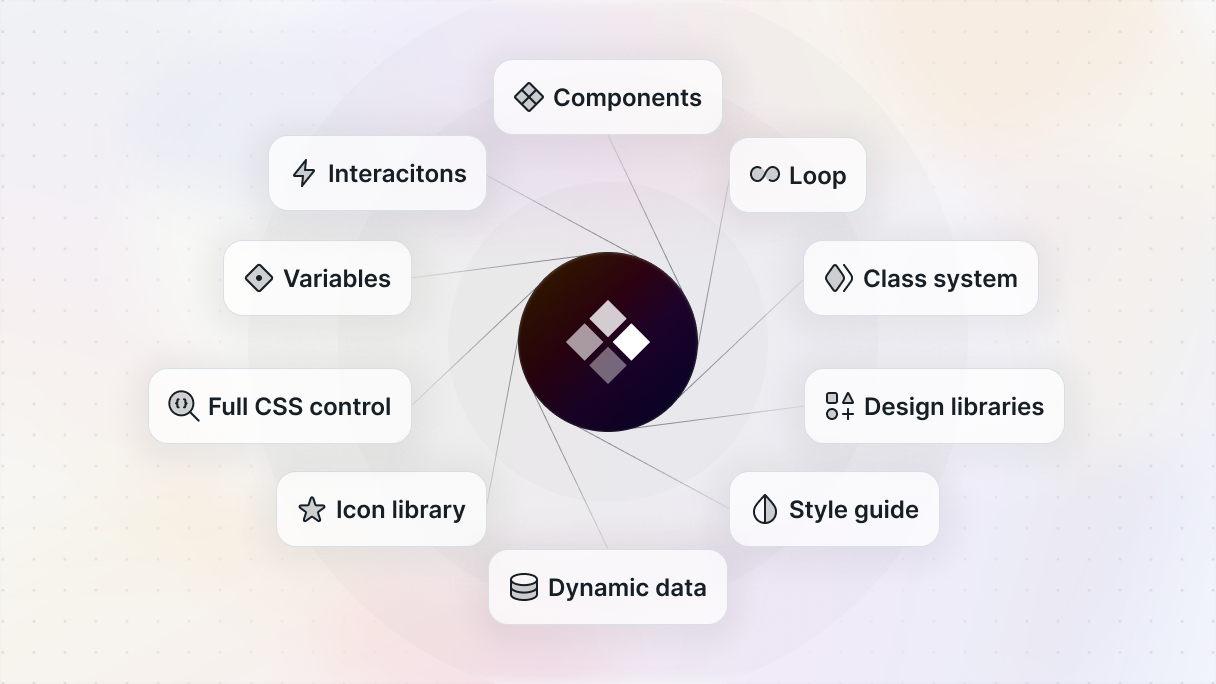
- Theme builder: Personalize every part of your website, from headers and footers to post layouts and custom templates.
- Front-end design: Design everything in real time using a front-end editor.
- Everything you need in one tool: Say goodbye to concerns about page builders and themes not working well together.
- Class system: It helps you maintain consistency throughout your website.
- Build components: Create all types of reusable components and improve your workflow.
- Pre-built layouts: You can also take advantage of the pre-made designs.
- Dynamic content: Keep your website up-to-date by using dynamic content.
- Custom post types: Easily create and manage custom post types.
- Interactions: Add scroll-based animations, hover effects, or trigger-based behaviors to bring your site to life.
- Save time and resources: You can be more efficient, as it reduces the need for extra plugins.
- Flexibility: Gives you full control and flexibility to customize your site’s layout and style to your liking.
- Gutenberg integration: Works perfectly with WordPress’s Gutenberg editor.
- Conditions: Create specific conditions for displaying your content.
- 100% responsive: Your website will look flawless on any device.
Conclusion
Remember when you had to be an expert in PHP, CSS, JavaScript, and HTML to make a WordPress theme? Well, as you can see now with theme builders, anyone can design a personalized WordPress site, no matter their tech skills.
Theme builders have completely changed the game when it comes to building websites on WordPress. Gone are the days of being restricted by pre-made themes. Now, you have the freedom to create your very own theme from scratch. Thanks to theme builders, you can customize every little detail of your website.
This makes it pretty easy to make all kinds of websites by yourself, like blogs or e-commerce sites. And now with Mosaic, you get everything you need to build a unique WordPress website from the ground up.
So why hesitate? Give your website a completely unique and personalized look just the way you want.


