Fields without PHP
Pick a field from a list and drop it into text, images, links, or backgrounds, without a shortcode or template file.

Show custom fields, post types, and members-only content in layouts you design visually. ACF, SCF, and Meta Box fields are ready the moment they exist.
From a static section to a working job board, built from loops, variables, functions, filters, an archive template and a single job template, step by step.
These are the spots where showing your own data usually breaks down, from field types a builder skips to empty values, and what Mosaic does at each one.
Pick a field from a list and drop it into text, images, links, or backgrounds, without a shortcode or template file.
Repeater, Group, Flexible Content, and Gallery fields become loops, nested inside each other as deep as you need.
Custom fields, post types, loops, and conditions come with Personal, Creator and Agency, no Mosaic add-on to buy.
Give an empty field a fallback value, or hide its element, so a missing value doesn't leave a gap in the layout.
Functions format dates, shorten long text, and strip HTML, and they can be nested when one isn't enough.
Templates preview with your real content, and you pick which post, page, or term the editor loads while you design.
The path is the same for a blog post, a listing, or a team member. Entries keep living in WordPress, and the design reads them from there each time a page loads.
ACF, ACF PRO, Secure Custom Fields, and Meta Box are read directly, so there's nothing to map or set up twice.
Post types from any plugin or your own code show up as sources, with no builder-imposed cap on fields.
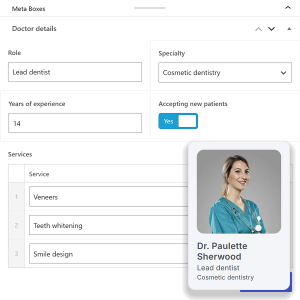
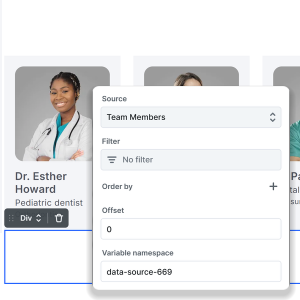
A template gives every entry of a post type one design. A loop lists many entries, sorted and filtered by their fields.
Any Div can read a source of its own, like the next post, and a component can take a context such as Single post.
Cards built from fields use your site's classes and variables, so one class change updates every card.
Fields go beyond text: a Google Map can read its address from one, and a form can prefill a member's email.
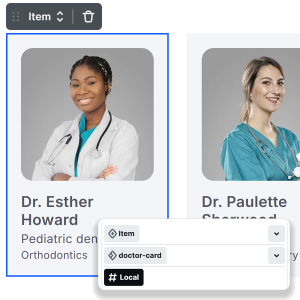
Add a listing or a team member in WordPress, and it appears in every loop and template, styled like the rest.
Clients keep editing in the WordPress screens they know, so nobody has to open the design to add content.

Reviewers who put the dynamic data through its paces, and people who build with their own fields every day, on what it was like to connect real content.
Dynamic content is one of the features that really stands out to me. Once you start using it, building data-driven pages becomes surprisingly simple and efficient.

When I first visited the Mosaic website, I couldn’t believe it was still in beta because of how polished the animations were. After trying it myself, I was impressed by how smooth the editor felt (especially switching between master and template), how capable the dynamic data already was, and having animations built in natively. That was the moment I knew I wanted to build my own site with Mosaic.

The interactions are really well made, you can do some very cool things with them, and the preview is instant and super smooth. The dynamic content is powerful too, with formulas for shortening text and more, and it's all surprisingly simple to do.

The dynamic data and conditional display options are very extensive for a version one and easy to use. In fact, they outdo what's available in many pro builders that have been around for years. Support for ACF is excellent. And the output code is clean, with no extra divs.

With Mosaic and their dynamic data abilities, I am able to create custom archives for each section and category. This combined with ACF Custom Fields and Custom Taxonomies, I can create a Custom experience for each visitor.

I picked up Mosaic a while ago and didn’t expect it to win me over. I’m pleasantly surprised at how much I enjoy it, and I’m even thinking about switching some of my main sites to it. Once you get the hang of it, building and designing becomes quick and smooth.

Conditions sit on single elements and on whole templates, so one design adapts to a member, a campaign link, or a category instead of being copied for each case.
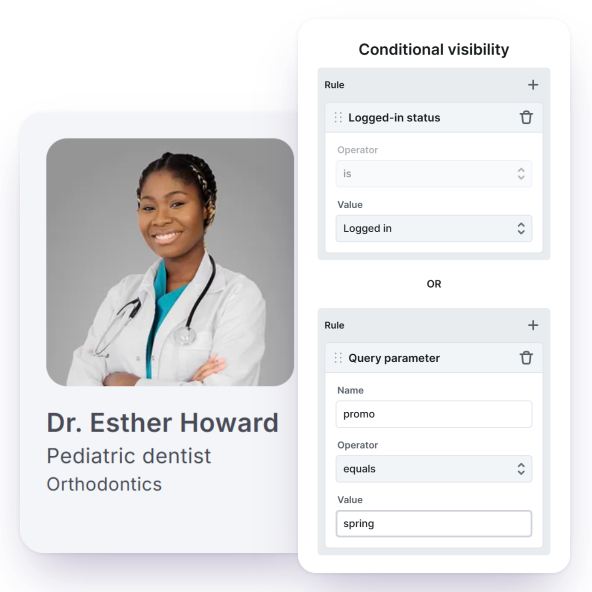
Show a dashboard link only to logged-in members, or a whole block only to editors and admins.
Show a Featured badge, or switch to a different layout, depending on what a field on that entry holds.
Show an offer only to visitors who arrive with ?promo in the link, or who already carry a cookie.
Give news a different banner than tutorials from the same template, by category, tag, or post format.
Independent WordPress educators built real templates with Mosaic's dynamic data on camera, from Meta Box fields and repeaters to loops, effects, and dynamic links.
A full Meta Box build: team archive and single templates, a repeater loop, and Meta Box custom tables read with no extra steps.
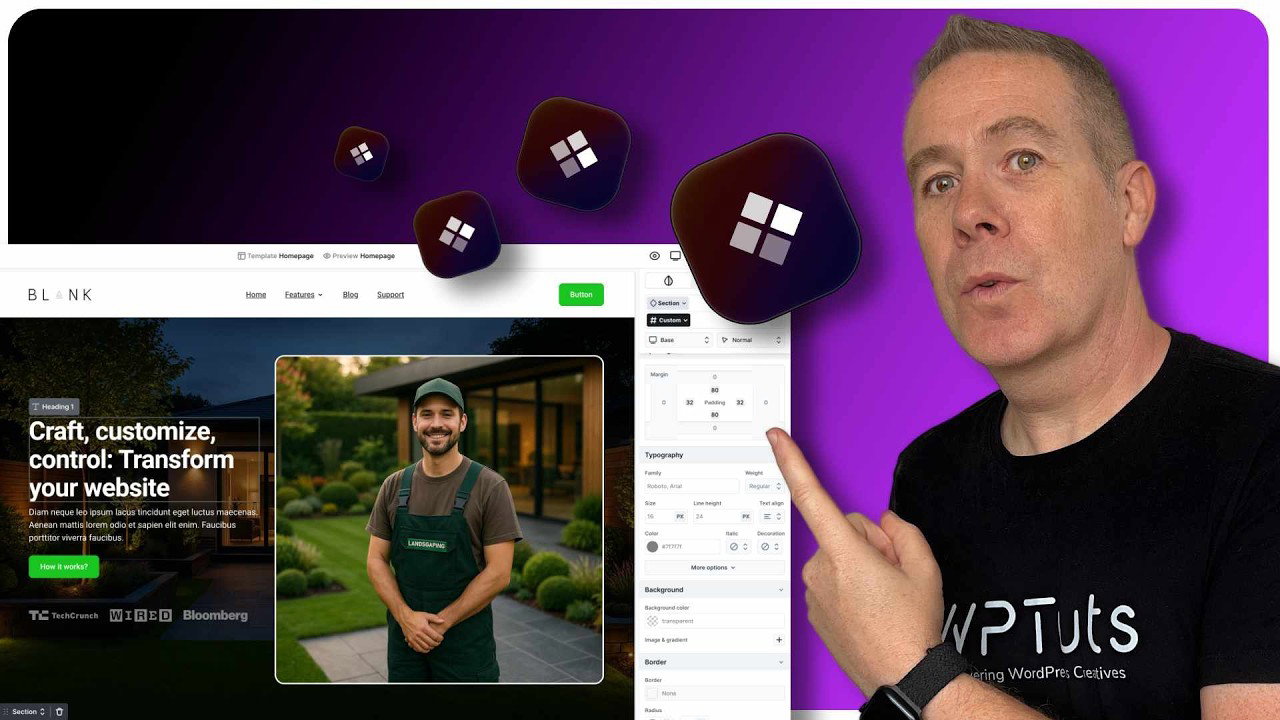
Starts at the dynamic data chapter: building a loop, cleaning values with effects like removing HTML, and clickable dynamic links.
Install Mosaic next to your field plugin, and the fields you already have show up in the editor, ready to place the first time you open a template.
We want you to be confident in your decision. If Mosaic doesn’t meet your expectations, you can get your money back within 14 days.
Write to the team that designs and builds Mosaic for one-to-one email support, with most requests handled within one business day.
Personal and Creator include a year of updates and support that renews yearly, while the Agency lifetime license never expires.
Straight answers on plugins, field types, and limits, for people who already keep their content in custom fields and want to know what changes for them.
Yes, if you want custom fields. Mosaic doesn't create fields; your field plugin does, and Mosaic displays and uses what it stores. WordPress's own custom fields are read too, as long as their names don't start with an underscore, so fields added by other plugins often show up as well.
We use cookies to improve your experience, analyze traffic, and personalize content. By clicking "Accept all" you agree to storing them on your device. Read our privacy policy.