

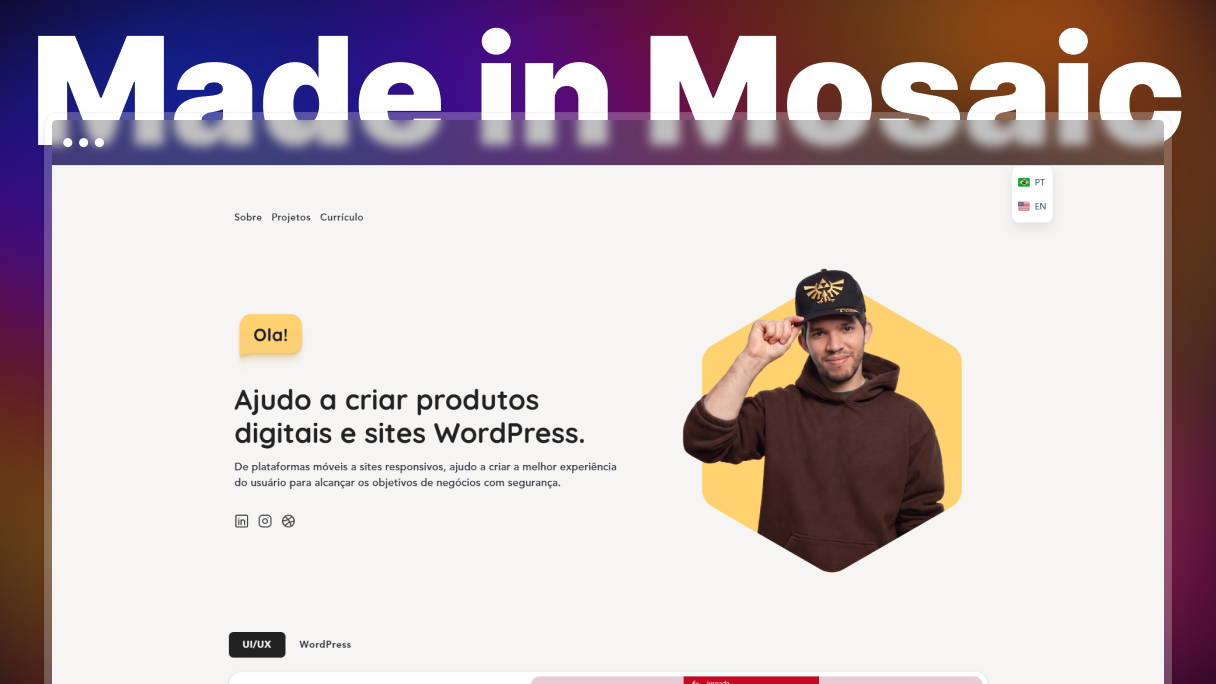
Felipe Felix rebuilt his portfolio to bring in client work and job offers, and he wanted two things from the build: animation he could take as far as he liked, and a site that stayed light and fast. He is a UI/UX and WordPress designer who has been building and maintaining sites, platforms, and stores for clients since 2021. The part of the site he is proudest of, the hero animation, is the part that would have needed a plugin before.
Before Mosaic: 4 to 10 seconds for every small change
Elementor ran most of his projects, and two things wore on him.
The first was the ceiling on animation. He wrote his own CSS, and getting what he had in mind meant either a lot of extra code or something extra installed. He had bought an animation plugin once already.
The second was waiting. Every small change to a loop grid meant saving and sitting through a reload before he could see what he had done.
“In Elementor, when we create a loop grid for a blog post, for example, every time I have to adjust or update something, no matter how small, I need to save and wait 4 to 10 seconds for the change to appear in the editor. Can you imagine this process hundreds of times a day?”
A hero animation, no plugin, no reload
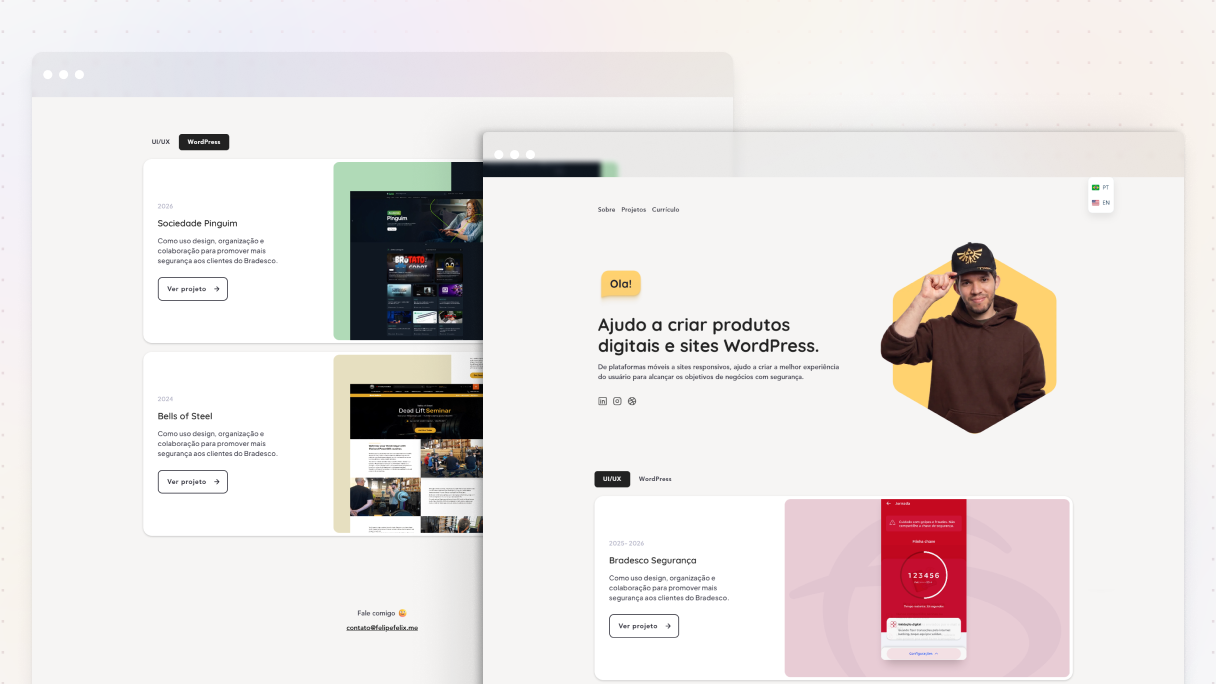
felipefelix.me is a bilingual portfolio, Portuguese and English, with three case studies from his product work. The hero is the section he points to first.
Interactions are part of Mosaic, so the animation he had in mind was something to build rather than something to buy. He still writes his own CSS, he just writes it where he wants the effect instead of around a limit. And the editor shows each change as he makes it, which takes the save-and-wait step out of the work entirely.
“I’m now free to create almost all kinds of animation with no need for external plugins, I can check the changes on the fly with no more waiting time.”
Built something with Mosaic? Add it to the showcase →
Classes, variables, and a structure he can read
He prefers to build his own classes and his own design system, and that is the part Mosaic gave him control over. The Class system and Style variables keep one decision in one place, and what he started building from already used both.
“Mosaic helped me to have control over my classes, over my design system. The pre-built templates came with full classes and variables ready for use. Of course, I like to build my own, but the way the builder came speeds up the process a lot.”
His front-end background is doing real work here too. Mosaic builds with real HTML and CSS rather than an abstraction sitting on top of them, so a designer who already knows how a page is put together is not learning someone else’s model of it first.
“As I have a front-end background, the Mosaic structure is pretty easy to understand and use.”
What he has now
A portfolio that animates the way he wanted it to and updates while he is still working on it. No animation plugin to buy or keep updated, no save-and-wait in the editor, and a design system he changes from one place rather than page by page.
He went in with a short list: total control of animation, very light, and fast, so he could rebuild the portfolio and put it in front of clients and recruiters. He says Mosaic was a perfect fit for all of it.
“If you want a fast, light, and flexible site builder, Mosaic is the right choice.”
Ready to start? Try Mosaic for free →


