


What is a pricing page?
Let’s start with the basics. The pricing page design is super important for your website, especially if you’re selling products, services, or subscriptions online. It’s the spot where potential customers check out what you have, how much it costs, and if it’s the right match for them, based on how the information is laid out.
Think of it like a menu at a restaurant. When someone is hungry, they’ll go right to the menu to figure out what to get. Your website works the same way. If people are thinking about the product or service you offer, they need pricing details. Your pricing page is where they’ll look for that information.
In most cases, a pricing page includes:
- Plan or package options (monthly, yearly, premium, etc.)
- Breakdown of what’s included in each option
- Clear pricing (no hidden fees)
- A call-to-action button like ‘Buy now’, ‘Start free trial’, or ‘Subscribe’
If you’re selling something online, like a digital product, a SaaS tool, or freelance services, your pricing page acts like your silent salesperson. When it’s done well, it can convert casual visitors into loyal customers. A great pricing page builds trust and helps people make the right decision.
Why your pricing page design matters
Even if you have the best product ever, a messy pricing page design can make potential buyers leave without clicking any button. The design of your pricing page plays a huge role in how people see your brand and whether they decide to take action.
First impressions are everything
When someone clicks on your pricing page, that means they’re interested. This is the perfect moment to reassure them that they are, in fact, in the right place. Having a nice layout, readable fonts, and a straightforward structure really shows you’ve put thought into their experience, which helps build trust right away.
If you want to improve first impressions before users even start comparing plans, it’s worth understanding how to design a hero section that clearly communicates value and direction.
Clarity smooths everything
A cluttered pricing page can really confuse people. But if it’s straightforward, it makes it so much easier for them to see their options. Nobody likes searching for simple details. A well-designed pricing page puts all that info right out there, especially when it follows a clear, consistent structure.
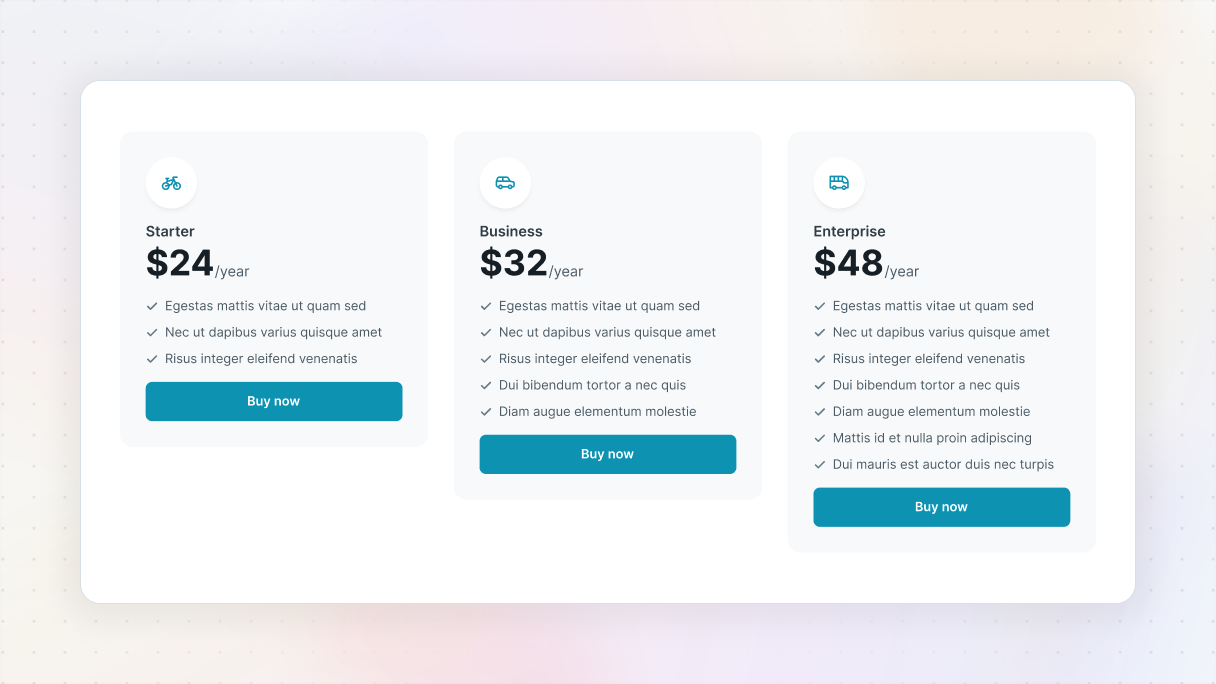
Visual cues influence decision-making
Things like color choices, spacing, and where buttons are placed can help guide visitors to the best plan for them. Like, if you make the most popular or recommended plan stand out with a different color or tag it as ‘Best value’, it can subtly encourage more clicks.
Good design builds trust
People often jump to conclusions. If a pricing page looks bad, it can make you wonder things like, ‘Is this business for real?’ or ‘Am I actually going to get what I pay for?’. However, a good pricing page design can put those worries to rest by showing that the business is professional and trustworthy.
Design can boost conversions
At the end of the day, it all comes down to turning visitors into buyers. By improving your pricing page design and messaging, you can really boost the number of people who actually make a purchase or sign up.
So if you’ve been treating your pricing page like an afterthought, it might be time to give it some well-deserved love.
Pricing page best practices
Your pricing page design has a big job to do, it needs to inform, reassure, and convert visitors. If it’s too confusing, people will leave, even if your offer is just what they need. The silver lining? With some clever adjustments, you can make your pricing page effective at converting visitors.
Be transparent: simple prices, no surprises
Make sure there are no hidden fees, confusing terms, or complicated billing rules. It’s important for visitors to clearly understand what they’re paying for and when the charges will hit. If there are any surprises on the pricing page, it can give instant trust issues.
Make it clear if:
- Prices are monthly or annual
- Trials turn into paid subscriptions automatically
- There are any hidden fees or restrictions
Highlight differences clearly
Make it super easy for visitors to see what makes your plans unique. Try using a feature comparison grid on your pricing page, but instead of just showing what’s included, highlight what’s missing too. You can grey out or hide rows for features that aren’t available to make it visually clear. You can even add icons or checkmarks to help direct attention along each row.
Use the lawn mower pattern for comparison pages
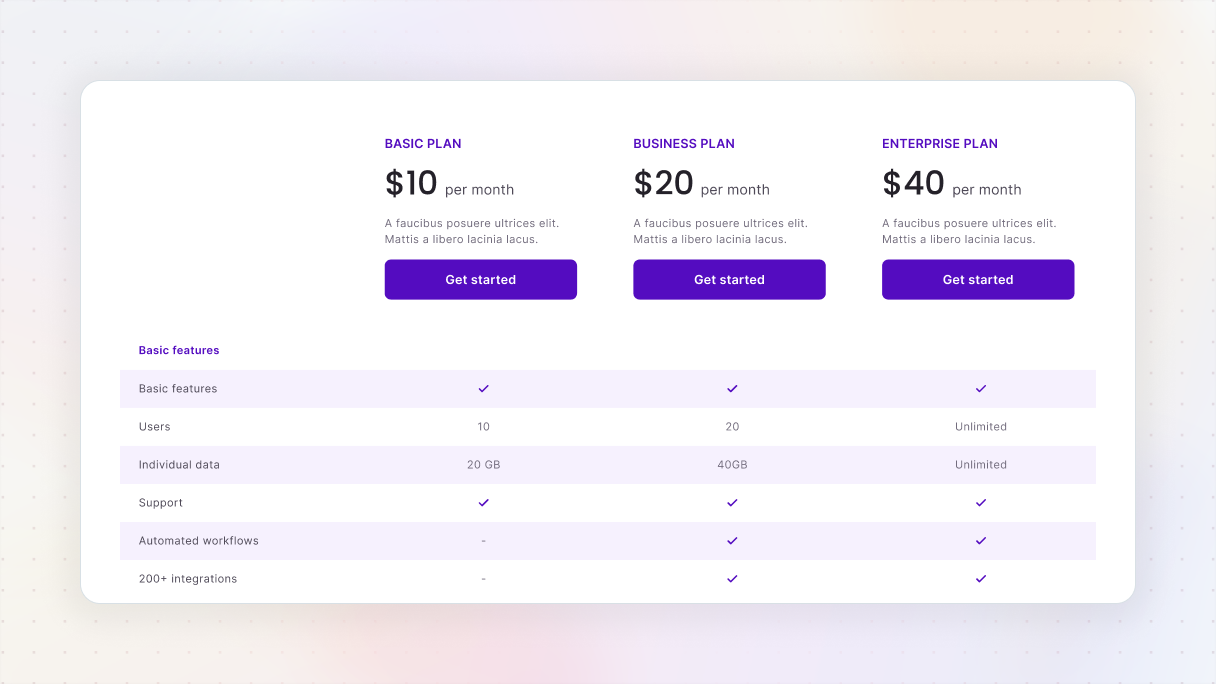
Got any idea how people usually look at feature tables? They scan from left to right and then move down, kind of like mowing a lawn. So, when you set up your pricing page’s comparison chart, make sure it follows that pattern. Use clear labels for each row and align everything so it’s easy to read. And keep it simple, don’t stuff too much text into each row, just enough detail, no more, no less.
Be mindful (especially on mobile)
On smaller screens, it can be really annoying for visitors to keep scrolling up and down just to remember where they are on your pricing page. To make things easier, you could use sticky headers, keep the plan names visible, or even color-code sections to avoid any mix-ups.
And if your pricing tables scroll vertically on mobile, adding headings or some visual hints can really help keep everything organized.
Create a sense of progression (left to right)
Your pricing page plans’ design should feel like a journey of upgrades. Begin with a basic or free option on the left, and then add more value as people move to the right. This way, it gives visitors a clear sense of progression, helping them choose the plan that fits their current stage.
Use labels like:
- Starter → Pro → Business → Enterprise
Focus on relevant features, not every feature
Don’t feel like you have to add every single feature into your table. Just focus on the ones that really resonate with your audience, especially depending on their stage in the buying process.
And remember to use buyer personas to figure out which features to highlight. You could also think about adding a ‘See all features’ option or a link for a more detailed comparison to your pricing page design.
Use visual cues to guide and reassure
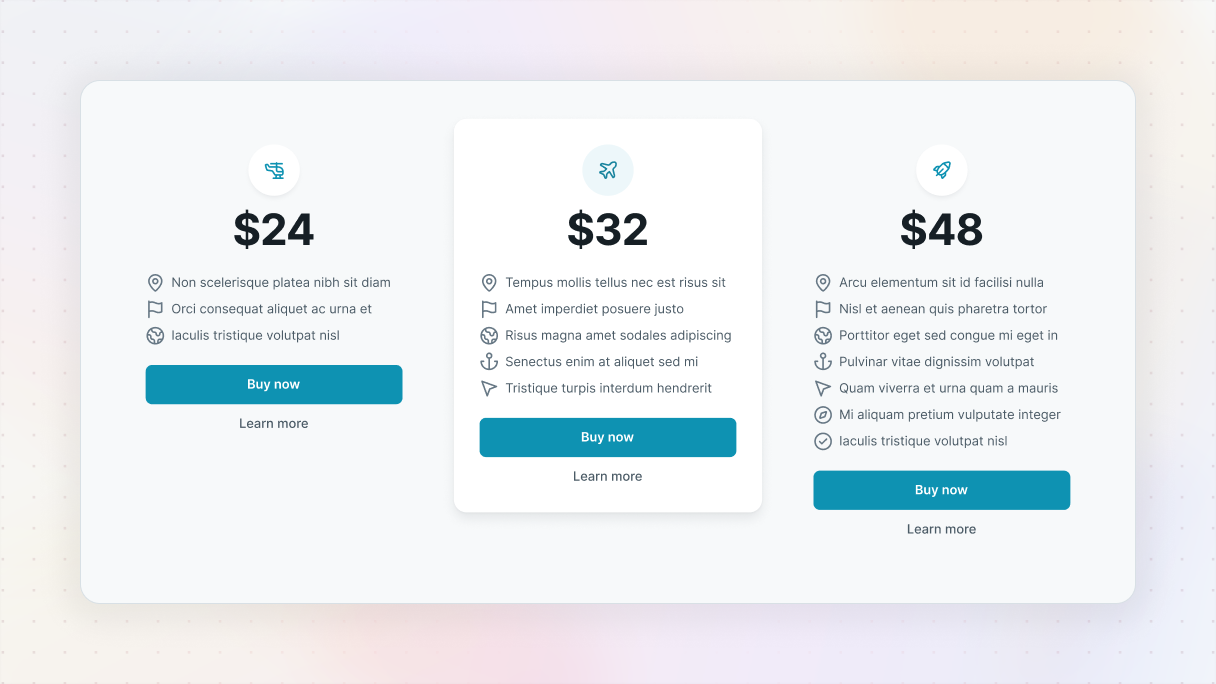
A good pricing page design really makes use of colors, spacing, and icons to help guide visitors naturally. It’s a good idea to highlight the most popular plan, use eye-catching call-to-action buttons, and make sure that key details like totals or terms are easy to spot.
You could even add ‘Most popular’ badges or some gentle animations to grab attention, and show which plan is favored by other businesses.
Address fears, uncertainties, and doubts
Put yourself in your customer’s shoes. What could stop them from hitting the buy button? Address those concerns directly on the pricing page.
Ways to do this:
- Add a short FAQ section
- Make it easy to find your refund or cancellation policy
- Add trust signals like badges or client logos
Use FOMO strategically
Using limited-time deals or subtle reminders can really boost conversions on your pricing page. You don’t have to go all out with a big countdown timer, just a simple note like ‘Available only until Friday’ or ‘Over 500 people upgraded this week’ can really encourage people to take action. Just remember to use urgency wisely and honestly, no fake scarcity.
Promote annual plans
Switching to annual billing can help with your cash flow and keep customers around longer. Make sure to highlight the savings they get compared to paying monthly, like saying ‘Save 20% with annual billing’. You could even add a toggle to switch between monthly and annual pricing views on your pricing page.
Tailor plans to buyer personas
Everyone has their own goals. Freelancers value flexibility, while teams are all about collaboration tools. It’s a good idea to set up different pricing tiers and use language that resonates with what they need. Think about using friendly labels like ‘Creator’, ‘Team’, or ‘Agency’, and make sure to highlight the benefits that matter to each persona in your writing.
How to design a pricing page in WordPress
If you want to create a great pricing page, the first thing you need to do is lay a solid foundation. Even though WordPress has a pretty good default editor, Gutenberg, a lot of people like to use a builder because it gives them more freedom, especially when designing their pricing pages.
That’s where Mosaic comes in. It’s a theme builder that helps you create stunning, high-converting pages, like pricing pages.
Why Mosaic is a great choice:
- Comes with pre-built pricing pages
- Fully responsive on mobile (no weird scrolling)
- Designed with real user behavior in mind, like progression from left to right, tabbed layout, and feature comparison
- Built-in trust elements, badges, and styled FAQ sections
Best WordPress pricing page examples
Sometimes the best way to understand what really works is to see it in action. So, let’s check out some actual pricing page examples that come from Mosaic’s beautifully designed page kits.
Pricing 01
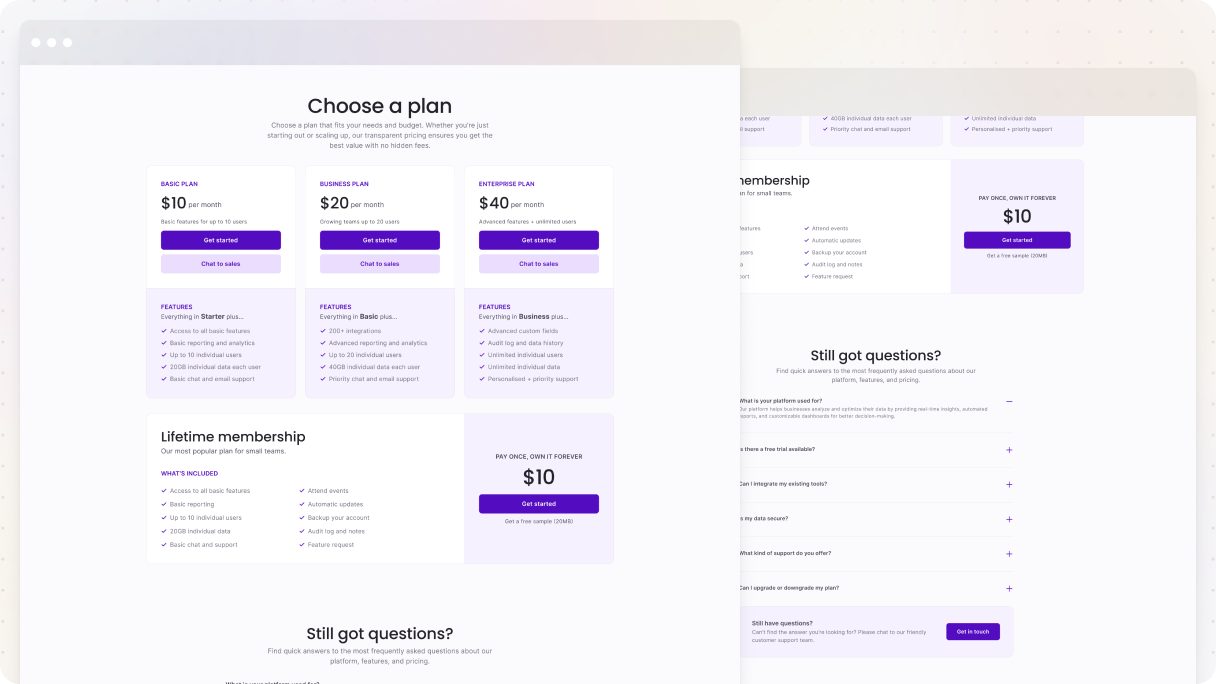
The Pricing 01 page example from the Gibraltar theme in Mosaic really gets it right for a pricing page. It clearly shows the Basic, Business, and Enterprise plans, so you can easily figure out which one suits your needs. Each plan targets a different customer type, highlighting the perfect features, and there’s even a lifetime plan for those who prefer a one-time payment.
The page uses visual cues like icons and colors to direct your attention, keeping a friendly and supportive vibe all the way through. You’ll see ‘Get started’ buttons and a chat option with sales for each plan, so you always know what to do next. And if you have any last-minute questions, there’s a helpful FAQ at the end, and a gentle reminder with an easy way to get in touch.
Personal 01
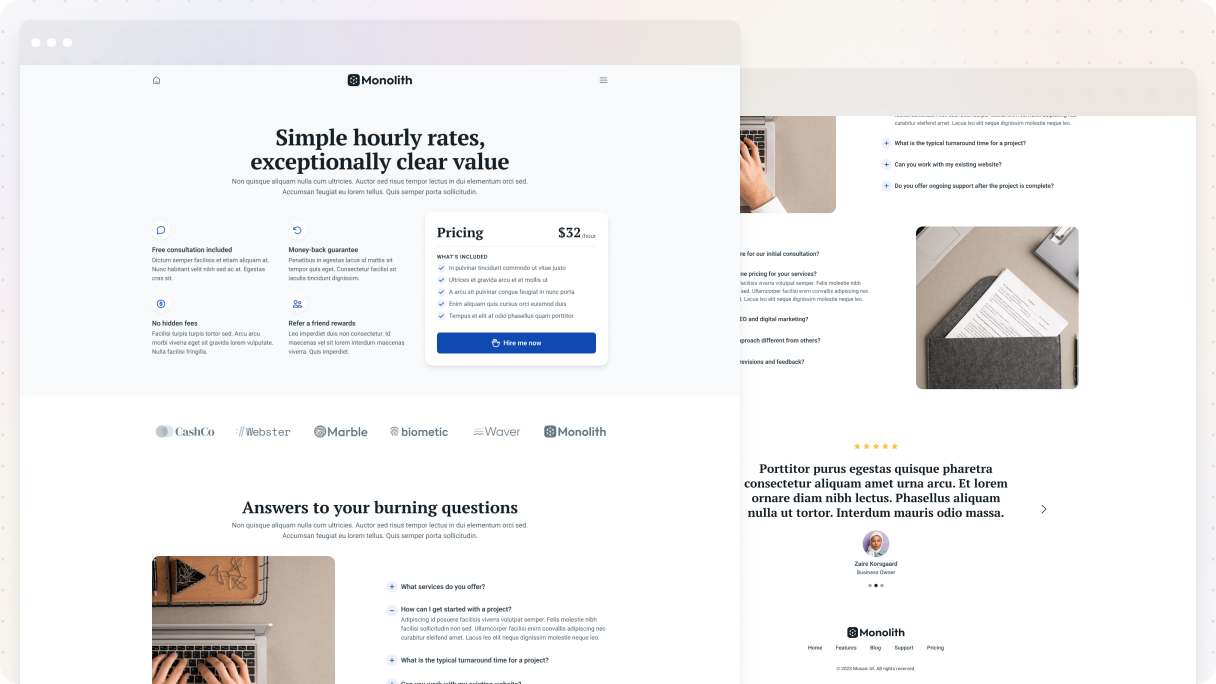
The Personal 01 pricing page example focuses on the individual, yet it still ticks all the boxes for a pricing page that converts well. It features an hourly rate, which is easy to see, along with a friendly ‘Hire me now’ button that even has a waving hand icon to add a nice personal touch.
Right beside the prices, you’ll notice some trust badges like free consultation, money-back guarantee, and no hidden fees. These little things can really help build trust and increase sales.
Just below, you’ll find a section showing off client logos for some social proof, and then there’s this smooth zig-zag FAQ section that guides visitors through common questions without making it too much. Plus, the page wraps up with a rotating slider of happy testimonials, which is exactly the kind of reassurance that can help someone decide to go for it.
Pricing 03
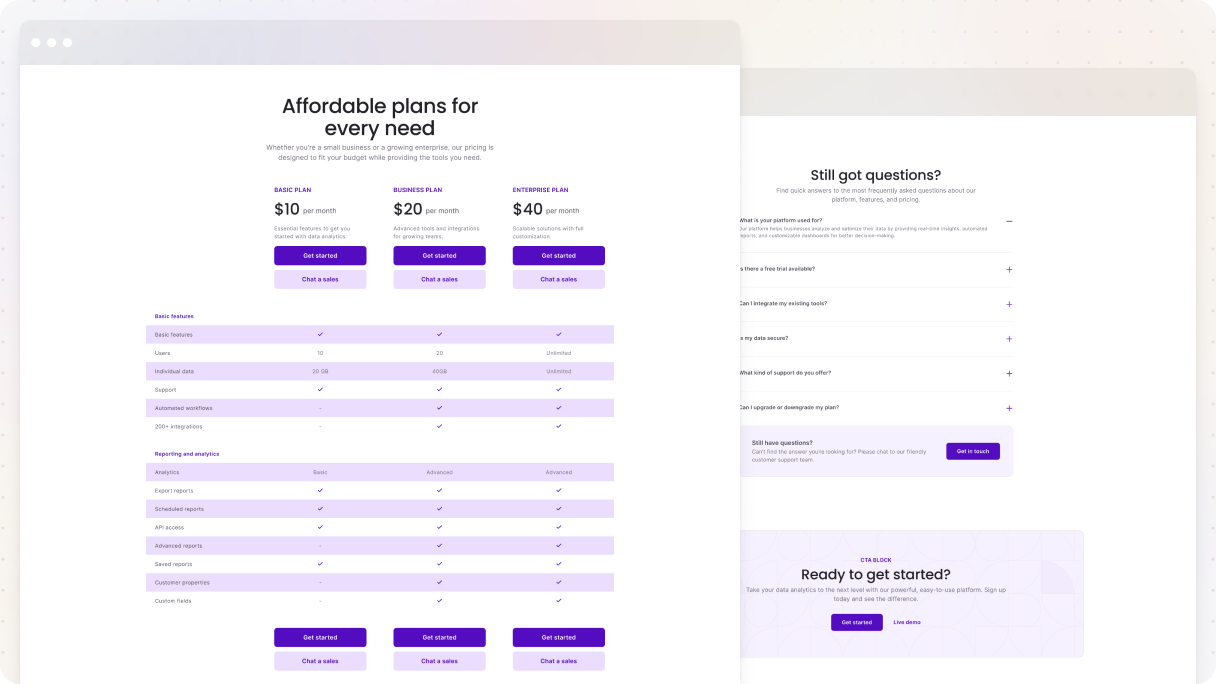
The Pricing 03 page example from the Gibraltar theme is great for those who have more detailed pricing plans. It has a straightforward comparison table that makes it easy for visitors to quickly look through the plans, following the typical way people read tables, like a lawnmower going back and forth.
Every row provides just the right amount of information, making it easy to compare without feeling overloaded. The use of icons, colors, and layout helps direct your attention and keeps things intuitive. Plus, it’s mobile-friendly, so rather than forcing users to scroll forever, the table separates into individual sections for each plan, making it easy to read on smaller screens.
There’s a helpful FAQ section that tackles important questions just when people need it, and at the end, there’s a compelling call-to-action encouraging visitors to either get started or check out a live demo, depending on what suits them best.
Cybersecurity 01
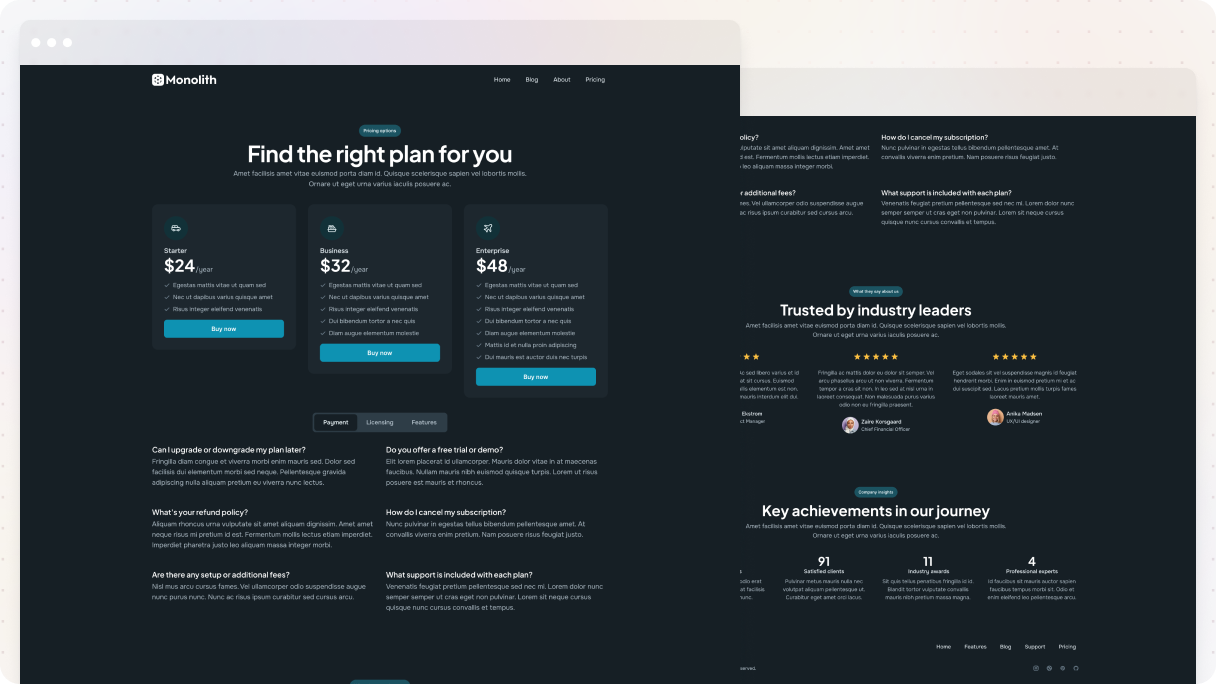
The Cybersecurity 01 pricing page from the Monolith theme is a great example of how you can connect with various types of buyers. It starts with a welcoming headline, ‘Find the right plan for you’, which makes it feel super friendly right from the start.
Every plan is carefully structured to have a clear sense of progress. As you go from left to right, the boxes get bigger, the value goes up, and the features change to match various customer preferences. It’s visually appealing and cleverly designed to guide people in choosing the best option without any issue.
Right below the plans, there’s a nice FAQ section organized into tabs for Payment, Licensing, and Features, which makes it super simple to find what you need without feeling overwhelmed. Plus, there’s a solid testimonial area that boosts credibility.
Handyman 01
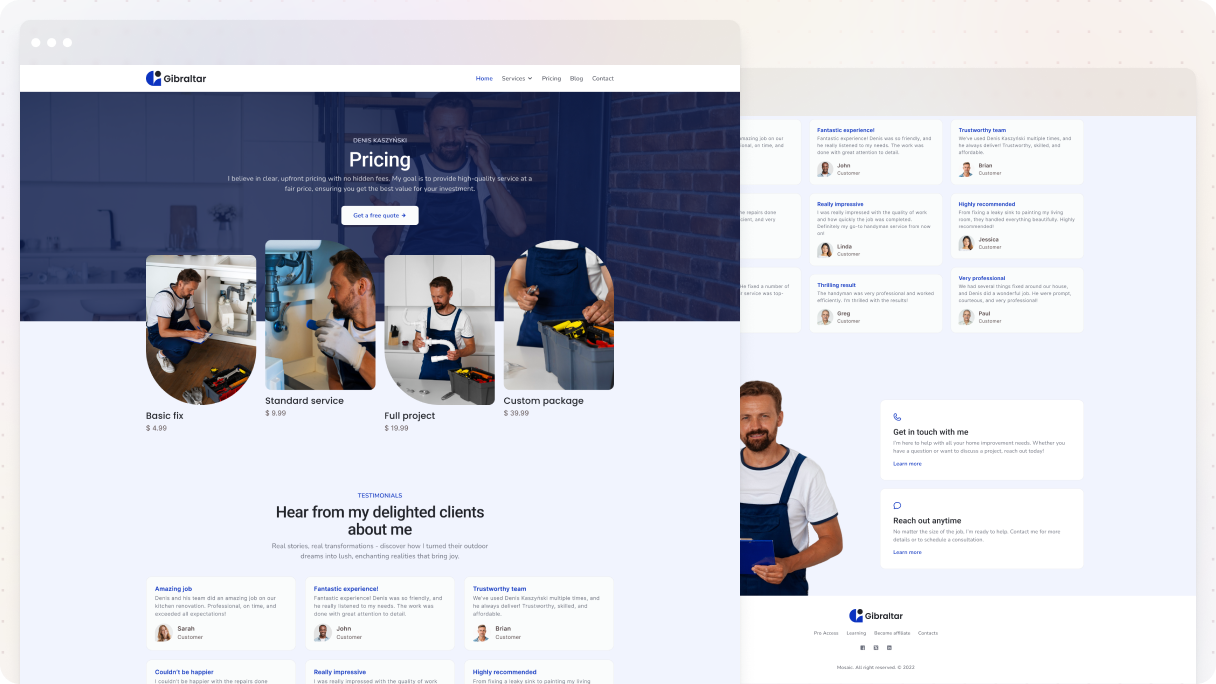
The Handyman 01 pricing page example catches your eye with its layout design. At the very top, the background is divided into two separate parts, and the images overlap in a way that draws you in immediately. Plus, there’s an outstanding CTA button encouraging visitors to check out the handyman’s previous work, which adds credibility immediately.
Every image has some unique shapes that grab your attention, and right below them, you can easily check out the pricing plans and their rates. Plus, there are some testimonials from happy clients underneath that help build trust.
The page wraps with a thoughtful contact section, making sure the visitor knows the next step. On one side, a friendly photo of the handyman himself, and on the other, two clickable options to get in touch.
Agency
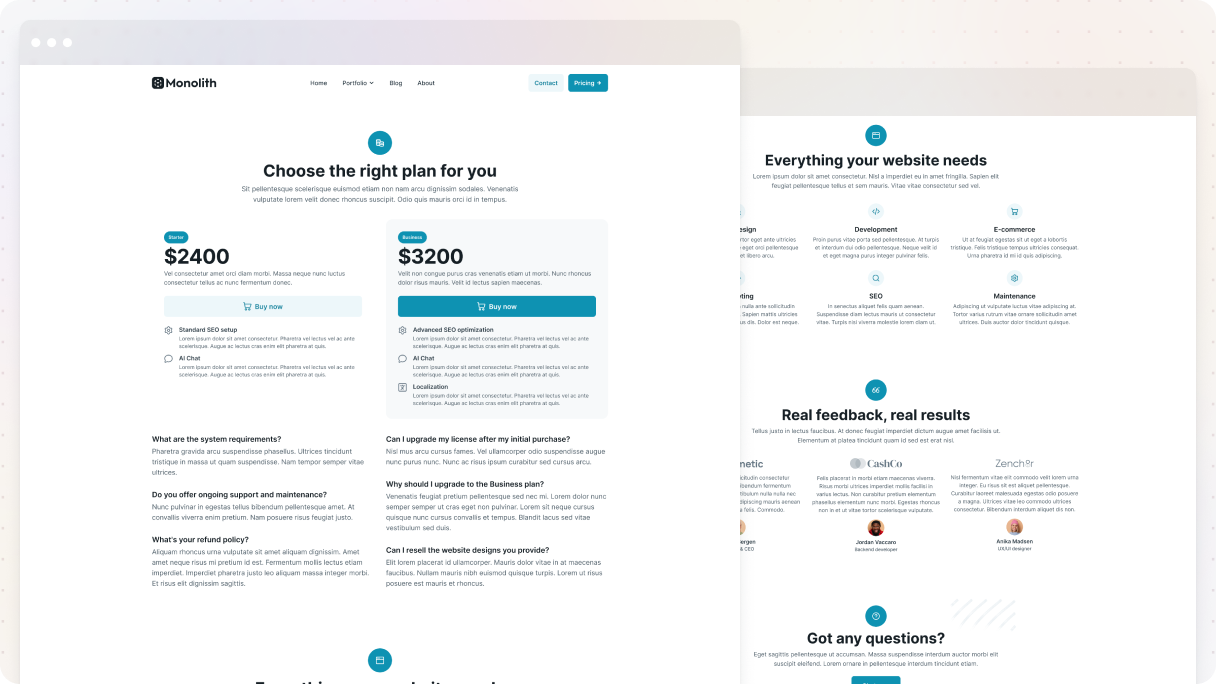
The Agency 01 pricing page in the Monolith theme keeps things clean, centered, and super easy to navigate. It offers two simple choices, Starter and Business, highlighting the main features that are important for their target users. Plus, each plan has a clear call-to-action button, so it’s super easy for visitors to move forward.
The page cleverly weaves in trust signals. There’s a client logo section topped with the reassuring line ‘Real feedback, real results’, along with a testimonial slider at the bottom that adds real proof.
It closes with a nice CTA section to tackle any lingering questions if someone isn’t ready to make a purchase yet.
Final thoughts
So we can conclude that the pricing page design is super important because it’s one of the last things a customer sees before they decide to buy.
Make sure to plan things out before you design. This isn’t the time to just go with the flow. Try to understand what your customers are thinking, create a layout that guides their choices, and always be straightforward.
Once it’s up and running, just keep listening. Pay attention to how people engage with the page, where they click, where they linger, and where they leave. Use that info to guide your updates.
And remember: having a neat and well-thought-out pricing page isn’t just nice to have. It’s what seals the deal. Stick to these best practices, lean on solid examples (like Mosaic), and you’ll end up with more than just a pretty page, you’ll have one that really pays off.


