

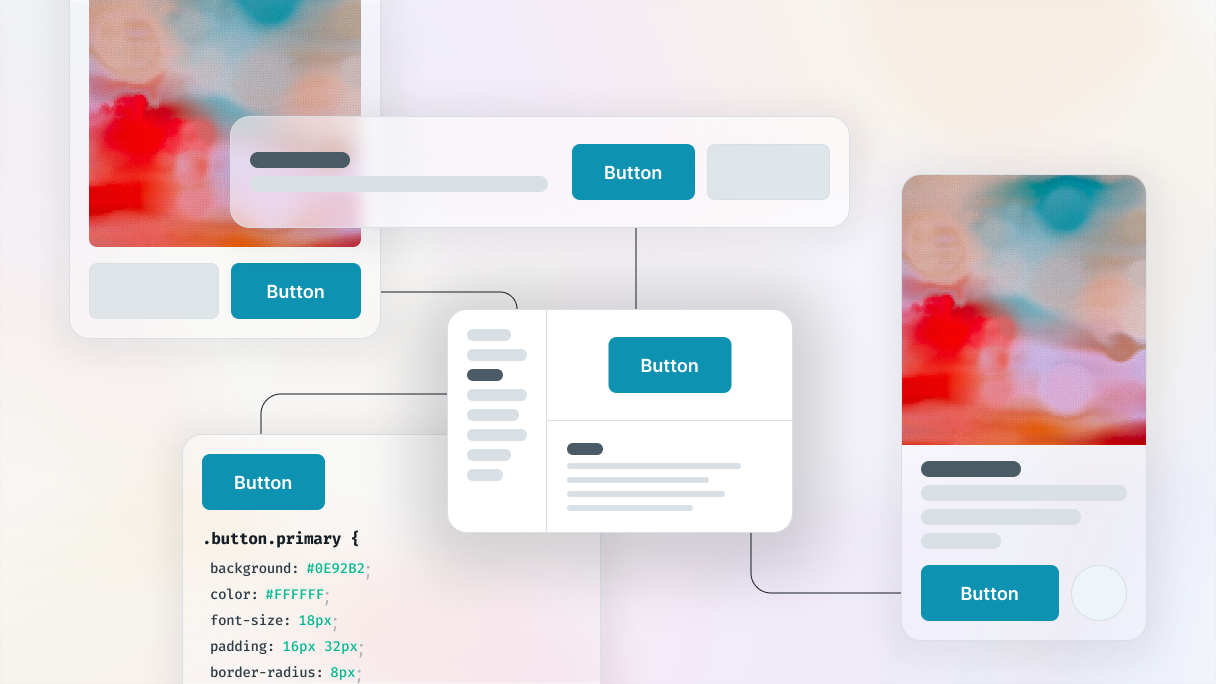
What exactly is a design system?
Have you ever found yourself drowning in a sea of design decisions when you needed to create a seamless digital experience? Don’t worry, you’re not the only one. Every day, companies struggle with the tasks of maintaining consistent design especially on content-heavy pages like a blog layout, streamlining workflows, and addressing scalability challenges. But fear not, because design systems are here to restructure this chaotic challenge and turn it into a smooth workflow.
If you’re wondering what a design system is, think of it like your digital toolkit packed with reusable elements, similar to a box of LEGO bricks. Just like a basic LEGO set includes standard bricks, plates, studs, and tiles in different colors, design systems provide a variety of pre-designed elements that can be combined to build anything from a basic page to a website, with a cohesive design throughout.
Design systems are not only useful for designers, but developers can also take advantage of them. With code snippets and development resources included, design systems help them create functional, accessible code.
Design systems act as a set of guidelines that all teams can follow, improving consistency and collaboration between design and development. You can be a designer focused on visual harmony or a developer streamlining workflow, design systems lay the groundwork for you to create user-friendly digital experiences.
Brad Frost’s Atomic Design Methodology (2013)
Breaking down complex problems into smaller, more manageable parts is a well-known strategy. Brad Frost used this idea and applied it to design, coming up with a methodical way to build design systems, known as Atomic Design. He realized that traditional design systems often emphasize subjective elements like color and typography, which leads to disagreements since everyone on a project has their own perspective.
Frost wanted to find a better, more objective method to show the progress of a design to clients and team members. So he took inspiration from chemistry, where everything is composed of atoms, and he created a technique that breaks down interfaces into fundamental building blocks and then reassembles them into functional designs.
Atomic Design started as a blog post and then became a book. It encourages designers and developers to “build systems, not pages”, starting with the smallest elements and combining them to create cohesive designs. It’s a foundational approach for anyone trying to understand what a design system is and how to build one.
Five stages of Atomic Design
Here’s a quick rundown of the five stages of Atomic Design:
- Atoms: They are the basic building blocks, like buttons, icons, and text styles. Think of them as the individual LEGO pieces.
- Molecules: They are groups of atoms that form simple components, like a search input field paired with a button.
- Organisms: They are larger components made of molecules and atoms working together, such as navigation bars and forms.
- Templates: They are wireframes that show the layout of a design without any styling or content, showing how components fit together.
- Pages: They are complete templates filled with content, styles, and data, representing the final product.
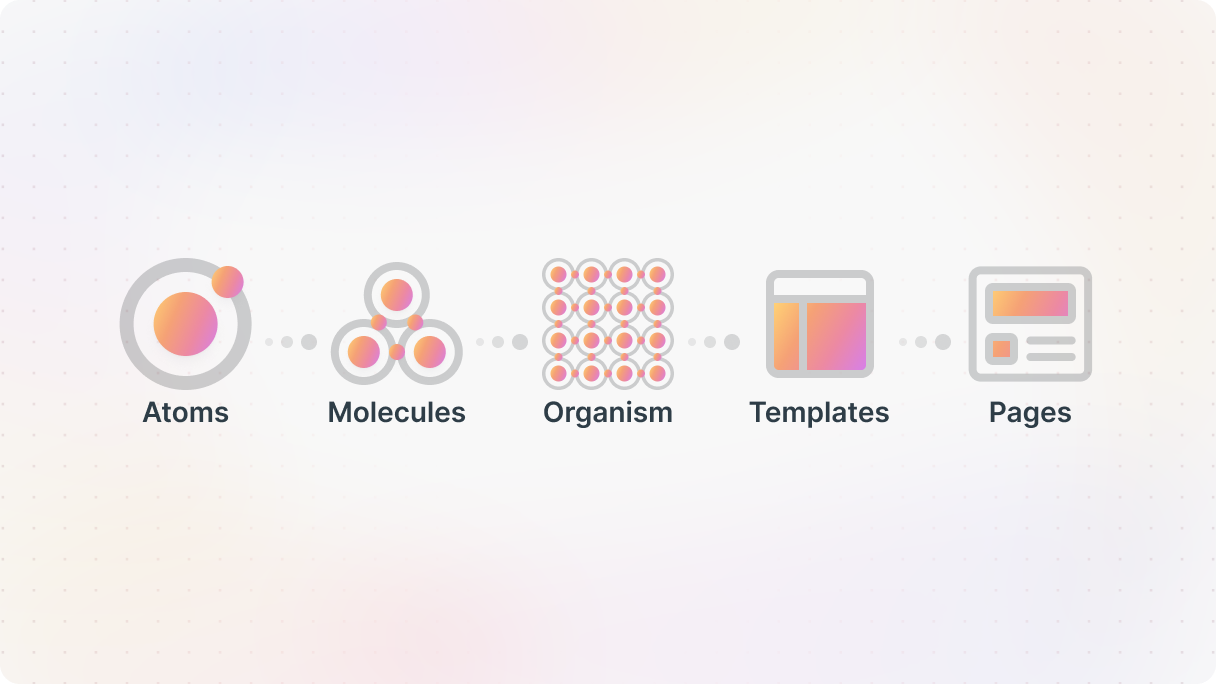
Atomic Design’s power lies in its hierarchical structure: changes at any level affect all subsequent levels. Adjust a molecule, and you’ll see the impact on organisms, templates, and pages. This approach helps maintain consistency and scalability across your designs.
While it might sound a bit like a chemistry lesson, once you get the hang of it, Atomic Design makes creating and managing design systems much simpler. It breaks down designs into reusable components, making it easier to build complex structures that look and feel cohesive.
Now that you know what a design system is, let’s look at why your team might benefit from one.
Do you need a design system?
Now, let’s explore the various ways a design system can act as a remedy for your increasing headaches.
Without a design system
- Inconsistent design: Clashing buttons, fonts, colors across pages
- Collaboration issues: Designers, developers, and content creators struggle to stay aligned
- Redundancy: Same components rebuilt repeatedly
- Scalability challenges: More features = more chaos
- Accessibility issues: Inconsistent or missing accessibility practices
- Technical debt: Quick fixes lead to inconsistent code and extra work
- Frequent redesigns: Manual updates across dozens of pages
What a design system solves
- Unified design: Unified styles, components, and branding
- Smooth collaboration: Shared language and clear guidelines for all roles
- Reusable components: Reusable components save time and effort
- Scalable foundation: Structured framework for smooth scaling
- Built-in accessibility: Built-in WCAG-friendly standards and documentation
- Cleaner codebase: Long-term structure avoids messy, duplicate solutions
- Faster iteration: One source of truth enables fast, consistent global changes
Inconsistent design
Ever visited a website where the buttons and styles seem all over the place? You know, where one page has round buttons and another has square ones, and you’re wondering, “How did this happen?”. Well, it’s easier than you think.
Your website may have various sections with different styles, colors, fonts, and layouts that don’t align, especially on structure-heavy pages like a blog layout. This inconsistency can make your brand look scattered and confuse your users, and it’s often the result of small web design mistakes building up over time.
They don’t realize that different team members can be responsible for different parts of your website, they simply expect everything to work the same. If they get used to a specific button, they will search for that same design elsewhere on your site. When they can’t find it, it can be quite frustrating.
A design system is a single source of truth thanks to its structure. It ensures that everyone on your team is on the same page, using the right assets and components that represent your brand. It helps strengthen your brand identity and makes the whole process more efficient.
Collaboration issues
One of the best benefits of a design system is how it improves collaboration, especially between designers, developers, and content creators. These three groups often struggle to communicate due to different terminologies and guidelines. A design system creates a common language for them, making their teamwork much smoother.
Without a design system, new team members can also take longer to get up to speed because there’s no clear documentation. But with a well-documented design system, anyone can quickly understand and follow the design standards, no matter when they joined the team.
Cut down on redundancy
Do you ever get the feeling that you’re always starting from scratch? It’s common among developers and designers. They end up remaking the same components over and over again, slowing down the development of new features and pages.
A design system is the perfect solution here. It helps by documenting design choices that have already been made, so you can reuse these components throughout your design. This way, you won’t have to keep solving the same problems repeatedly.
Simply put, a design system helps you speed up and streamline the process of creating designs. It saves your team from doing the same tasks over and over again, allowing them to concentrate on the most important part, improving user experience.
Scalability challenges
As companies grow and add new features to their products, it can get pretty complicated to handle all the development and maintenance tasks. Managing multiple features can be frustrating, but using a design system can definitely simplify the process. One of the main reasons companies invest in them is that once you know what a design system is, you can scale it efficiently.
A design system makes development and maintenance easier by offering a unified framework. This helps everyone stay on the same page, saving time and energy. Plus, it ensures that the website stays cohesive even as it expands.
Accessibility issues
Making your website accessible to everyone can be a challenge without clear guidelines. There’s some good news, though: design systems can once again make a huge difference.
More and more companies are realizing that design systems make it easier to achieve accessibility goals. It’s important to remember that accessibility is not just for a few people with disabilities but for a wide range of users. By documenting and standardizing how design elements and code should follow the Web Content Accessibility Guidelines (WCAG), you reduce the risk of accessibility issues.
By using a design system, you can guarantee that your website is user-friendly for all, helping you reach your accessibility goals more effectively.
Technical debt
When teams rush through things, they tend to overlook better solutions and just take shortcuts. Well, that can lead to issues later on, especially as a company expands and requires more functionalities and improvements. Without a proper design system in place, your website can become messy and provide your users with a negative experience.
It’s similar to financial debt. If you’re not careful, it can spiral out of control. This “technical debt” happens when teams go for quick fixes instead of sustainable solutions. For example, if two teams tackle the same issue without realizing it and end up with different solutions, it leads to confusion and wasted time. This debt only continues to grow with each project.
Imagine a website that has a messy layout and buttons that don’t match, it’s definitely not going to hold your visitors’ attention for very long. On top of that, it’s a major headache for your developers and designers who have to untangle the mess. All these inconsistencies turn future updates into a complete nightmare.
That’s why having a design system is so useful. It provides you with a set of rules and guidelines to maintain consistency. With a design system, you can maintain speed without sacrificing quality or creating a chaos.
Frequent redesign updates
Does your team often have to update parts of the website to fix inconsistencies or make sure they align better with the brand? It can be a really time-consuming task, especially when you’re dealing with multiple pages or sections. Manually adjusting styles and components can really be a headache.
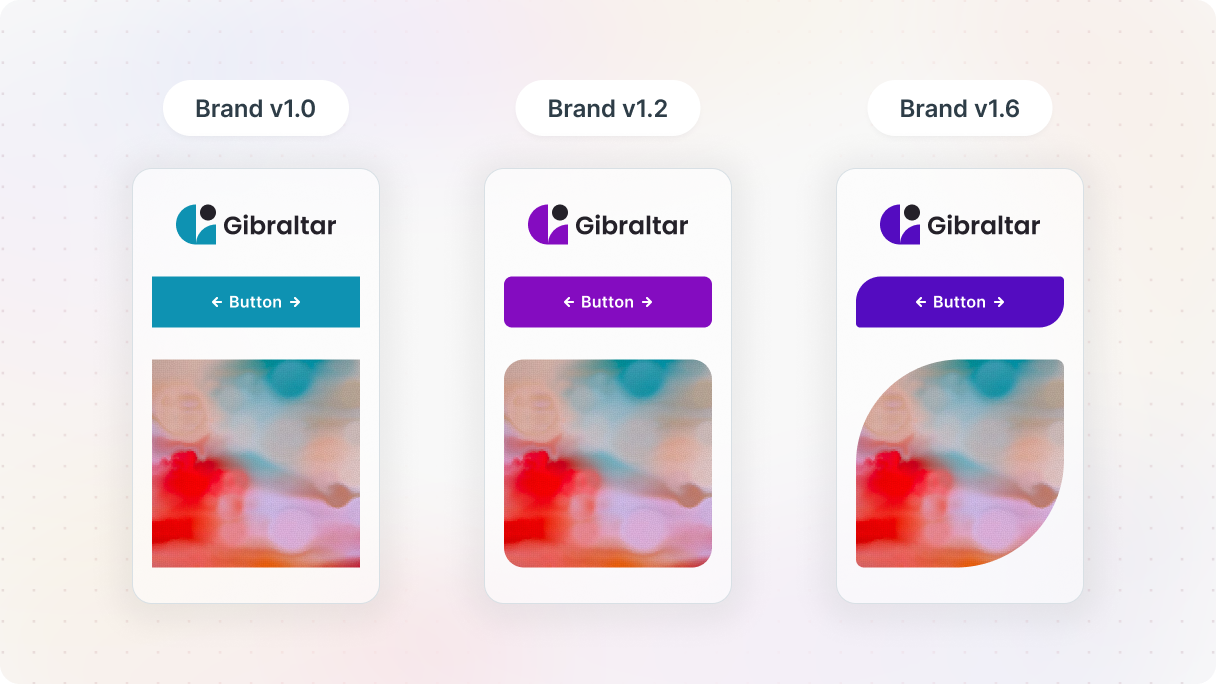
Enter the design system. By following the atomic design method we discussed earlier, you can make changes to your design much faster. Instead of going through each page and updating styles manually, you can make global changes all in one place. Imagine being able to instantly see how your design would look with a different color scheme or more rounded buttons.
Having a design system in place means you can say goodbye to dealing with inconsistent updates and wasting time adjusting each element separately. Everything remains in harmony, making updates quick and easy. It really makes a huge difference in keeping your website cohesive and running smoothly.
Challenges
Design systems are really helpful for your design and development teams, but they can also present some challenges. It’s important to be aware of these so you can handle them effectively. Let’s take a closer look at these challenges and explore strategies to overcome them.
Maintenance
Design systems are always changing as your company expands, and maintaining them can become quite challenging. To ensure that your design system stays useful and up-to-date, make sure to establish a routine for updates.
By incorporating regular maintenance and updates into your workflow, your design system will keep delivering value and be a reliable tool for your team. It’s a great way to keep your team on the same page and maintain consistency in your product.
Socializing the system
Implementing a design system can be tricky because not everyone will be immediately on board with the changes. People tend to stick to their old ways of doing things, especially if they’ve been working a certain way for a long time. This can really slow down the whole process.
You gotta keep talking to your team to make things work smoothly. Chat with them often, hear what they have to say, and clear up any misunderstandings. Get everyone on board and help them see how the new system can be beneficial. This way, you’ll make the transition easier and create a culture that’s open to change.
Time allocation
It’s definitely not easy to create a design system for your organization. It requires a ton of hard work and dedication. This task can be even tougher for smaller companies, as leaders might find it difficult to find time to roll out the system company-wide.
Investing in a design system may seem like a lot at first, but it actually saves time in the long run by simplifying things. Sure, it takes time and dedication from everyone, but the benefits are totally worth it. A good design system not only boosts your team’s productivity but also helps your company reach its goals more efficiently.
Resources in a design system
Let’s look at the resources that most design systems share, the essentials that teams rely on to stay aligned and deliver a unified user experience.
Design guidelines
Starting your design system requires setting up clear guidelines. These guidelines act as a guiding light for your design decisions, helping your teams make well-informed choices and stay focused on the right path.
These guidelines should clearly state the purpose and values of your design system in a way that people can actually put into action. It’s crucial that everyone who uses the design system has access to these guidelines so they know why it exists and how to use it properly. The guidelines should provide detailed instructions on each design element and how to use them effectively. They should also include best practices to make sure that everything is consistent and of high quality.
When you establish these basic rules, you’re basically giving your team a clear path to follow. This way, your design system can work well and help your team come up with powerful and consistent designs.
Style guides
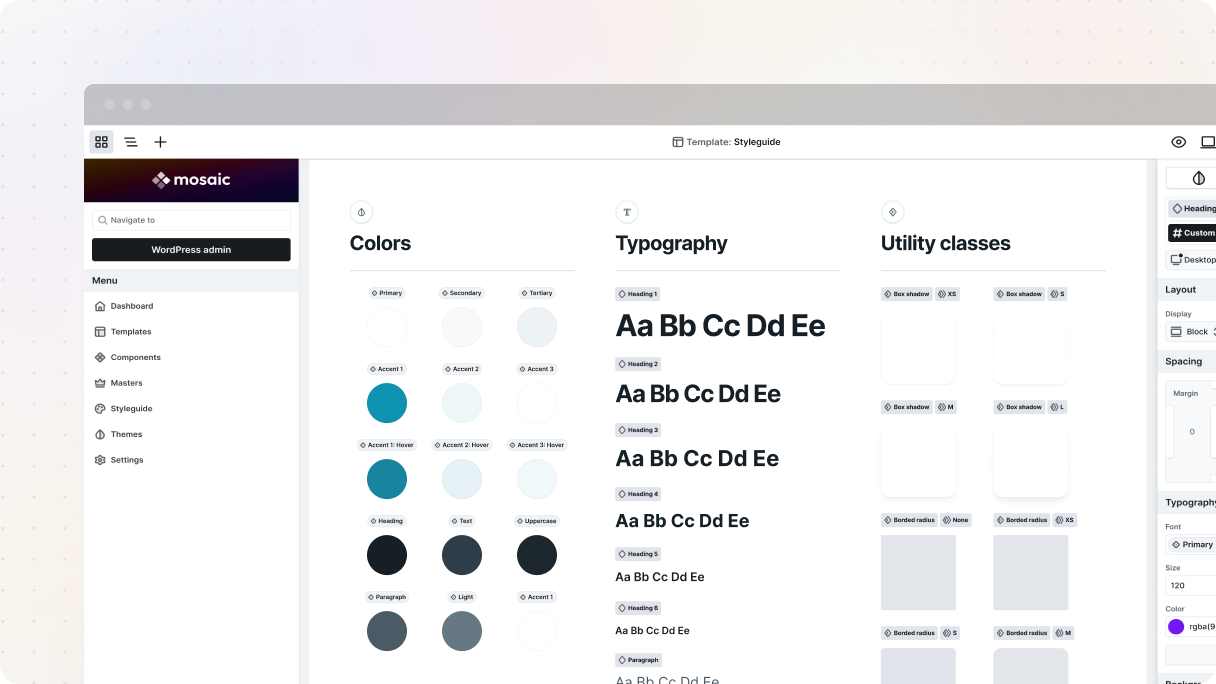
Think of a Style guide as your brand’s guidebook that ensures consistency and helps maintain your brand’s identity online. It’s filled with all the context and instructions for the elements that make up your website’s aesthetic.
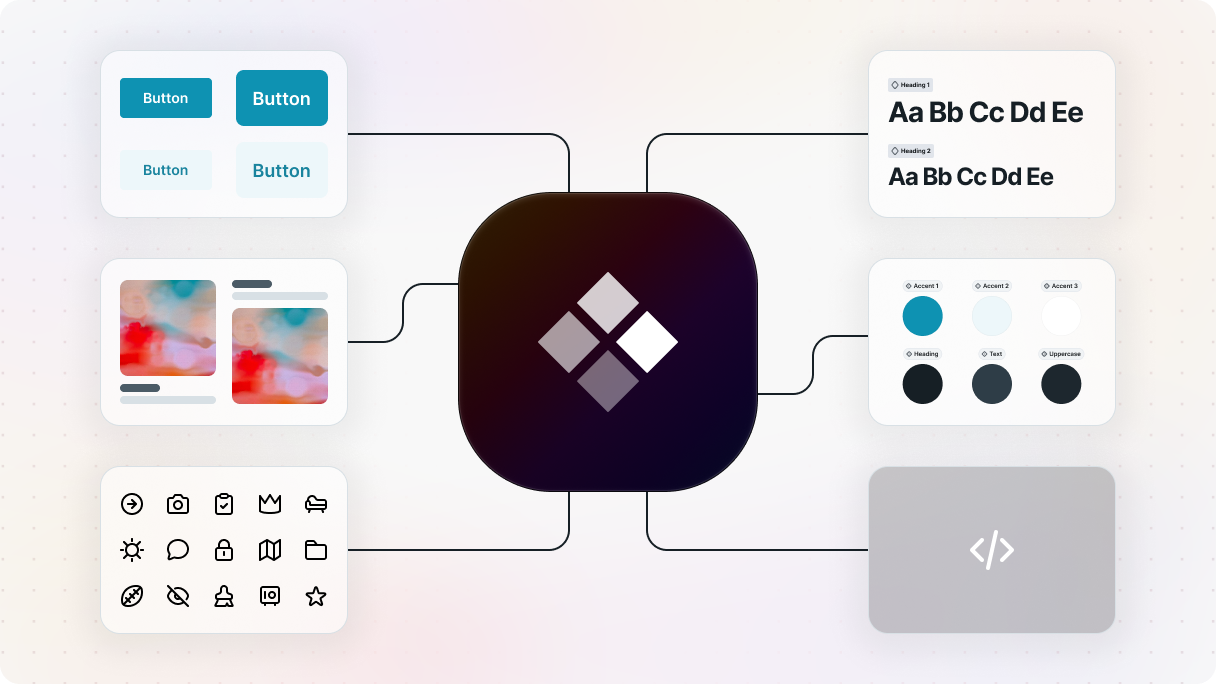
It includes everything like color combinations, fonts, spacing, border radius, icons, etc., showing all the design choices that influence how your website appears and feels. It helps you maintain a professional and structured look across all pages, which is key for building trust and credibility with your audience.
Components (UI elements)
The component library is like the backbone of your design system. It contains all the elements that you can reuse. When people talk about a “design system”, they’re usually referring to these key components. These pieces work together to create different parts of the website, like buttons, form fields, headers, and navigation bars. The goal is to make sure each element can be used again and again, keeping everything consistent and making your projects run smoothly.
Design tokens and variables
Did you know that design tokens are like the unsung heroes of your design system? They play an important role in maintaining consistency and efficiency throughout your design. These tokens act as a single source of truth when it comes to design decisions, effectively bridging the gap between designers and developers. It’s actually pretty amazing how they bring everyone together and make the design process smoother.
Why design tokens matter
They hold all the important design attributes such as colors, typography, spacing, and more. And the best part is that it can easily be shared among different teams and platforms. This centralized approach eliminates any confusion or inconsistencies in styles. So there’s no more guessing or worrying about mismatched styles.
Variables and tokens
Okay, let’s clear up a common confusion: Variables vs. Tokens.
Variables, primarily used in CSS, help you store design values like colors and typography. The best part is that you can define a value and use it multiple times on your website. So if you need to make a design update, you can simply change the variable and it will automatically update all instances where it’s used. It’s a quick and efficient way of making design updates.
Design tokens are a game-changer. They go beyond CSS and serve as a common language connecting design and development. Each token represents a design decision and follows a naming system for clarity and organization.
Tokens in a design system
Based on what we already discussed, tokens are super important in a well-structured design system because they help keep all the design elements consistent.
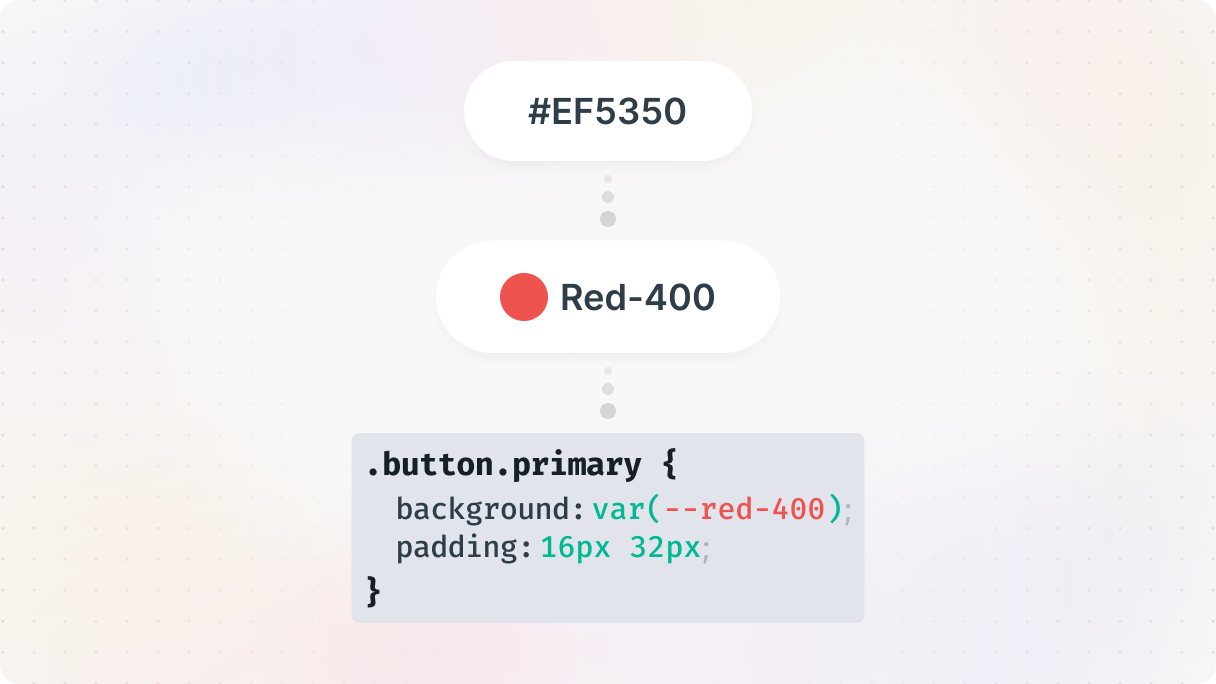
For example, instead of referring to a color by its hex code (#EF5350), you can define it as a global token like ‘Red-400’. This way it’s so much easier to recognize the color, and it also helps to prevent errors. And if you ever need to change ‘Red-400’, you can just update the token and it’ll automatically reflect the change across all instances where it’s used.
Governance strategy (collaboration)
When it comes to understanding what a design system is also means understanding how to govern and evolve it. It’s all about having a solid structure in place for roles, responsibilities, and decision-making. This ensures that everything runs smoothly, whether it’s maintaining or updating your design system.
So if you put together a dedicated team for the design system and get people from different departments involved, it can really boost your company’s success. Making sure there’s good communication and collaboration between these departments ensures that the design elements and language match up with what the organization and customers need. This leads to better customer experiences, higher satisfaction levels, and overall, more successful business outcomes.
Practical governance tips
Every organization has its own special way of doing things. Whether your team works together in person, remotely, or a combination of both, the key is to find the approach that works best for your team. It’s always a good idea to stay open-minded and be willing to experiment with new ways of working.
As you learn and grow, don’t hesitate to suggest improvements. The key to a successful design system collaboration is getting your team on the same page and agreeing on a model that feels right for everyone.
Centralized model
In a centralized governance model, there’s a “core” team that leads the way in developing and maintaining design system components. And guess what? They make sure that all the product teams get these components so that everyone is on the same page. It operates like a smoothly running machine.
This approach focuses on centralizing decision-making. It means that all the authority is kept within a specific team or individual. The best part is that it ensures consistency across projects, which is super important for maintaining a cohesive brand identity.
But this model definitely has its downsides. Even though it helps with efficiency and maintaining standards, it can limit the ability to be flexible and adaptable. Product teams might struggle to be agile and come up with new ideas on their own. But, for companies that value consistency and control in their design systems, a centralized model can still be really effective.
Distributed model
Imagine pulling together a dream team of representatives from each department in your organization, giving them control over different design processes. Their goal? To create and maintain a consistent design system that benefits everyone.
You know what’s great about this setup? Any changes made by the team are instantly shared with all the other product teams. We’re all on the same page, which means we can provide a consistent user experience.
Distributing decision-making authority between different departments can really boost flexibility and adaptability. But, it’s super important to make sure communication is top-level to keep everyone on the same page. By doing this, you can tap into the combined creativity of your team while sticking to a cohesive design.
Hybrid approaches
A lot of companies have discovered that using a hybrid governance model is the perfect mix of centralized and decentralized methods. It helps to find a ground between them, which can be crucial to effectively handle different design projects’ unique requirements.
So in the hybrid setup, you basically get the advantages of both approaches. You have a federated team that consists of representatives from various teams who offer guidance and feedback. Then, there’s a centralized team that takes charge of creating UI libraries, coding components, and keeping the documentation up to date. Whenever any changes are made, they are shared with all the teams, so that everyone can benefit from the latest updates.
Did you know that this approach not only helps create a consistent design system but also enables flexibility? It’s pretty cool because it combines the knowledge and skills of a diverse group while still keeping the process of making changes smooth and efficient.
The next steps
Now you have a solid understanding of what a design system is. But don’t forget, this is only the start of your design adventure.
Design systems are not just about making things look good. They actually help us identify design problems and areas where usability can be improved. By using design systems, we can tackle bigger challenges as a team.
I really hope this blog post has given you a good understanding of design systems and has sparked your interest in them. And if you decide to get started with Mosaic, you’ll see a lot of these ideas naturally come together as you build.


