
From any button
Open it from a button or link anywhere on the page, as often as people click.

Sign up offers, video lightboxes and confirmations in a centered window that dims your WordPress page and waits until the visitor makes a choice.
Add a ready-made modal from the library and open it on page load, scroll depth, exit intent or a click, then limit how often it shows up and give it a custom open and close animation.
Blank, Monolith, and Gibraltar come with ready-made modals in their Parts library. Here are twelve of them, with a different part number on every card.
Six everyday jobs, each one handled by a real Modal from a Mosaic theme.
Click the demo at the top of each card and watch the page step back as it opens.
Monolith's Modal 14 hands over a press kit, with a download button and a Close link.
Gibraltar's Modal 11 asks for an email and a site address, right beside a photo.
Blank's Modal 02 says a partner's page comes next, and lets visitors stay or go on.
Blank's Modal 04 is a short message form that turns into a thank you on the spot.
Monolith's Modal 16 asks for a visitor's age beside a photo before the shop opens.
Gibraltar's Modal 06 shows a plan, its price and what's included, with a Buy now button.
One setting, Close on, decides it. A modal people can close easily earns their trust, and one that waits makes sure the answer comes before anything else.
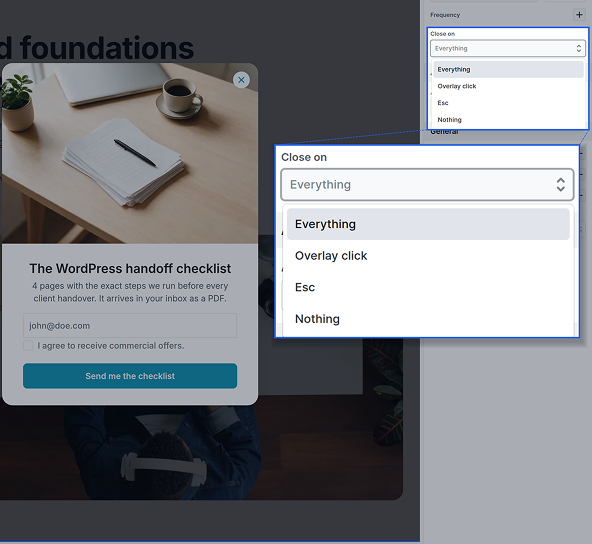
For offers, videos and notices, visitors close it the way they close any window, so nobody feels trapped.
Esc and a click on the overlay, both on for new modals
Keep only one of them when the other gets in the way
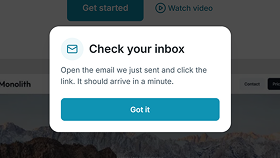
The Got it button closes its own modal with no setup
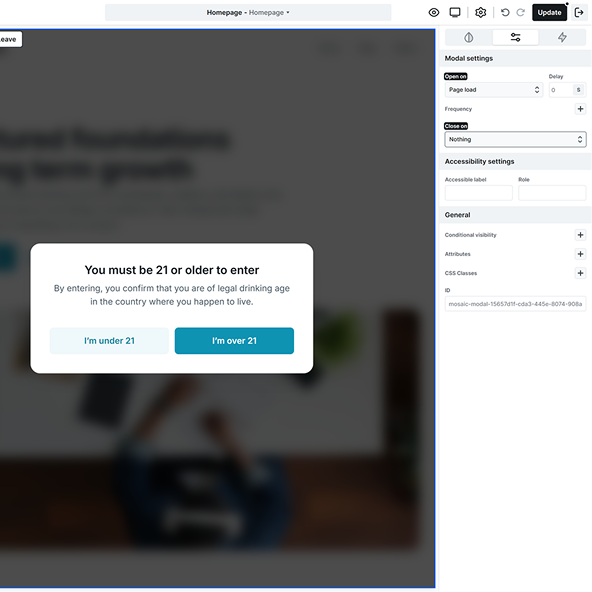
For age checks, cookie choices, and confirmations, the modal stays open until the visitor picks one of its buttons.
Close on Nothing turns off Esc and outside clicks
Give the window its own buttons, like Yes and No
Set the role to alertdialog for confirmations
Pick when the modal shows up, then add a run rule such as once per visitor or once a week, so returning customers don't see the same offer on every single visit.
Open it from a button or link anywhere on the page, as often as people click.
Show it as the page loads, or a few seconds later once visitors settle in.
Wait until a reader has scrolled a set distance, in percent, pixels or vh.
Catch desktop visitors as the pointer heads up and out of the browser window.
Both show content on top of the page and open on the same triggers. Pick the Modal when the visitor has to stop and answer before going on.
Everything behind it dims and waits, with scrolling and clicks paused
The page stays live, so visitors keep scrolling, reading and clicking
Choose the Modal when nothing else on the page should compete with it
Always in the middle of the screen, whatever button or trigger opened it
Beside the button that opened it, or in one of nine spots on the screen
A centered window tells visitors this matters more than the page
The window scrolls on its own once its content is taller than the screen
It grows and shrinks to fit what you put inside, so it suits short content
Long-term forms and videos belong in a Modal, quick tips in a Popover
Open and Close actions, so one button opens it and another closes it
Open, Close, and Toggle, so a single button can open and shut it
Give a Modal its own close button, and leave toggling menus to a Popover
When the visitor has to decide, confirm, or sign up before going on
When the visitor should be free to ignore it and simply carry on
Ask if the content can wait for the visitor. If it can't, make it a Modal
You build a modal with the same tools as the rest of your page, and the details visitors only notice when they're missing are already taken care of.
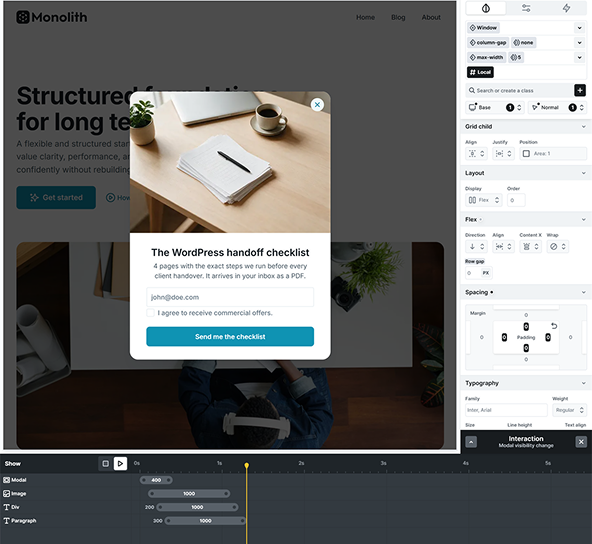
The window and the overlay take your classes, and any window can be saved as a component.
Show, Before close and After close moments, and the exit animation always plays to the end.
Tab stays inside the window, focus moves to its first field and comes back when it closes.
It stays in view on the canvas while you edit, so you can style it right where it shows.
A modal is only as good as what you put inside it. These are the elements you will place in one or use to open it, each with its own step by step guide in the Mosaic docs.
The details that come up once you put a modal in front of real visitors, from phones to Google. The docs cover every setting, and our team answers anything that is still unclear.
Every plan. The Modal sits in the Add panel with every other element, on Personal, Creator, and Agency alike, and nothing about it is held back for a higher plan or sold as an extra add on.
We use cookies to improve your experience, analyze traffic, and personalize content. By clicking "Accept all" you agree to storing them on your device. Read our privacy policy.