Only the content area
Most page builders leave the header, footer and blog layouts to your theme. In Mosaic you design every one of them.

Mosaic is a WordPress theme builder. One plugin brings its own theme, so the header, the blog templates, and the colors and fonts all come from one editor you build in, with no add-ons to stack.
Your own theme, templates and every feature come in one install, with nothing else to add.
The theme, templates and styles all work together as one system, so nothing on your site drifts apart.
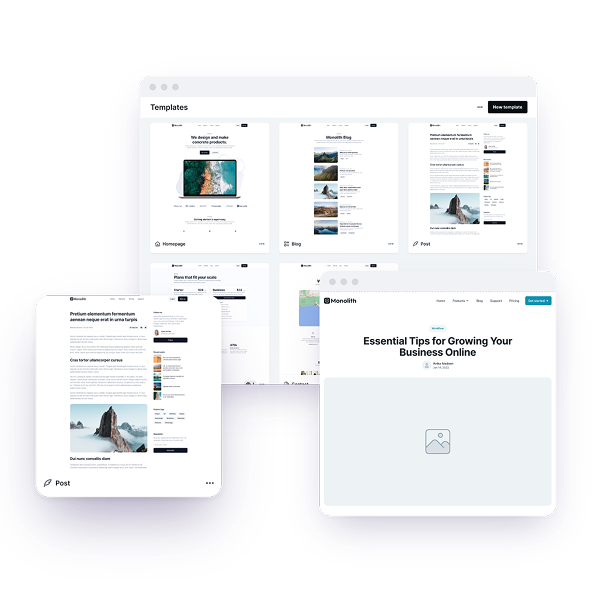
Most page builders are made for the content of a page, while the header, blog and styles stay with your theme. Mosaic brings the whole site into one editor, and these gaps close with it.
Most page builders leave the header, footer and blog layouts to your theme. In Mosaic you design every one of them.
Colors and fonts get set twice, once in the theme and once in the builder. Mosaic keeps them in one set of style variables.
Posts keep the theme’s plain layout while pages get the care. In Mosaic, posts share the design of your pages.
Change a repeated section and you edit it on every page. In Mosaic, components and classes carry one edit to every use.
Theme building means a Pro license here and an add-on there. Mosaic brings its own theme with every feature included.
Theme, builder and add-ons update apart and can break a layout. Mosaic updates leave the theme in your site alone.
Every page on your site comes together the same way, from the kind of page it is down to your content. Follow that logic and you always know where a change belongs.
A visitor opens a link. Before anything is drawn, WordPress knows if it is a blog post, a page, a category, an author, a search, or a page that does not exist at all.
That answer is the template type, and it decides which of your templates are in the running. A blog post looks at your single post templates, not at the archive ones.
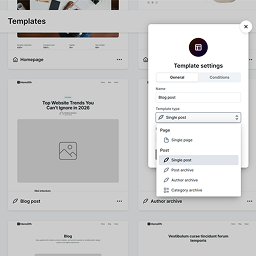
Some templates you assign by hand, like the one for your About page. The rest apply on their own to every page of their type, so a new post has its design when you publish it.
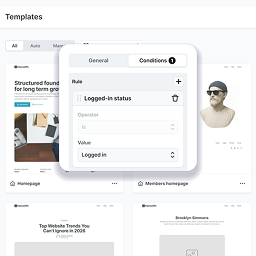
When two templates could fit, your order decides. Mosaic checks them from the top and uses the first whose conditions match, so a members homepage sits above the regular one.
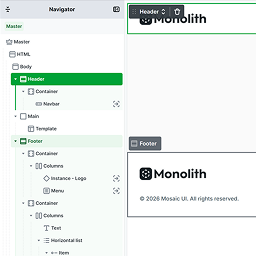
Every template sits inside a master, the layout that holds your header, footer and navigation. Change the header in the master and every page that uses it shows the change.
One master is often all your website needs. You can add more for pages that need a different frame, like a landing page without a menu, and pick one per template.
Last comes the content. A post’s template shows its title, image, date, and the text you wrote in WordPress, while a page like your homepage gets its own template.
Your posts, pages, and media are stored in WordPress, never inside a theme. Redesign a template or switch themes, and the design changes with it, while your content itself stays put.
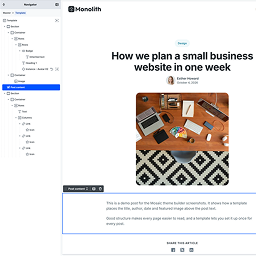
Designers, founders and creative directors on building whole sites with Mosaic: one design system behind every page and a site that stays easy to look after.
When I first visited the Mosaic website, I couldn’t believe it was still in beta because of how polished the animations were. After trying it myself, I was impressed by how smooth the editor felt (especially switching between master and template), how capable the dynamic data already was, and having animations built in natively. That was the moment I knew I wanted to build my own site with Mosaic.

The design library saves a huge amount of time when starting a project. Instead of building everything from scratch, I can start with well-designed sections and adapt them to my needs.

Mosaic brings the experience of a modern design system into WordPress. By using global variables and reusable classes, it creates a much cleaner and more structured workflow. After working this way, most traditional page builders start to feel disorganized and harder to manage.

Mosaic helped me to have control over my classes, over my design system. The pre-built templates came with full classes and variables ready for use. Of course, I like to build my own, but the way the builder came speeds up the process a lot.

For larger projects, Mosaic makes a big difference. The structured approach to styling, variables, and reusable elements makes maintaining websites much easier over time. I also really like the lifetime one-time payment option. It feels like a solid investment for a builder I plan to use on many future projects.

Mosaic stands out as one of the most efficient WordPress builders I’ve used. Everything feels streamlined, from the interface to the way layouts and styles are handled. It lets me work faster without sacrificing control or quality. Solid performance, thoughtful design, and a tool I now rely on for every project.

You design each kind of page once. New posts, categories, authors and searches pick up their template as they appear, with no layout to copy or rebuild by hand.
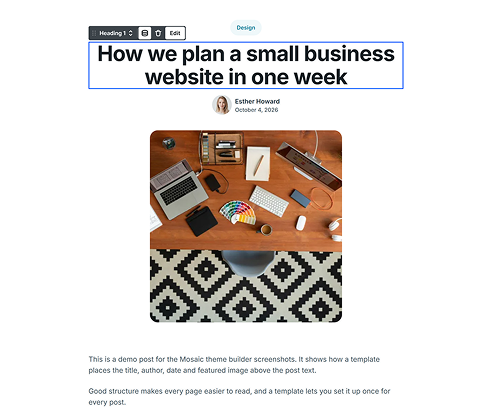
Design how your content looks once, and everything you publish follows that design from the moment it goes live.
Title, author, date, and image are placed once for every article.
Give a page a template by hand, or let new pages pick one up.
Events or team members each get a single template of their own.
ACF, Secure Custom Fields, and Meta Box fields as variables.
Every page a visitor can land on gets a design you made, from archives and search to the page for a broken link.
Category, tag, format, and author pages, each with a template.
Your latest posts on the front page, in a layout of your own.
The search query, the number of matches and a no-results note.
A broken link lands on a 404 page you designed, with your header.
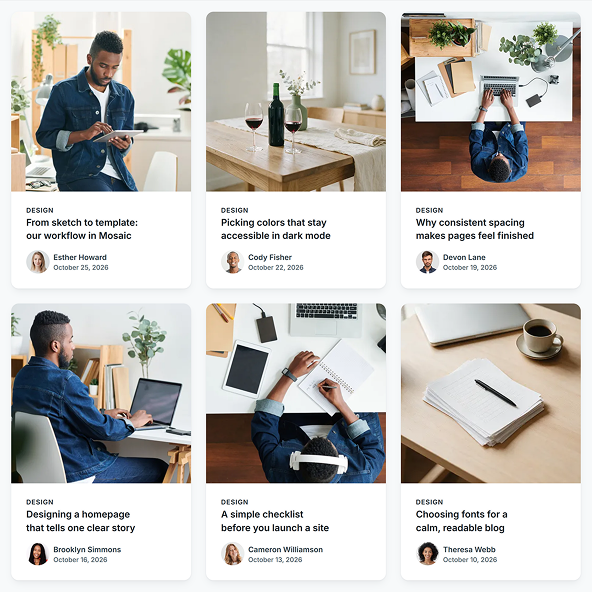
Each theme arrives with its own pages, headers, footers and templates. The setup wizard turns the one you pick into a site of your own that you can change from then on.
Pick a theme, make every page your own and build the site you have in mind. If Mosaic turns out not to be the right fit, get a refund within 14 days of your first payment.
Personal, Creator and Agency each get masters, conditions and every theme.
Visitors keep seeing your current site while you build, until you go live.
Stop paying and the site stays online, minus updates, the library and support.
Email the Mosaic team with any question and get a 1-on-1 answer back.
Straightforward answers to what people ask before they build a whole site with Mosaic, from how it sits next to your current theme to what it does not do yet.
It is a tool for designing the templates WordPress uses for each kind of page, and the header and footer around them, visually instead of in theme files.
We use cookies to improve your experience, analyze traffic, and personalize content. By clicking "Accept all" you agree to storing them on your device. Read our privacy policy.