
Active
Style the active tab and everything inside it, like a bolder label or an underline.

Monthly and yearly prices, a feature tour or FAQs sorted by topic, each in WordPress tabs built from the same elements as your page, styled to match your site, or filled in by your posts.

Blank, Monolith, and Gibraltar ship Tabs blocks, from tabbed FAQs and office lists to feature tours down the side. Here are twelve of them, mixed across the three themes.
Six ideas built with one Tabs element and the rest of Mosaic, each one live. Click the tabs in every demo the way a visitor would on your own site.
Load fast
Your style
Real people
Pages that load before the coffee cools.
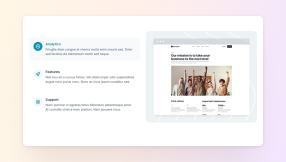
Each tab holds an icon, a title, and a short line, and the tab list sits beside the pane it opens.
3
2
1
2 days ago
1 week ago
2 weeks ago
Each category tab holds a posts Loop of its own, so every pane lists that topic's newest posts.
/month
Studio plan, every feature included
A Tab change interaction slides the new price in and shows the savings tag only on Yearly.
Each topic tab holds its own Accordion, so questions open and close inside their own pane.
Holiday home, Tihany
Build these tabs once in a template, and each listing fills them in from its own custom fields.
Six short lessons, from first brief to launch day.
A user logged-in condition shows the Files tab only to members. Preview as Signed in to see it.
Tabs and the panes behind them are built from the same elements as the rest of your page, so a tab can hold far more than a short line of text.
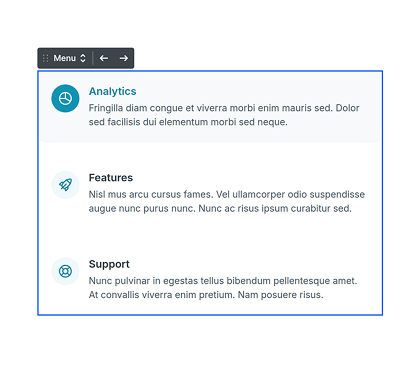
A tab starts as a line of text, and you can build it into an icon with a label, a photo, a logo, or a title with a note under it.
Switch the active tab on the canvas with the arrows in its toolbar
Add a new tab and its pane together with the toolbar's Add icon
The Navigator marks the tab you're working on as Active
Each pane is an open area you fill from the Add panel, from a grid of feature cards to a pricing table with buttons.
Lay out each pane with its own rows, columns and images
Put the tabs above, beside or below the panes they open
Give every pane its own background, spacing and type
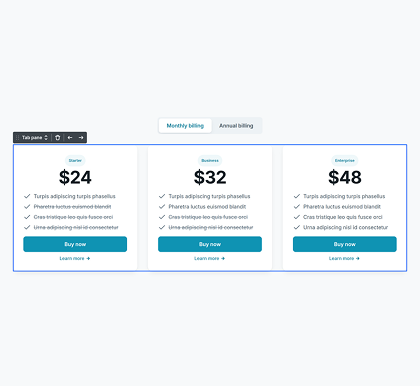
States and variables decide how a tab looks while it's chosen or hovered, on every screen size, so visitors can always tell which pane they're reading.
Style the active tab and everything inside it, like a bolder label or an underline.
Give tabs a hover look of their own, so they read as clickable before a click.
Color the tabs with style variables, so they change when your brand colors do.
Set styles and states per breakpoint, like smaller tabs and tighter gaps on phones.
Every Tabs element ships with the roles screen readers expect and keeps every pane in the HTML, so nothing you put in a tab is lost on visitors, however they browse.
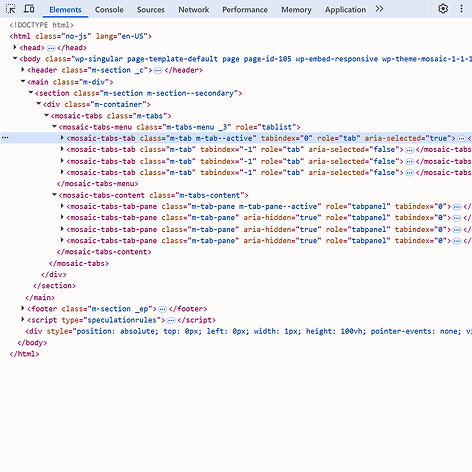
Screen readers hear a set of tabs and which one of them is selected.
Every pane loads with the page, and the closed ones are just hidden.
Add any other ARIA attribute a tab needs right in its Settings.
Save a set of tabs as a component, and editing it updates every copy.
Tabs rarely sit on a page alone. These are the elements you'll reach for around them and inside their panes, and each one has its own page in the docs.
The details people ask about before they build their first tabs, from phones and theme blocks to hiding empty categories and which plan they need.
Yes, all three include it.
We use cookies to improve your experience, analyze traffic, and personalize content. By clicking "Accept all" you agree to storing them on your device. Read our privacy policy.