
Email it
Send yourself a notification with CC, BCC and the uploaded files attached.

Contact, quote, and signup forms built on the same canvas as your WordPress pages, styled with your classes and sent to your inbox, your list, or a webhook.

Drop a form onto the canvas and style its fields with the same classes as the rest of your page, then email each entry, prefill fields with dynamic data and keep track of every submission.
Blank, Monolith, and Gibraltar come with ready-made forms in their library. Here are twelve of them, with a different block number on every card.
Six everyday jobs, each one a form you can build in Mosaic and style to match your theme. Open the demo at the top of each card to try it out and see how it works.
An email field and a message box in a window that opens on click, so help is always close.
A PDF checklist in return for an email address, with an opt in box for offers below it.
Asks for an email and a site address, the only two things you need to send back a review.
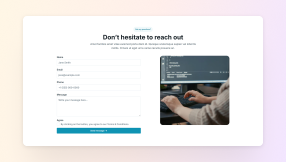
Name, email and phone sit side by side above the message box, with a privacy box to tick.
Visitors tick every service they need in one checkbox group, all sent in a single message.
Your services sit in a dropdown, so every request that comes in names exactly one of them.
Every part of a form is a regular Mosaic element with its own settings, so the finishing touches that usually take custom code are a few clicks in the editor.
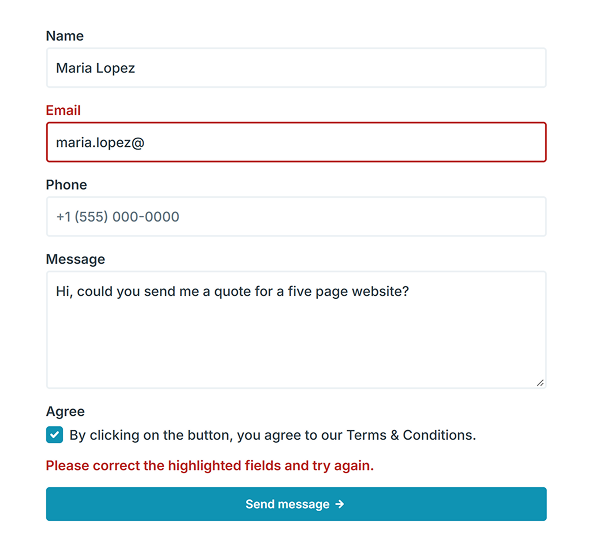
Fields, labels, and buttons have their own states, so you design the moments that matter, not only the empty form.
Give your forms one class and a single change restyles them all
Turn a label red the moment its field turns invalid
Highlight the chosen option once a visitor ticks it
Swap the button text for a loading label while it sends
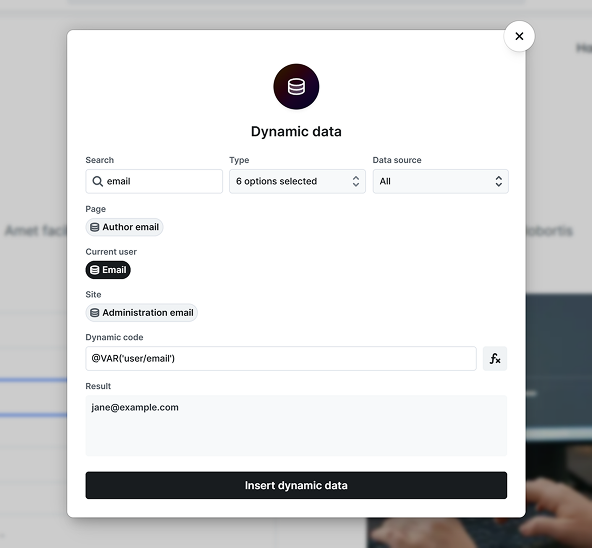
Defaults come from the current post, the signed-in visitor, the page address, or the browser, and never replace typing.
Prefill a member's email when they are signed in
Send details of the current post along in a hidden field
Read a value your site saved earlier in the browser
Prefilled values are checked like anything a visitor types
A hidden honeypot guards every form sent through Mosaic, even on cached pages, and visitors have nothing to solve.
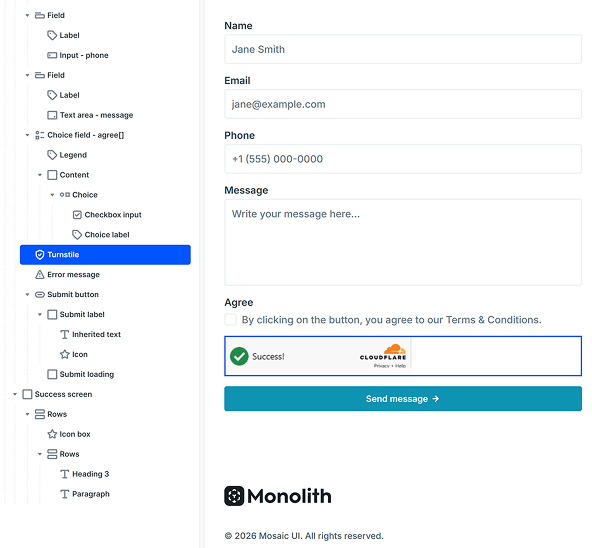
Add Cloudflare Turnstile or reCAPTCHA v3 when you need more
Show Turnstile only when a visitor needs to interact with it
Fields are checked in the browser, then again on your server
Logged in admins skip the honeypot, so testing stays easy
Stack several actions on one form and give each one a condition, so a sales question reaches your sales inbox while a support request lands with the support team.
Send yourself a notification with CC, BCC and the uploaded files attached.
Add people to Mailchimp or MailerLite, with double opt-in as the default setting.
Pass entries to Zapier, Make or another app as JSON or form encoded data.
Send people to a thank you page, or send each plan they pick to its own page.
The support form on mosaicbuilder.com runs on this element, file uploads and all. These are the parts that make it safe to hand over on a client site you look after.
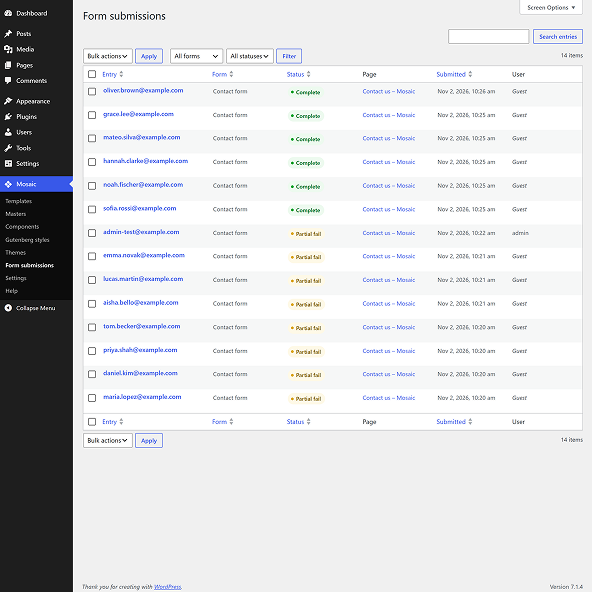
Forms that send an email, a signup, or a webhook keep each entry in your WordPress admin.
Store, mask, or leave out each field one by one, and keep out the answers you do not need.
When an action fails, like a signup or a webhook, the entry is flagged so you can send it again later.
Labels link to their fields, and errors and success messages are announced to screen readers.
Forms rarely sit on a page alone. These are the elements you will reach for around them, each with its own guide to the settings it offers and how to use them.
The details people ask about before they move their forms over, from email delivery and spam to exports, uploads, and keeping a plugin they already use.
Yes, all three include it. During the early bird period, which runs until the end of 2026, Personal and Creator are free for the first year, and Agency is a lifetime license.
We use cookies to improve your experience, analyze traffic, and personalize content. By clicking "Accept all" you agree to storing them on your device. Read our privacy policy.