


Why design principles matter in web design
Have you ever wondered why some websites just seem to click with users while others fall flat? Sure, jumping on the latest design trends might grab some attention in the short term, but do they truly connect with your audience and withstand the test of time?
The truth is that web design is not just about making things look pretty. Any experienced UX designer will tell you that what truly matters is understanding your users deeply, so you can give them exactly what they need, exactly when they need it, and in a way that makes their experience enjoyable.
Let’s be real: whether you’re putting together a blog or a business website, you’ve got to put thought and care into the design. Every little detail should serve a purpose, all while keeping in mind the usability. The goal should always be an enjoyable and easy-to-use website. These are the core principles of design that website creators rely on.
So, why should you bother reading this blog post? Because understanding the basic design principles of web design is something anyone can benefit from.
What are the basic principles of design for a website?
When it comes to judging design, it’s often seen from two angles. First, there’s usability, how well it functions. Then, there’s the aesthetic side, how it looks. Sometimes, people get so fixated on making things look pretty that they overlook usability. Conversely, others might get so caught up in functionality that they lose focus on visual appeal.
The key is finding balance, these two aspects should always complement each other. We’ll explore the design principles of both perspectives to ensure you get the best results for your web design.
How to design the layout of a website?
The layout design is the foundation of these principles of web design. How you structure your pages can make a big difference, and certain layouts tend to work better than others.
It’s understandable how it can get overwhelming to know where to start and how to achieve a visually appealing look with so many content elements available. Thankfully, there are some principles of how to design a website that we can follow to guide us in creating attractive pages.
The goal of your website’s layout should always be to support the main purpose of the website, helping you to get your message across effectively. Keep in mind that the layout highly influences what people notice and remember about your site.
F pattern
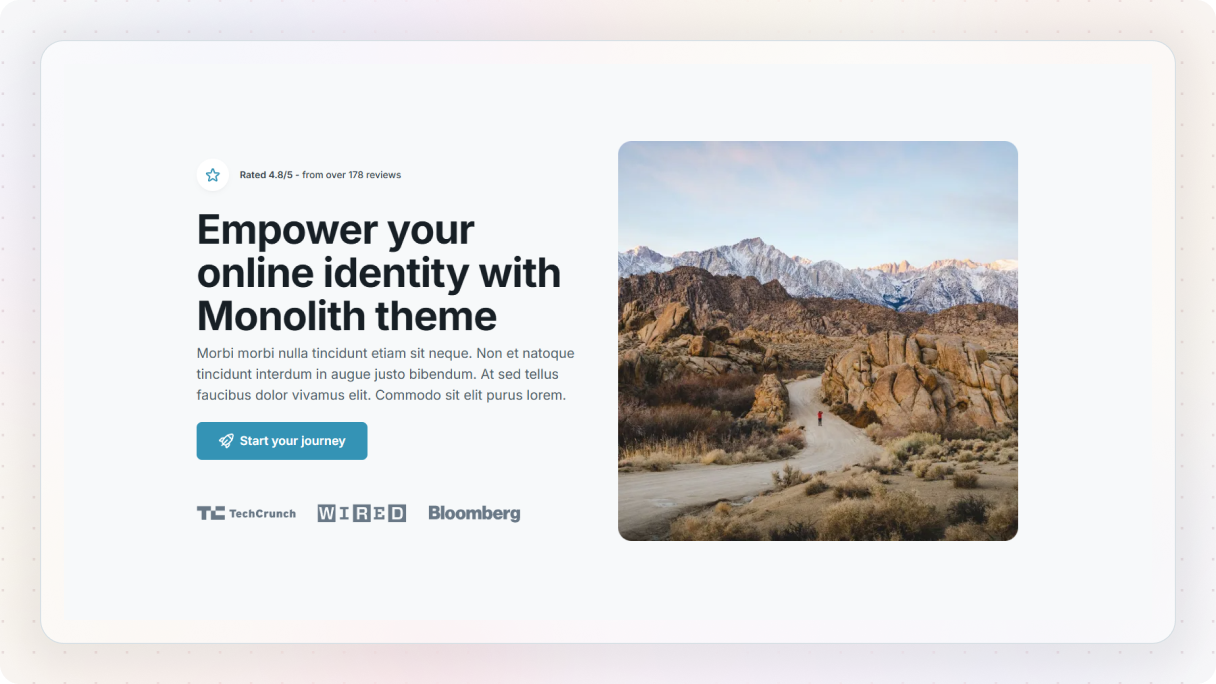
Have you ever noticed how you tend to scan web pages and phone screens in certain ways? One common pattern is kind of like the shape of the letter F (though it doesn’t always have to be a perfect F).
It starts with your eyes fixating on the top left side of the page. You start by reading horizontally across the top, then drop down a bit before scanning horizontally again. This time, though, the movement is usually shorter. Finally, you move vertically down the left side to complete the F shape.
This F-shaped scanning pattern mainly applies to the content area of the page, not so much the navigation or the outermost left side. It’s easily noticeable on pages with a lot of text, where you’re likely looking for quick solutions rather than reading long explanations.
Knowing this useful technique of design principles, it’s very important to structure your content accordingly. By organizing it to match this scanning pattern, you can keep your visitors engaged and encourage them to take action on your page.
Here are some tips for making the most of the F pattern:
- Arrange your content based on what’s most important and the order you want your visitors to follow.
- Keep in mind that people are scanning, not reading every word.
- Use visuals and other elements to break up the text and keep visitors interested.
Z pattern
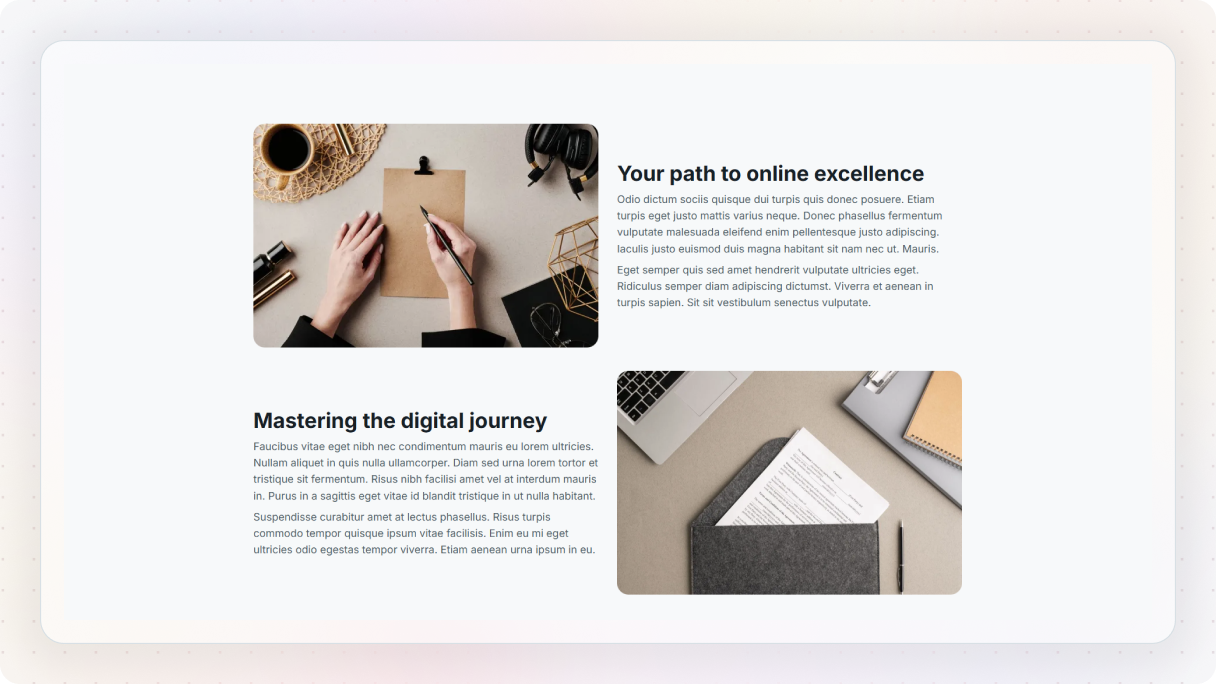
You might have caught yourself scanning content in a Z-shaped pattern, too. It’s pretty common. You start by scanning from the top left to the top right in a horizontal line. Then, you move diagonally down to the left side of the page before following the bottom line of the Z letter, scanning horizontally to the right side.
This Z-shaped scanning usually happens on pages that aren’t heavy on text. Remember, for text-heavy pages, the F shape works better. Just like the F pattern, the Z pattern doesn’t have to be a perfect Z. The lines can be angled, and there can even be multiple Z’s throughout the page.
You can use the Z-pattern to your advantage by showing important information in a way that guides the eye naturally. Just always keep in your mind what you want to communicate and in what order.
Here are some tips for making the most of the Z pattern:
- You can use the starting point of the top line as a spot for your logo since that’s where most visitors start their journey.
- The top horizontal line should highlight the main parts you want your visitors to notice first.
- Fill the diagonal line with content that keeps the visitors’ interest without distracting them from scanning further.
- At some point along the bottom horizontal line, you should highlight your call-to-action (CTA).
The Golden Ratio
Our fascination with the Golden Ratio goes way back to the Ancient Greeks. They were onto something when they noticed the beauty in nature’s asymmetry. From then on, artists and architects have been using this magical ratio to create things that just feel right. You can see it everywhere, from the Pyramids of Giza to the Mona Lisa, even in iconic logos like Google and Apple.
This same idea applies to web design as well. When UX designers implement the Golden Ratio, a useful element of the design principles, into their web design, it gives their websites a sense of balance and harmony that resonates with visitors on a subconscious level. There’s something comforting about these proportions, we instinctively know how to navigate them because they feel familiar from centuries of art, architecture, and nature.
By using the Golden Ratio in your layouts, you’re not just making things look aesthetic, you’re making them feel familiar and welcoming. It draws visitors in, encouraging them to explore your content further. Plus, the Golden Ratio serves a practical purpose too, it helps to balance text-heavy content, establish hierarchy, and guide visitors’ attention where you want it.
So, what’s the magic number? It’s the famous ratio of 1:1.618. Sounds fancy, but it’s the key to creating layouts that just work. Let’s take a rectangle with these proportions as an example:
Start with a width of 1000 pixels, divide it by 1.618, and you’ve got a height of around 618 pixels. Then you can add a 618 x 618 square on the right side, leaving a 382 x 618 rectangle on the left side, which is another “golden” rectangle, and so on. In simpler terms, a “golden” rectangle is a rectangle whose length is 1.618 times its width.
While the golden rectangle is the most familiar form of it, circles and triangles can also be used in similar ways. So whether you’re dividing space on a web page or guiding visitors’ attention to important content, the golden ratio offers a timeless framework for creating layouts that feel just right.
Grid
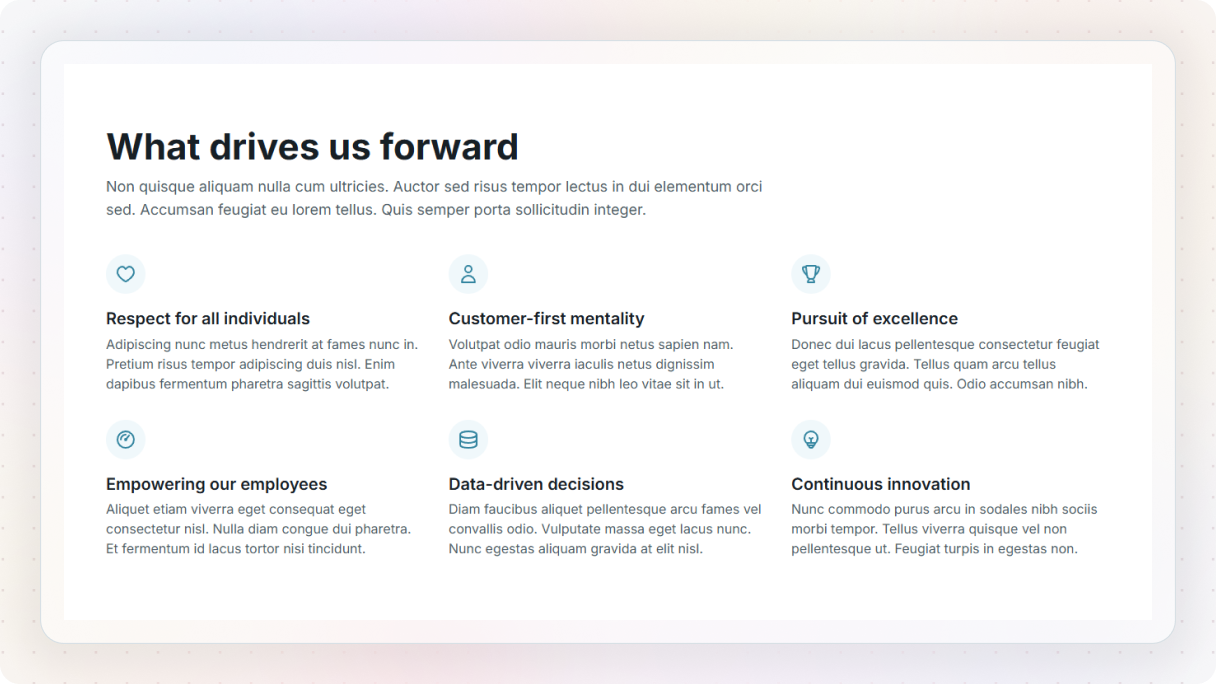
The use of grids in web design has really taken off over the years. But it’s not just about placing elements in neat squares. A grid is a system that brings order and alignment to your design. Instead of randomly putting things wherever, using a grid helps you decide exactly where each element should go.
With a simple grid, we can lay out our elements, which are often called wireframes. Wireframes are like rough sketches showing where your content blocks go. They’re useful because you can easily move elements around in them. If your layout isn’t looking quite right, you can just try adjusting elements on the grid, it often does the trick.
Once you’ve set up your grid, feel free to break it. Just make sure you’re doing it intentionally and for good reasons. And the more you use grids, the more you’ll see how they guide you to design better and faster.
Visual hierarchy: a principle of design for websites
We’ve touched on visual hierarchy a bit already when we talked about scanning patterns, but there’s so much more to this design principle of web design that we haven’t explored yet.
Visual hierarchy is about strategically guiding users through their journey and influencing their decisions. It’s what separates a site that simply looks nice from one that shapes user behavior. That’s why it’s considered one of the core design principles web design depends on.
When designing a website, you’ll naturally want certain elements to stand out, like a button you want your visitors to click. Some parts of your site are more important than others, and it’s essential to prioritize them based on your business objectives. So, before starting with the hierarchical structure, decide what you want to emphasize on your website.
It’s a given that when we’re shown an overload of content, our eyes are drawn to the ones that stand out. Thankfully, there are some proven methods to achieve this effectively.
Placement in web design
The appearance of your content isn’t the only thing that matters, the structure of your pages plays a big role in how visitors interact with your site. To make sure that they can easily find what they’re looking for, you should avoid chaotic page arrangements at all costs and follow these best practices that are essential principles of how to design a website.
Organizing different types of information in “boxes” is a great way to help guide their eyes both vertically and horizontally. This can make it easier for them to predict what they’ll find in each section. Similarly, adding buttons draws attention and leads them through your page, without missing anything important.
Let’s take a closer look at where visitors’ eyes tend to wander. Usually, the top and right sides of the page attract the most attention, while the lower part of the page tends to receive less of it. This is very useful when you decide where to place important information on your website, as putting important details where people are most likely to look first increases the chances of them seeing and remembering it.
Even though the lower section of the page may not get as much attention, adding elements like images, buttons, or icons can help prevent important information in this area from being overlooked.
Whitespace
Ever noticed those empty spots on a page where there’s no text or content? That’s what we call whitespace, or negative space. It might seem like just empty space, but trust me, it’s far from wasted. Good use of whitespace shows how subtle changes can apply core design principles in web design without overwhelming the user.
Without it, everything on the page would feel cramped and overwhelming. But when you use it wisely, it guides your users’ attention and highlights your key content. What’s really cool about whitespace is how it can create balance. It makes sure everything harmonizes just right on your website. And when you want something to really stand out, giving it some breathing space works wonders.
And if whitespace is not enough of a visual cue, you can consider adding more visual elements, like borders or backgrounds. Just remember to use them wisely, so your page doesn’t feel cluttered.
Once you start playing with space, both inside and around your content, you’ll see your designs in a whole new light. You’ll notice how easy it actually is to guide your visitors’ attention.
Size
Here’s a simple yet powerful technique of this principle of web design to keep in mind when designing your website: size. Yep, playing around with the sizes of your elements can make a big difference in how people interact with your site.
Bigger elements naturally grab attention, while smaller ones kind of fade into the background. So, if you want to highlight something important, like your main messages or CTA buttons, make them large. However, if there’s something you’d rather not draw too much attention to, keep it small and subtle.
Squint test
Have you ever tried the squint test? It’s a little trick to check if your website is easy to understand and navigate without putting too much strain on your brain. After all, good design shouldn’t require a lot of mental effort. Websites that pass the squint test get better results because navigating them is always obvious.
Here’s how it works: just squint at your page and see where your eye naturally goes. To help you figure out the most important elements of your website and where your visitors will likely focus, you can ask yourself a few questions like:
- Can you still see design elements clearly, thanks to enough whitespace?
- Which elements stand out the most?
- Where do your eyes get drawn to first?
Your design passes the squint test if:
- There’s a clear focal point or a path for the eye to follow.
- The most important element stands out from the rest, thanks to contrast.
- There’s minimal visual clutter, both within the focal point and across the whole page.
If any of these criteria aren’t met, then unfortunately, your design fails the squint test.

Copy and colors
Color is a major player in the design principles of web design. Whether it’s for branding or CTAs, the colors you choose can make or break the user experience.
Using two different fonts within a section is known to grab attention, as can employing vibrant colors that pop against muted tones. However, the downside of it can be that overdoing it with too many fonts or colors overwhelms your visitors, so be mindful.
When it comes to your text, the shorter the better. Avoiding jargon and pairing it with images can improve readability. As for presenting numerical data, tables or graphs are your best bets, as these offer an easier-to-understand format.
Contrast is key to drawing attention to specific areas. The greater the difference between an element and its surroundings, the more it’ll stand out. This is not limited to color only, it can be achieved through differences in shape and size, too. Designers also often use contrasting fonts, like bold against light, to create a hierarchy and emphasize important information.
Navigability
Navigating a website is a bit like exploring a new city. You want to find all the cool places without getting lost in a labyrinth of streets. In the same way, visitors are on a mission to find something on your site without getting lost in confusing paths.
But what happens if you forget this golden rule? Well, you might end up losing out on sales/engagement/leads, potentially a lot of them. Most people bail within the first 10 seconds if they’re not finding what they need. If you don’t want to prevent this, you should definitely implement this design principle into your web design.
Plus, not prioritizing navigation can affect your page ranking on Google. Google’s all about giving people what they want. If users aren’t happy with your site, Google knows, and it won’t boost your rankings. After all, Google’s mission is to connect people with the best, most relevant content. So, if people click away from your site and go back to the search results, it’s a sign they didn’t find what they needed. And that means your page won’t climb search result rankings. So, if you’re aiming to be at the top, you’ve got to nail user experience.
So, make it easy. Keep your main navigation intuitive and close to the top of the page. Whether it’s a side menu or a horizontal one, visitors expect it to be right there when they land.
Fitts’ Law and the principles of design for websites
Back in 1954, psychologist Paul Fitts came up with the idea that the amount of time required for a person to move a pointer (e.g.: mouse) to a target area is a function of the distance to the target divided by the size of the target. In other words, the farther and smaller the target, the longer it takes to reach it. This law is a great example of how design principles in web design intersect with user behavior.
Let’s break it down with an example: buttons. A bigger button is way easier to tap, especially on a touchscreen. Fitts’ Law tells us it’s all about minimizing the distance between what catches a visitor’s eye and the thing they want to click on. So, if your CTA button is far from where their cursor or finger is, it better be big enough to hit without a struggle.
Bottom line? Make your targets easy to spot and interact with. That way, visitors can go through their tasks and move on to the next step effortlessly.
Hick’s Law and the principles of design for websites
Have you ever felt overwhelmed by too many options? That feeling of being stuck, unable to choose the best path, it’s a common struggle. This is what Hick’s Law (1952), named after Willam Edmund Hick and Ray Hyman, is all about. The more choices we have, the longer it takes to decide.
Too many choices can lead to decision paralysis. We end up spending so much time weighing our options that we never actually make a decision. It’s what some people call the “paradox of choice”.
In today’s fast-paced world with short attention spans, simplicity is like a breath of fresh air. By simplifying choices, you can make decision-making easier and quicker for visitors. Here are a couple of ways to use this design principle in web design:
- Organize choices: It can be more useful for websites with numerous products or services. Make navigation easier by adding main categories that lead to sub-categories. It’s much easier to find what you need when everything has its place.
- Make it less complex: If a process seems too complicated, break it down into smaller steps. Hick’s Law can help guide users through each stage, making the journey less overwhelming and more manageable.
Visual balance
Ever visited a website and felt like something just didn’t click, but couldn’t quite put your finger on it? Chances are, it lacked balance. Balance is about bringing order and structure to a design, making it one of the main design principles of web design.
When we talk about balance in design, it’s not about physical weight, it’s about visual weight. And there are a few factors that influence this visual weight:
- Size: Smaller objects carry less weight.
- Color: Some colors carry more visual weight than others, like red has high visual weight, while yellow is on the lighter side.
- Density: The more elements in an area, the heavier it feels visually.
There are two main types of visual balance: symmetrical and asymmetrical. Symmetrical balance involves mirror-like compositions, where elements on either side of an axis line are the same. On websites, this often means centering content or balancing it between equal columns.
On the other hand, asymmetrical balance is basically when you mix up elements of different sizes, shapes, or colors on a page, but still manage to make it look balanced overall, even though they’re not all the same. For example, if you have a large element on one side of the page, you might balance it with several smaller elements on the other side to maintain equilibrium. This obviously allows for more creativity in layout, which makes it increasingly popular in web design.
Consistency
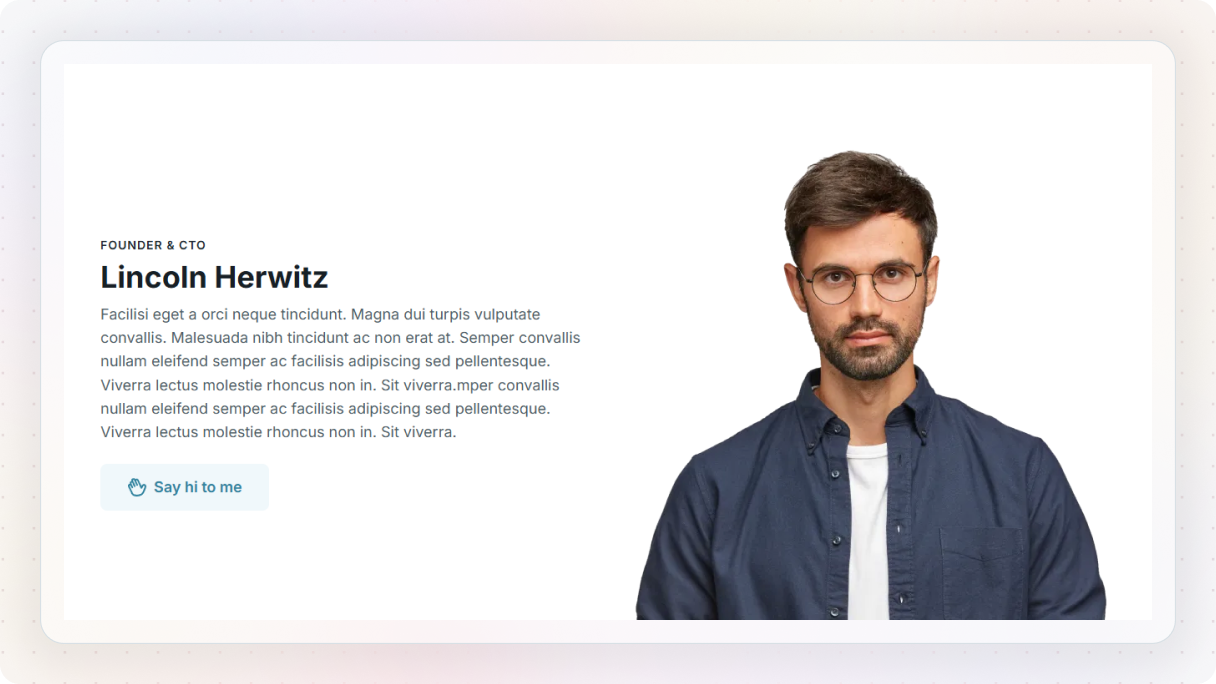
Consistency is key to building a unique style that people can instantly recognize as belonging to your site. It makes them familiar and trustworthy with your brand. You also may have noticed that small details of a website speak to you subconsciously. This is one of the design principles that refers to various elements of your web design, like color palettes, typography, imagery, interactions, and layout.
Consistency doesn’t mean everything has to look the same. Your text alignments or button placements can vary, but your overall design should feel harmonious. This is especially important as websites have become so dynamic, with constant updates and new content. Each new addition should smoothly integrate with the overall design.
This may seem like an obvious one, but you should maintain a consistent header and footer throughout your website. This ensures they always recognize your website regardless of the page they visit.
Invariance
Our brains are pretty amazing when it comes to spotting familiar patterns, even if those patterns are presented in different ways, like being rotated or scaled. This ability, known as invariance, basically helps us navigate the world without having to think too hard about it. It’s our brain’s way of making things easier for us in our everyday lives.
Because of this cool feature, we’re really good at picking out stuff that stands out. And in web design, we can use this design principle to our advantage. It lets us guide where people look on a page, like CTA buttons, in a way that feels intuitive and natural for them.
Let’s take an online store as an example. Imagine you’ve got a big sale coming up, and you want your visitors to notice the “Shop Now” button right away. By using invariance, you can make that button stand out in a way that catches attention without them even realizing it.
Maybe you make the “Shop Now” button slightly bigger than the other buttons on the page, or you give it a contrasting color that pops against the background. Even if visitors are quickly scanning the page, their eyes are naturally drawn to that button because it looks a bit different and it stands out from the rest. And that’s the power of using invariance, one of the most important design principles, in web design.
Responsive design principles in modern web design
The concept of responsive web design really took off in 2010 when web designer Ethan Marcotte wrote about it in his article, Responsive Web Design. Since then, responsiveness isn’t just a feature, it reflects how the principles of design website standards evolve with devices and screen sizes.
Responsive design means it automatically adjusts the website to fit your visitors’ smaller screens without them even noticing. With responsive design, you can create different layouts for different devices, making sure your content looks great no matter the screen size. And let’s face it, most people are browsing the web on their phones these days, so if your website isn’t responsive, you’re missing out on a huge chunk of potential visitors.
Responsive design isn’t just good for your visitors, it’s also great for SEO as Google loves websites that are user-friendly and provide a smooth experience across devices.
When designing for different screens, focus on what’s most important to your users. Make sure those key elements are easy to find, especially on smaller screens where people might be using their thumbs to navigate. The goal is to eliminate any barriers that could get in the way of your users achieving their objectives.
Accessibility
You know what’s one of the most important design principles in web design? Accessibility. It’s about making sure everyone, regardless of their abilities, can fully participate in life, especially online. But unfortunately, a lot of websites still fail when it comes to being accessible, which can make things tough for people who rely on those features.
Did you know that around 1.3 billion people worldwide, that’s about 16% of the global population, face significant disabilities? That’s a lot of people who might struggle to access websites that aren’t designed with them in mind.
So, what are some common issues? Think low contrast levels, fonts that can’t be adjusted, content available in only one language, and missing descriptions for images and buttons.
But you can make a huge difference by adding alternative text for images and buttons, providing captions or transcripts for videos, letting users adjust text sizes, ensuring good color contrast, and labeling form fields clearly.
If you follow these simple steps, you’re not just making your website more accessible, you’re making it a friendlier and more inclusive place for everyone.
Key takeaways: principles of design for a website
As we wrap up, let’s remember the most important rule in web design: Always think about the user first.
Seriously, none of these design principles we’ve discussed of web design matter if you’re not thinking about who’s going to use your website. At every turn, it’s crucial to consider the user, what they need, and what they are looking for. Build websites that revolve around them, and watch as your audience welcomes them with open arms.
Also, finding the balance between practicality and beauty can make or break your website. If it’s easy to use but lacks visual appeal, or it looks great but is hard to navigate, it won’t serve its purpose. In the end, users are likely to leave if they can’t find what they need. So, always prioritize clear design and accessibility to effectively connect with your audience.
Ready to apply these principles of design to your website? Start designing with Mosaic and build stunning layouts grounded in usability.


