



Autoplay
Let the slider run on its own, with Delay setting how long each slide stays visible.

Hero banners, testimonials, and your latest posts in a WordPress slider, with every slide built from your own elements and classes, and set up for phones just like the rest of your page already is.

Blank, Monolith, and Gibraltar ship sliders in their block libraries, from hero banners and photo slides to testimonials and feature tours, each in its own style. Here are twelve.
Ideas built with the Slider element and the rest of Mosaic. Click the arrows, hover over the reviews, and jump to a slide to see how each of these sliders behaves.
Each slide carries its own heading and button, so every offer gets a click of its own.

Autoplay pauses while the pointer is over the slider, so nobody loses a quote halfway.
Loop slides repeat one designed slide for each post, so new posts show up on their own.




Each slide sets its own thumbnail, and the bullets show it, so visitors pick by sight.
The arrows hold a label as well as an icon, and Back stays hidden on the first step.
A Slide change interaction brings in each slide's text one piece after another.
Slides use the same elements, classes, and breakpoints as the rest of your site, so you lay them out, restyle them, and set them up for phones the way you already work.
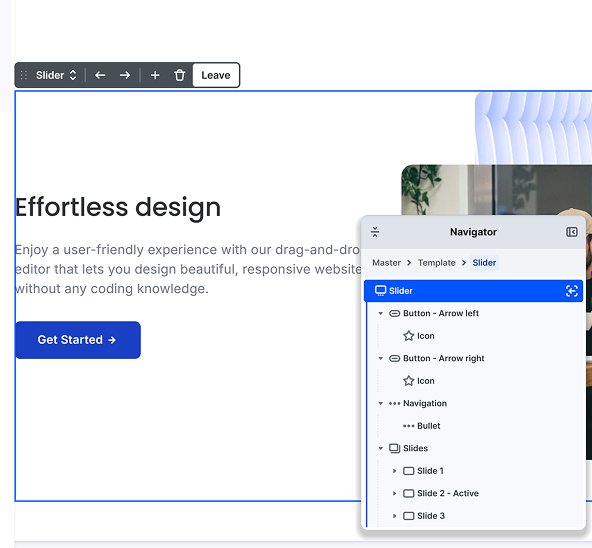
Switch slides with the toolbar arrows and build each one in place, with the headings, buttons, images, or form it needs.
Add a new slide with the Add icon in the toolbar
See which slide is active while you edit it
Find each slide listed in the Navigator
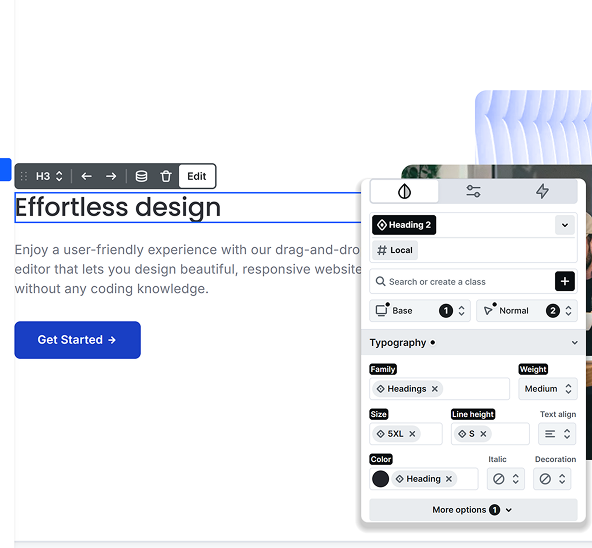
Give your slide headings and buttons a class, and one change to that class restyles them on all of your slides.
Use your site's colors and fonts from variables
Restyle the active slide, arrows and bullets
Reuse the slider as a component with its own text
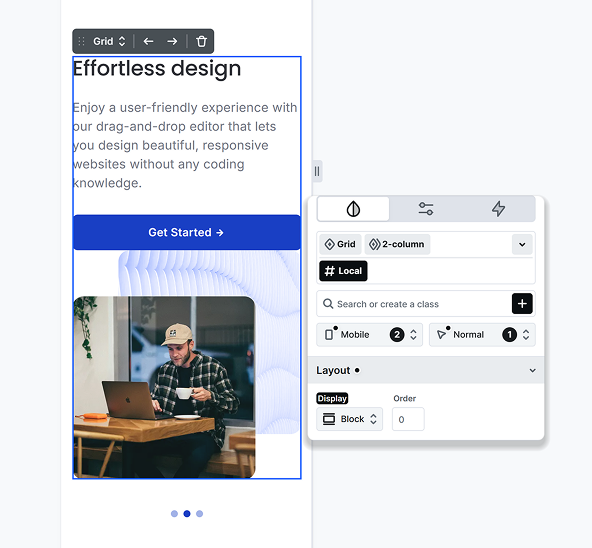
Restack and resize a slide for Tablet or Mobile, and your desktop layout stays exactly the way you first built it.
Hide a photo on phones with Display set to None
Add your own breakpoint for any screen size
See each Mobile change marked in the Style tab
A few settings decide how your slider runs for visitors, from whether it plays on its own to how every slide moves and which slide shows up first.
Let the slider run on its own, with Delay setting how long each slide stays visible.
Pick the effect, its easing and the Duration that every slide change follows.
Turn on continuous looping, so the last slide always leads back to the first one.
Choose the slide that shows first when the page loads, set by its index number.
Every Slider element follows the ARIA carousel pattern, so people who browse with a keyboard or a screen reader can tell which slide they are on and how to move on.
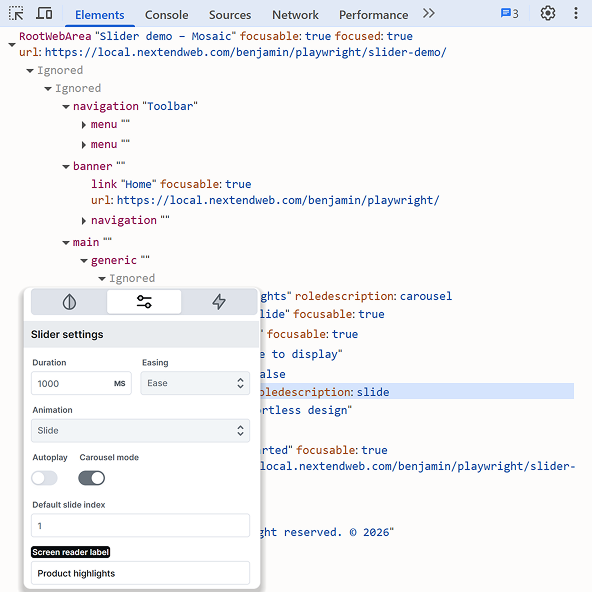
Screen readers hear a carousel and each slide by its position or its title.
Autoplay pauses while the slider has keyboard focus, then carries on.
With reduced motion on, autoplay turns off, and slides switch at once.
Arrows read as Previous slide and Next slide to screen readers.
A slider rarely sits on a page alone. These are the elements you'll reach for around it and on its slides, each with its own guide to the settings it offers.
Straight answers to what people ask before they build their first slider, so you know what the Slider element covers today and where its limits are.
Personal, Creator, and Agency all include it, each with all Pro features, so the Slider and its Loop slides are never a paid add-on.
We use cookies to improve your experience, analyze traffic, and personalize content. By clicking "Accept all" you agree to storing them on your device. Read our privacy policy.