Clipboard API not available
Most modern browsers restrict the Clipboard API to secure contexts, so it does not work on standard HTTP websites.
Full clipboard functionality is only available when:
- Your site is served over HTTPS (with a valid SSL certificate), or
- You are using localhost (e.g., http://localhost or http://127.0.0.1), which browsers treat as secure for development
If your site is accessed via a custom domain over HTTP (even if it points to 127.0.0.1), clipboard access may still be limited.
Browser settings
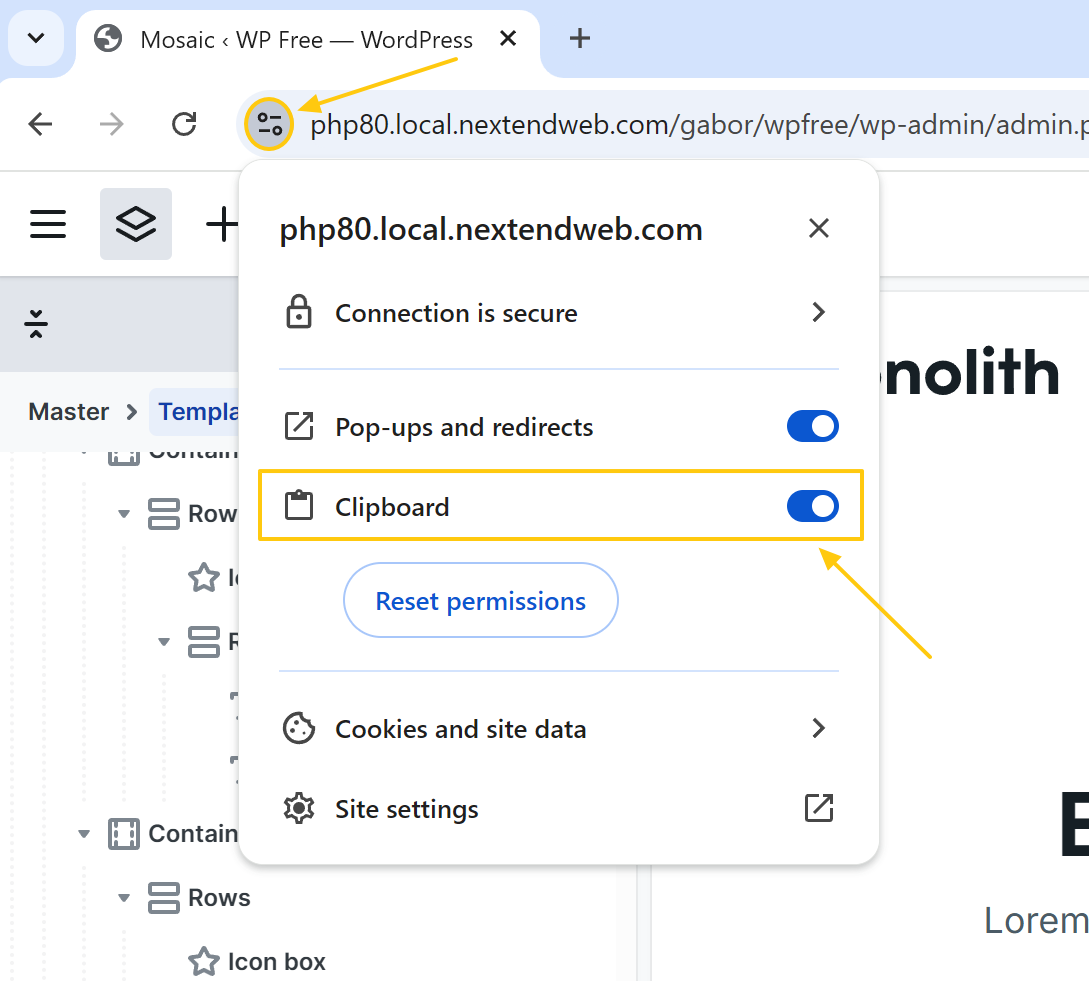
Browsers may require permission to access the clipboard.
For example, in Chrome:
- Click the icon next to the URL in the address bar
- Check that clipboard access is allowed
Other browsers have similar settings. Make sure clipboard permissions are enabled for your site.
Browser extension
Some browser extensions can interfere with clipboard functionality.
To test this:
- Open the site in an incognito/private window (extensions are usually disabled by default)
- Or try using a different browser
If the issue does not occur there, it is likely caused by a browser extension.