The MailerLite action subscribes the person who submits your form to MailerLite. Map your form fields to MailerLite’s fields, add subscribers to groups, and choose whether they go through double opt-in.
Connect your MailerLite account
To use this action, add your MailerLite API key to Mosaic once:
- Log in to MailerLite and open dashboard.mailerlite.com/integrations/api
- Click Generate new token, give it a name (for example “Mosaic”), choose your IP option (most people want All IPs allowed), and click Create token.
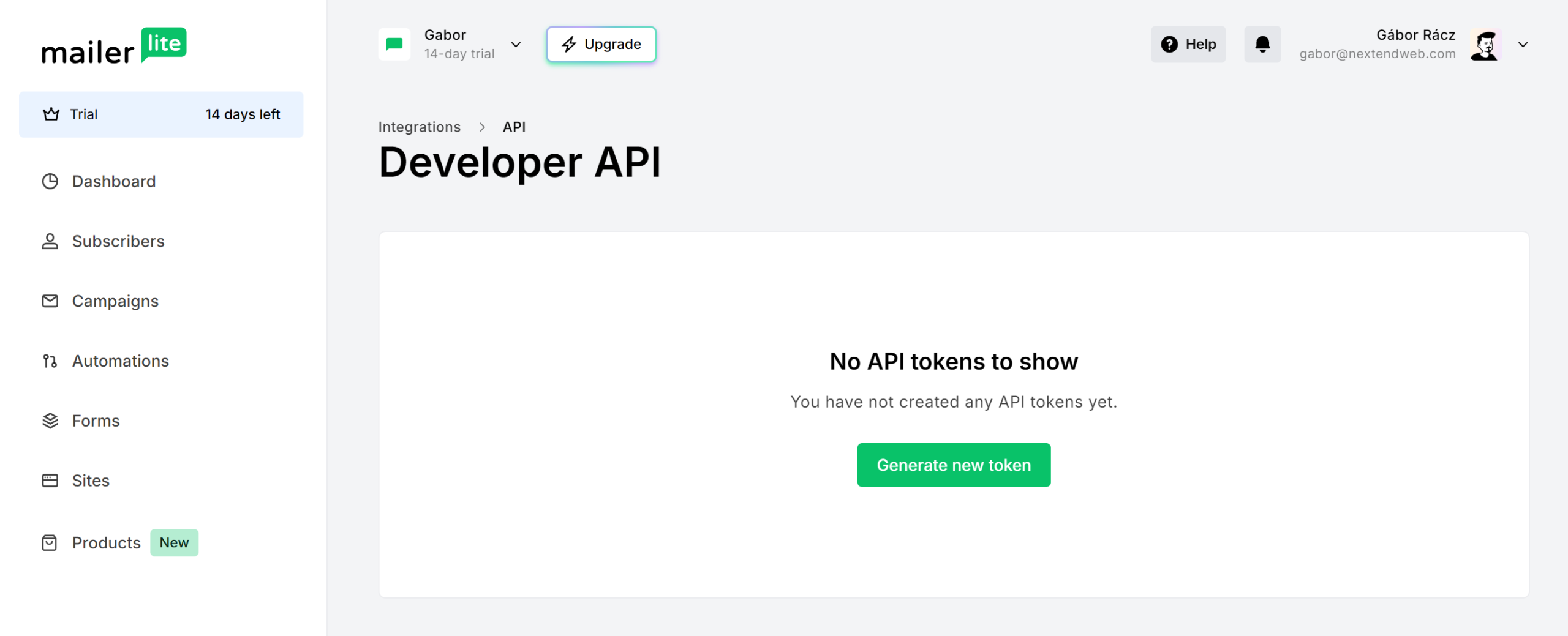
- Copy the token right away — MailerLite shows it only once.
- In WordPress, go to Mosaic → Settings → Integrations, paste it into MailerLite API key, and save.
Until a key is saved, the action shows a Setup button and its options stay hidden.
Settings
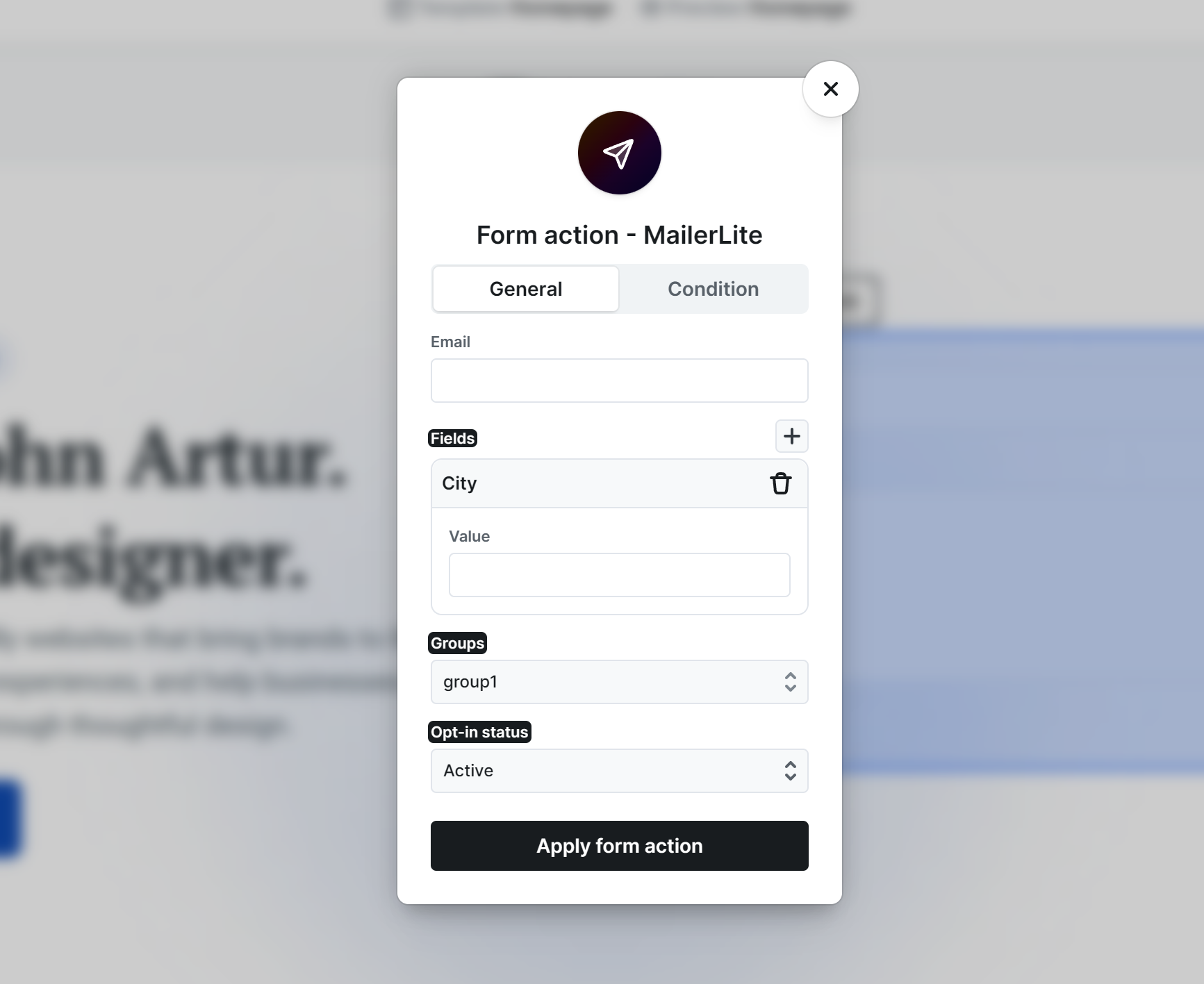
- Email — Which submitted value holds the subscriber’s email address. Insert your form’s email field here. This is required.
- Fields — Map your form fields to MailerLite’s subscriber fields. Only the fields you add here are sent.
- Groups — Add subscribers to one or more of your MailerLite groups.
- Opt-in status — How the person is added. Unconfirmed (double opt-in) — the default — subscribes them only after they confirm by email. Active adds them right away, without a confirmation step.
Test on the frontend, as the backend Preview doesn’t run actions!
Good to know
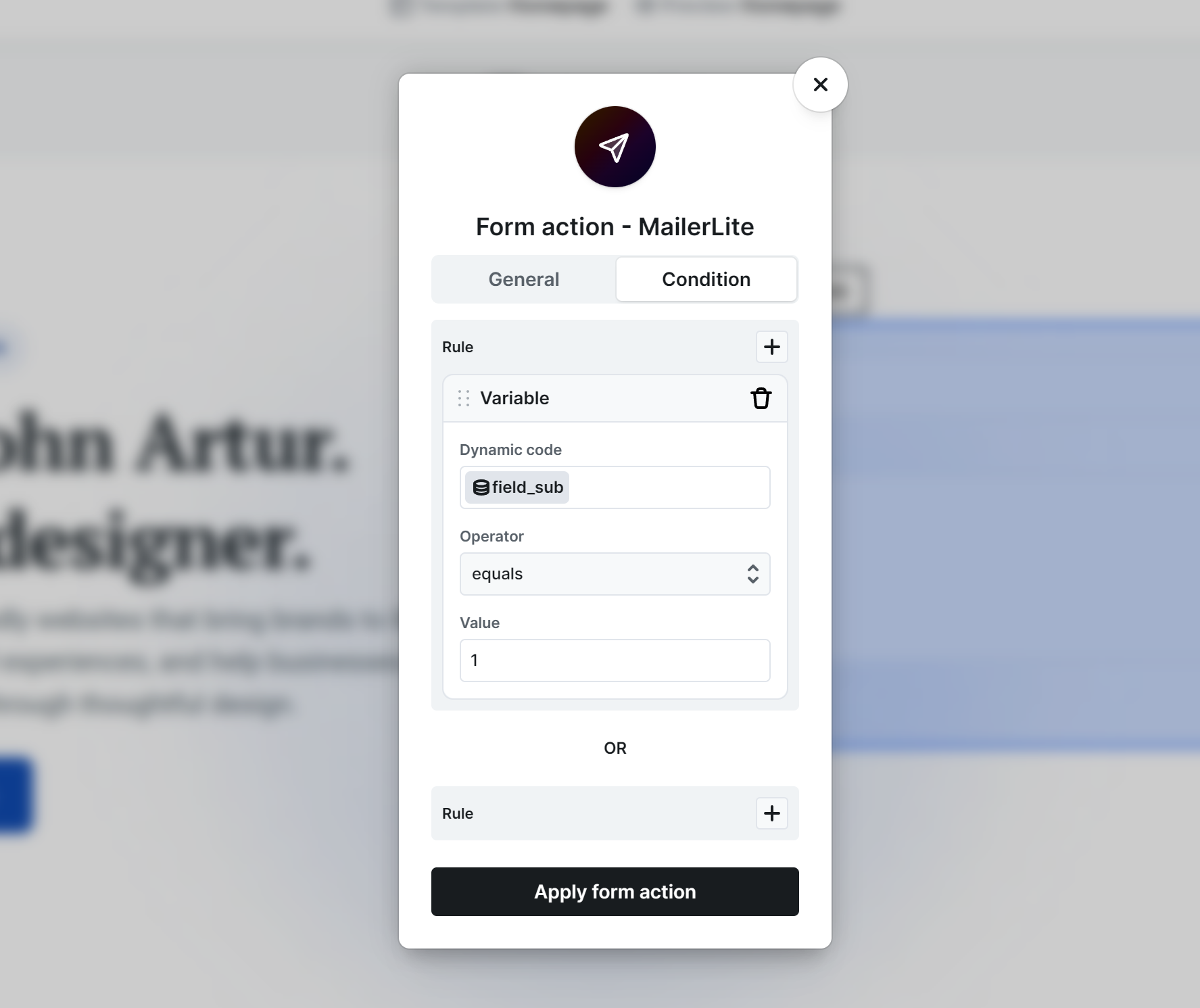
- Use the action’s Condition tab to only subscribe when it’s appropriate — for example, only when a newsletter consent checkbox is checked.
Where you’ll see the results: new subscribers appear in MailerLite under Subscribers, where you can filter by group and status. With Unconfirmed (double opt-in), a subscriber stays unconfirmed until they click the confirmation email. In WordPress, each submission and whether the MailerLite action succeeded is recorded under Mosaic → Form submissions, where a failed action can be retried.